Evidence · first-party tested/Best AI Meeting Notetakers for Accurate Transcripts, Summaries, and Action Items
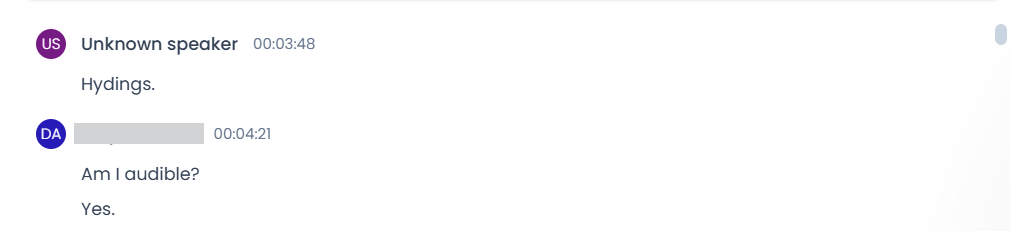
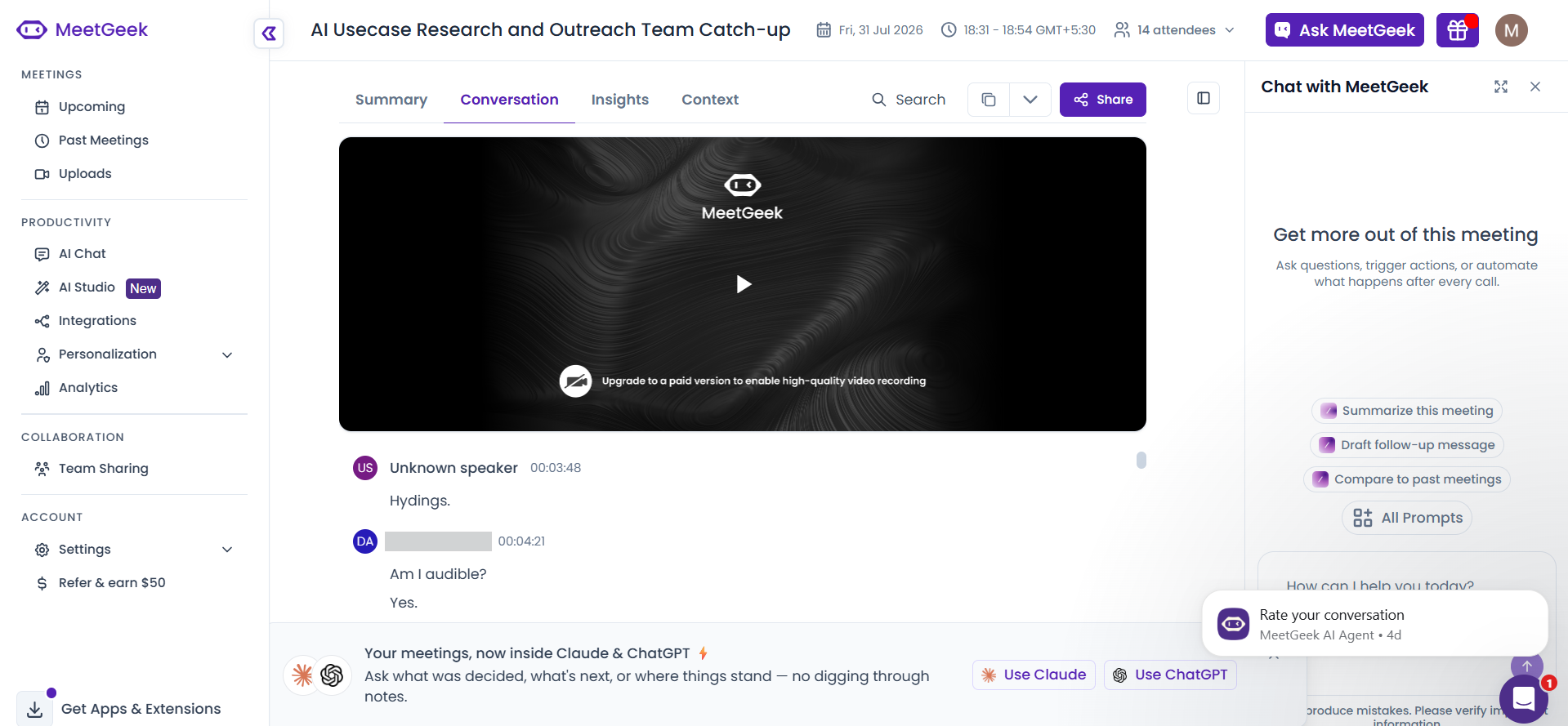
It identifies most speakers in a multi-speaker standup, but leaves at least one utterance as "Unknown speaker" and misattributes some lines to the wrong speaker, so attribution is not fully reliable.
What was measured
Speaker Diarization
Correctly attributes who said what across a multi-speaker standup.
decisive for this rankingtransformation
Correctly attributing who said what is part of making the transcript and notes trustworthy in multi-speaker meetings. (3 of 3 judges)
What was given, what came back
Test input: AI Demos Daily Standup — 31 July 2026 · image · group: ai-meeting-notetaker
Input — what we sent
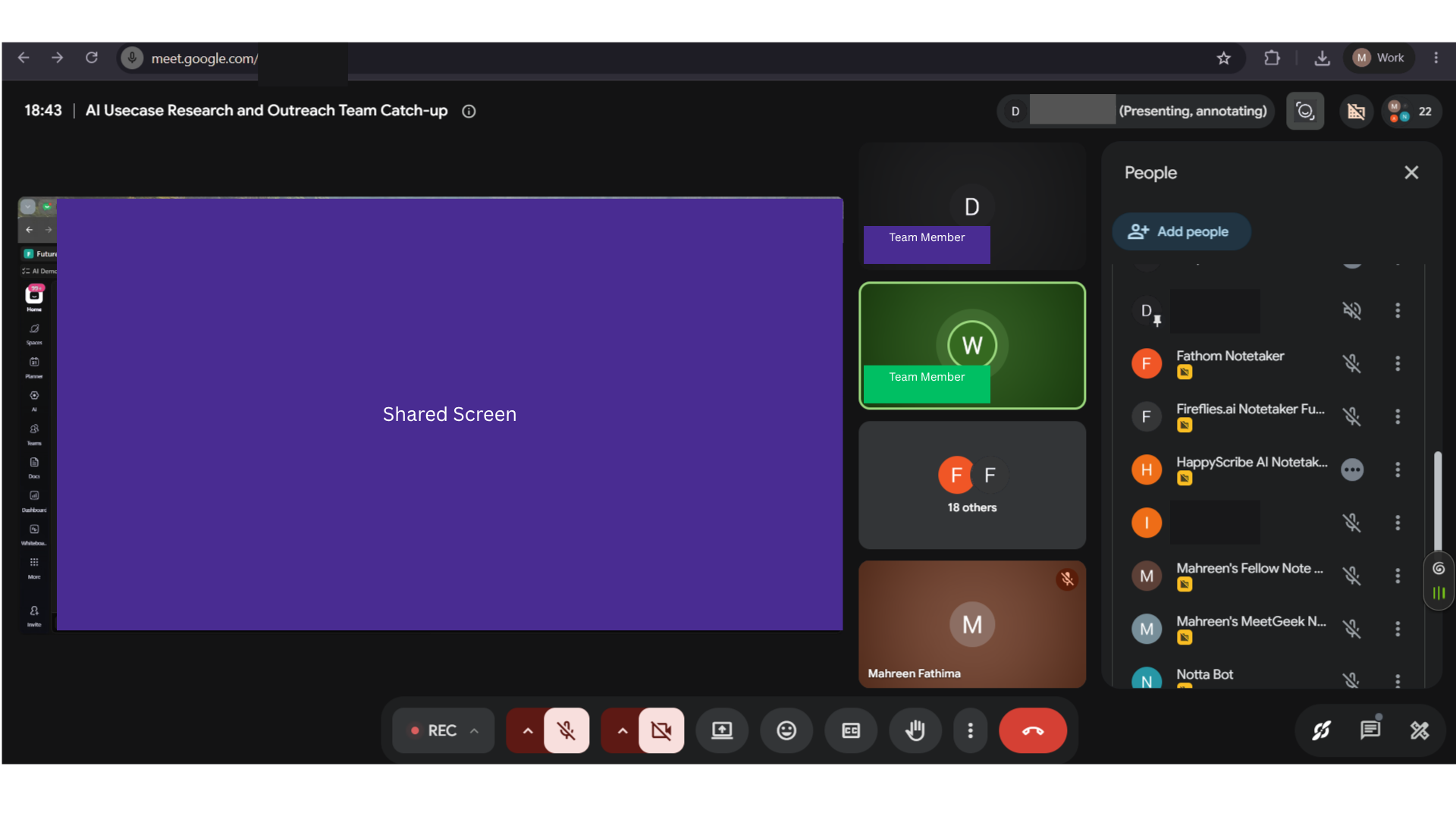
AI Demos Daily Standup — 31 July 2026
A real 25-minute technical engineering daily standup with 14 attendees and about 10 active speakers, used as the single parallel-capture meeting for evaluating AI meeting notetakers on transcription, diarization, summaries, action items, search/chat, and collaboration features.
Why this input is hard
- · Transcription accuracy for real names, tool names, numbers, and technical jargon
- · Speaker diarization across multiple active speakers
- · Robustness to overlapping speech, crosstalk, and rapid turn-taking
- · Join reliability for bot-based and botless capture
- · Summary quality on identical source material
- · Action-item extraction with correct owners and commitments
- · Topic segmentation of standup updates
- · Search and chat grounded in the meeting content
- · Sharing, API, MCP, integrations, plan limits, languages, and privacy feature coverage
Output — unretouched
Also checked on this input — same tool, 8 other criteria
Action-Item Extraction✓ WorkedIt extracts real commitments as action items rather than noise; the report says all extracted items had correct ownership and timing, and the visible note includes an owned action item with timestamp 19:51.Chat with Notes / Ask Questions◐ MixedIt answers direct grounded questions correctly, but the report records an incorrect answer on a speaker-dependent scheduling question, so chat is reliable for simple queries but weaker when attribution/context matters.Editability✓ WorkedUsers can edit generated outputs inline before sharing; the report says summary, action items, and the full transcript are all editable, and the UI shows editable summary text.Join Method & Reliability✓ WorkedThe bot successfully joined a Google Meet call and the report says it captured the full ~30-minute meeting with zero disconnections or data loss.Search Across Notes✓ WorkedIt supports transcript search with precise retrieval: searching for "api" surfaces the matching text in context and the report says timestamps are returned to within a few seconds.Summary Quality✓ WorkedIt produces a clear, skimmable meeting summary with topic organization and a Next Steps section, and the report says it preserved the major decisions and discussion points.Topic Segmentation✓ WorkedIt breaks the meeting into useful numbered topic sections instead of one blob, with a visible hierarchy under "Topics & Highlights" and the report also noting an Insights tab alongside the segmentation.Transcription Accuracy✓ WorkedIt transcribes a normal ~25-minute, ~10-active-speaker engineering standup mostly accurately, with only minor proper-noun/term drift noted in the report; one example given is "Madin" being misheard for "Mahreen".
Provenance
- Observation
- 4f7e5b21-ff4f-4846-9a07-3219c0659681
- Evidence run
- ace58582-3d1e-48ee-996c-9b3cd03f27a2
- Study
- AI Meeting Notetakers — Capture Accurate Transcripts, Summaries & Action Items From Live Calls
- Research task
- 86baxegnv
- Tested at
- not recorded
- Source
- first-party
- Evidence state
- verified
- Proof shown
- input + output shown
- Cost / latency
- not captured
- Repeat run
- not captured
- Tester
- not captured
The last three rows are honest blanks, not placeholders — our capture has no field for them yet.
Query this
get_evidence({
  tool: "meetgeek",
  scenario: "ai-meeting-notetaker"
})
MCP · mcp.aidemos.com/api/mcp
Free with attribution.
Same input, same check — 7 other tools
measured on Speaker Diarization
Fathom◐ MixedFathom separates most speakers correctly in a busy multi-speaker standup, but the report observed one rapid-transition segment where two speakers' lines were merged into a single speaker block.Fellow✓ WorkedThe transcript attributed speaker turns correctly across the standup, with all ~10 speakers labeled by name and no attribution errors or generic labels reported.Fireflies.ai✓ WorkedAttributed consecutive turns to distinct speakers in the transcript, and the report says speaker identification was almost complete with only minor attribution errors.Granola✗ FailedGranola’s default capture does not attribute speakers: the settings panel shows Speaker tags switched off, and the transcript excerpt is a plain text wall with no speaker labels, so diarization is absent unless the user manually enables it.HappyScribe◐ MixedIt identified most speakers, but the report says multiple transcript lines were assigned to the wrong speaker, so speaker-to-statement mapping was not fully reliable across transitions.Notta⚠ StruggledThe transcript contained a line labeled with another notetaker’s name (HappyScribe), which indicates cross-tool contamination or labeling error and breaks speaker attribution for that segment.Otter.ai✗ FailedOtter’s diarization was effectively unusable in this multi-speaker standup: only 1 of about 10 active speakers was identified by name, while the other 9 were left as generic labels or unattributed, which the report summarizes as a 90% failure rate.
This evidence is published in
Real inputs and real outputs, no retouching · every cell queryable via API & MCP · aidemos.com