Evidence · first-party tested/Best AI Meeting Notetakers for Accurate Transcripts, Summaries, and Action Items
Granola supports editing the summary layer, but transcript text is not editable in-app; the report describes transcript correction as locked by design, so users can fix notes and action items but not the underlying transcript.
What was measured
Editability
Can you fix a wrong summary or action item before sharing?
context, not decisivecapability
Being able to fix mistakes before sharing is valuable, but it does not by itself measure how well the tool captures the meeting in the first place. (3 of 3 judges)
What was given, what came back
Test input: AI Demos Daily Standup — 31 July 2026 · image · group: ai-meeting-notetaker
Input — what we sent
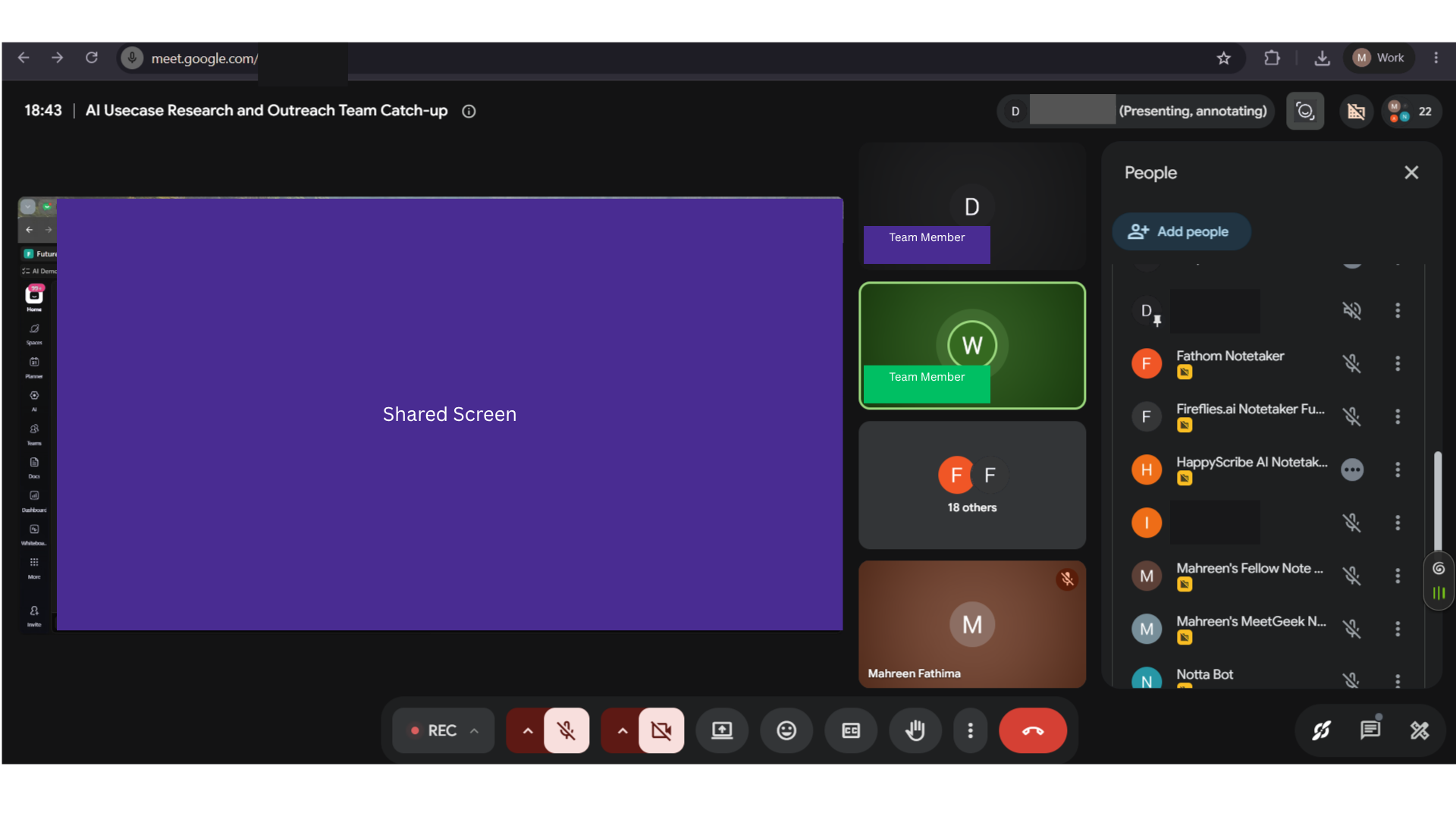
AI Demos Daily Standup — 31 July 2026
A real 25-minute technical engineering daily standup with 14 attendees and about 10 active speakers, used as the single parallel-capture meeting for evaluating AI meeting notetakers on transcription, diarization, summaries, action items, search/chat, and collaboration features.
Why this input is hard
- · Transcription accuracy for real names, tool names, numbers, and technical jargon
- · Speaker diarization across multiple active speakers
- · Robustness to overlapping speech, crosstalk, and rapid turn-taking
- · Join reliability for bot-based and botless capture
- · Summary quality on identical source material
- · Action-item extraction with correct owners and commitments
- · Topic segmentation of standup updates
- · Search and chat grounded in the meeting content
- · Sharing, API, MCP, integrations, plan limits, languages, and privacy feature coverage
Output — unretouched

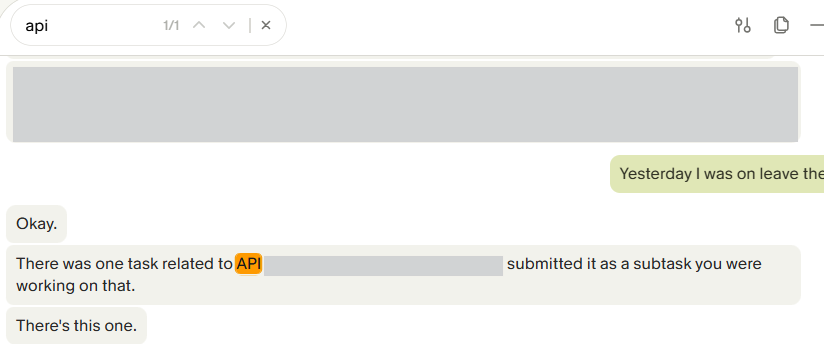
Also checked on this input — same tool, 8 other criteria
Action-Item Extraction✓ WorkedGranola extracts concrete next steps with ownership: the visible action item says to create a subtask and add details, names Mahreen Fathima as owner, and marks the item for same-day follow-up; the report says the extracted list contained no false positives.Chat with Notes / Ask Questions✓ WorkedThe chat/Q&A surface gives grounded answers from the meeting record: on the tool-access question it says access was confirmed that day, cites both the notes and transcript, and identifies rerunning testing as the next step.Join Method & Reliability✓ WorkedThe botless desktop capture recorded the full ~25-minute meeting end-to-end without visible dropouts; the transcript reaches the call’s closing lines, indicating uninterrupted capture rather than a mid-call failure.Search Across Notes✓ WorkedGranola’s note search returns exact-match results with navigation: a query for 'api' produced a 1/1 hit and highlighted the matched word in the transcript, so keyword lookup works directly inside the meeting note.Speaker Diarization✗ FailedGranola’s default capture does not attribute speakers: the settings panel shows Speaker tags switched off, and the transcript excerpt is a plain text wall with no speaker labels, so diarization is absent unless the user manually enables it.Summary Quality✓ WorkedGranola produces skimmable summaries with named sections; the meeting output is organized into at least three top-level sections, including Use Case Status and Review Progress, Tool Research and Publishing, and Access Tracker Updates.Topic Segmentation✓ WorkedThe notes are split into named topic sections instead of one long blob; the published section header 'Diagram Animation and Other Use Cases' and the report’s multi-section summary structure show logical breakpoints for navigation.Transcription Accuracy✗ FailedOn this 25-minute, multi-speaker standup, Granola’s transcript quality is unreliable: the published excerpt shows garbled phrasing and mistranscribed wording, and the report says the mishearing pattern recurs across early, middle, and late sections rather than being isolated to one moment.
Provenance
- Observation
- e181aa66-75ab-4b14-a804-0bb3f6481466
- Evidence run
- ace58582-3d1e-48ee-996c-9b3cd03f27a2
- Study
- AI Meeting Notetakers — Capture Accurate Transcripts, Summaries & Action Items From Live Calls
- Research task
- 86baxegnv
- Tested at
- not recorded
- Source
- first-party
- Evidence state
- verified
- Proof shown
- input + output shown
- Cost / latency
- not captured
- Repeat run
- not captured
- Tester
- not captured
The last three rows are honest blanks, not placeholders — our capture has no field for them yet.
Query this
get_evidence({
  tool: "granola",
  scenario: "ai-meeting-notetaker"
})
MCP · mcp.aidemos.com/api/mcp
Free with attribution.
Same input, same check — 3 other tools
measured on Editability
Fellow◐ MixedSummary and action items are editable inline before sharing, but the transcript itself is locked for audit-trail purposes, so editing is only partial.MeetGeek✓ WorkedUsers can edit generated outputs inline before sharing; the report says summary, action items, and the full transcript are all editable, and the UI shows editable summary text.Otter.ai✓ WorkedOtter exposes inline editing controls for transcript and summary outputs before sharing, so wrong content can be corrected in-product rather than only exported as-is.
This evidence is published in
Real inputs and real outputs, no retouching · every cell queryable via API & MCP · aidemos.com