
Manus Review: Storyboard Generation Tested (2026)
Manus AI Review: AI Agent for Storyboard Generation Tested (2026)
Our take
- You are comfortable writing structured AI prompts
- You need every script line mapped to a visual frame in a clean document
- You work across both narrative and technical content types
- You have no experience with AI prompt engineering
Feature scores on this page: 8.4/10 (5 scored features)
Our take
Manus AI is a general-purpose autonomous agent — not a purpose-built storyboard tool. With a well-structured prompt it produced the cleanest output structure of all tools tested — every script line paired with a corresponding visual frame in a complete document. The trade-off is prompt dependency — output quality is entirely tied to instruction quality, making it less accessible for creators without prompting experience.
In-Depth Review
Our detailed analysis of Manus — features, performance, and real-world testing.
Feature-by-Feature Breakdown
We tested each feature individually. Click any card to see inputs, outputs, and our observations.
Script InputStrong - supports multiple input formats with prompt7/10▾
Feature tested: Script Input
Result: Passed (7/10)
Verdict: Strong - supports multiple input formats with prompt
Expected behavior: Manus AI accepts the script as part of a structured prompt. The agent interprets the script and storyboard instructions simultaneously — no separate import step exists.
Test case: Text prompt → Image
Input type: Text prompt
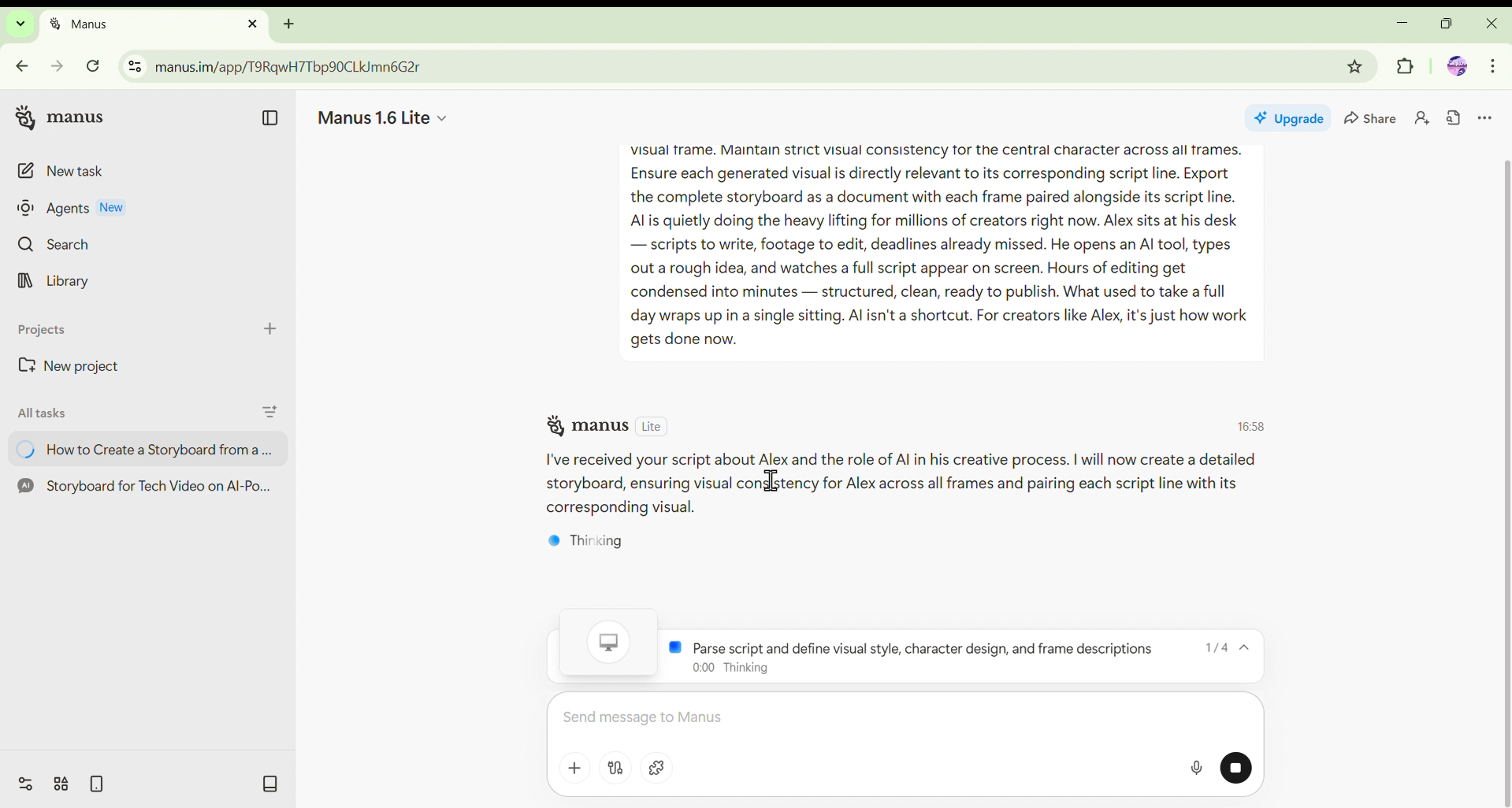
Input used: Input artifact (Text prompt): Structured prompt containing the full script and explicit storyboard instructions : Create a storyboard from the script below. Map each and every line of the script to a visual frame. Maintain strict visual consistency for the central character across all frames. Ensure each generated visual is directly relevant to its corresponding script line. Export the complete storyboard as a document with each frame paired alongside its script line. AI is quietly doing the heavy lifting for millions of creators right now. Alex sits at his desk — scripts to write, footage to edit, deadlines already missed. He opens an AI tool, types out a rough idea, and watches a full script appear on screen. Hours of editing get condensed into minutes — structured, clean, ready to publish. What used to take a full day wraps up in a single sitting. AI isn't a shortcut. For creators like Alex, it's just how work gets done now.
Observed output: Output artifact (Image): Agent begins autonomous task execution — scene breakdown, visual generation, and document assembly handled sequentially. — Screenshot 2026-04-04 113632.png
Input artifact: Input artifact (Text prompt): Structured prompt containing the full script and explicit storyboard instructions : Create a storyboard from the script below. Map each and every line of the script to a visual frame. Maintain strict visual consistency for the central character across all frames. Ensure each generated visual is directly relevant to its corresponding script line. Export the complete storyboard as a document with each frame paired alongside its script line. AI is quietly doing the heavy lifting for millions of creators right now. Alex sits at his desk — scripts to write, footage to edit, deadlines already missed. He opens an AI tool, types out a rough idea, and watches a full script appear on screen. Hours of editing get condensed into minutes — structured, clean, ready to publish. What used to take a full day wraps up in a single sitting. AI isn't a shortcut. For creators like Alex, it's just how work gets done now.
Output artifact: Output artifact (Image): Agent begins autonomous task execution — scene breakdown, visual generation, and document assembly handled sequentially. — Screenshot 2026-04-04 113632.png
What changed: Text prompt transformed into Image
Why it matters / Conclusion: No dedicated import interface — prompt is the only input mechanism. Output quality is entirely dependent on prompt structure.
Manus AI accepts the script as part of a structured prompt. The agent interprets the script and storyboard instructions simultaneously — no separate import step exists.
Scene ParsingStrong - parsed script identified with instructions in prompt8.5/10▾
Feature tested: Scene Parsing
Result: Passed (8.5/10)
Verdict: Strong - parsed script identified with instructions in prompt
Expected behavior: Manus parsed each script line as an individual scene when explicitly instructed. No native scene detection logic exists — the agent interprets scene boundaries through reasoning based on the prompt.
Test case: Text prompt → Image
Input type: Text prompt
Input used: Input artifact (Text prompt): Six-line creator narrative script with explicit line-by-line mapping instruction : Create a storyboard from the script below. Map each and every line of the script to a visual frame. Maintain strict visual consistency for the central character across all frames. Ensure each generated visual is directly relevant to its corresponding script line. Export the complete storyboard as a document with each frame paired alongside its script line. AI is quietly doing the heavy lifting for millions of creators right now. Alex sits at his desk — scripts to write, footage to edit, deadlines already missed. He opens an AI tool, types out a rough idea, and watches a full script appear on screen. Hours of editing get condensed into minutes — structured, clean, ready to publish. What used to take a full day wraps up in a single sitting. AI isn't a shortcut. For creators like Alex, it's just how work gets done now.
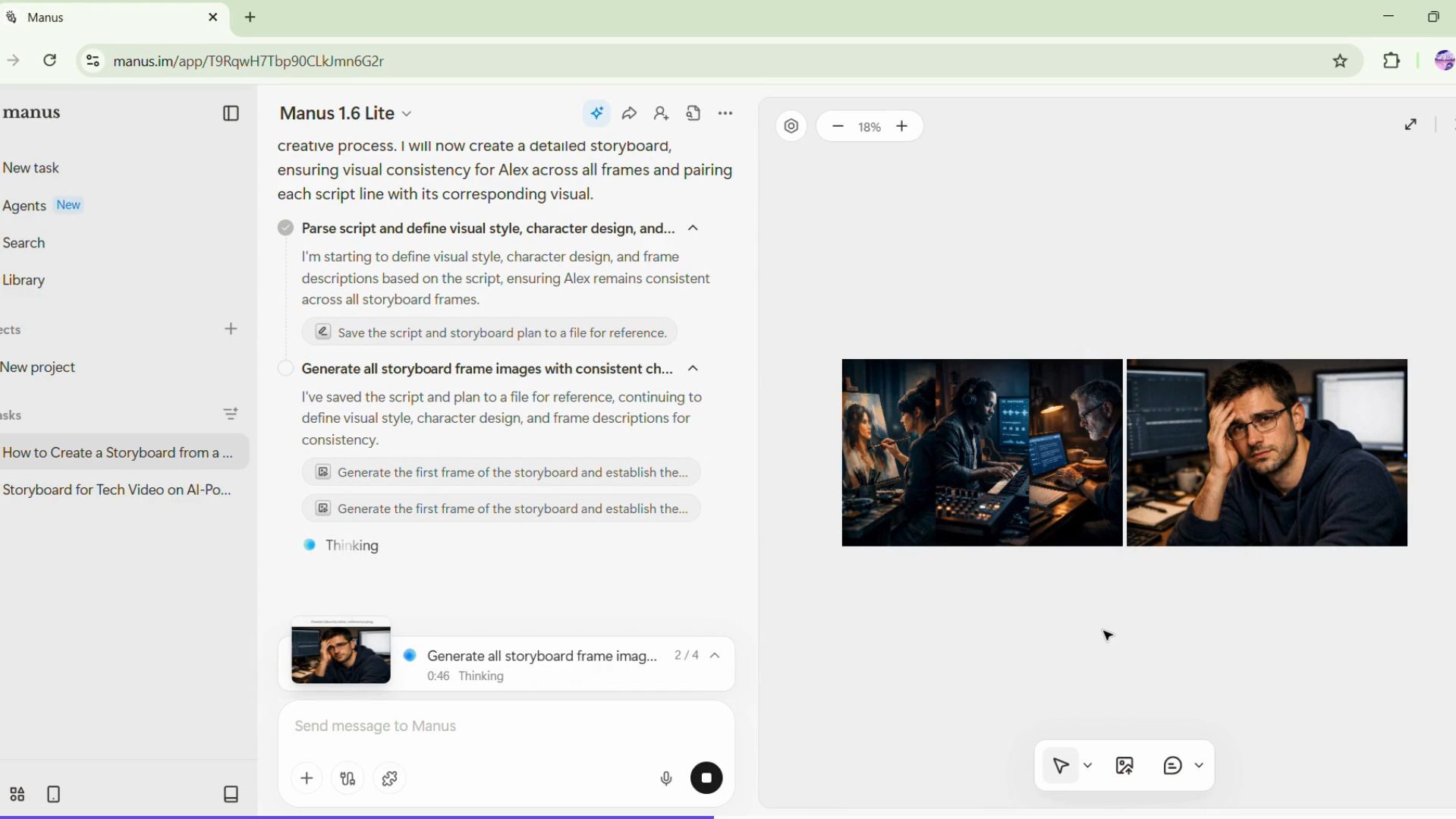
Observed output: Output artifact (Image): Seven scenes identified and mapped to individual frames — Screenshot 2026-03-26 160214.png
Input artifact: Input artifact (Text prompt): Six-line creator narrative script with explicit line-by-line mapping instruction : Create a storyboard from the script below. Map each and every line of the script to a visual frame. Maintain strict visual consistency for the central character across all frames. Ensure each generated visual is directly relevant to its corresponding script line. Export the complete storyboard as a document with each frame paired alongside its script line. AI is quietly doing the heavy lifting for millions of creators right now. Alex sits at his desk — scripts to write, footage to edit, deadlines already missed. He opens an AI tool, types out a rough idea, and watches a full script appear on screen. Hours of editing get condensed into minutes — structured, clean, ready to publish. What used to take a full day wraps up in a single sitting. AI isn't a shortcut. For creators like Alex, it's just how work gets done now.
Output artifact: Output artifact (Image): Seven scenes identified and mapped to individual frames — Screenshot 2026-03-26 160214.png
What changed: Text prompt transformed into Image
Test case: Text prompt → Image
Input type: Text prompt
Input used: Input artifact (Text prompt): Parsing on technical script : Create a storyboard from the script below. Map each and every line of the script to a visual frame. There is no central character in this script — focus on generating technically accurate and conceptually relevant visuals for each line. Ensure each frame clearly represents the technical concept described in its corresponding script line. Export the complete storyboard as a document with each frame paired alongside its script line. A base LLM only knows what it learned during training — its knowledge is frozen at the cutoff. This makes it unreliable for anything recent, private, or domain-specific. Retrieval-Augmented Generation (RAG) solves this by retrieving relevant documents before generation. The query is embedded and similar chunks are fetched from a vector database. Those chunks are injected into the prompt alongside the original query. The LLM generates an answer using both its training knowledge and the retrieved context.
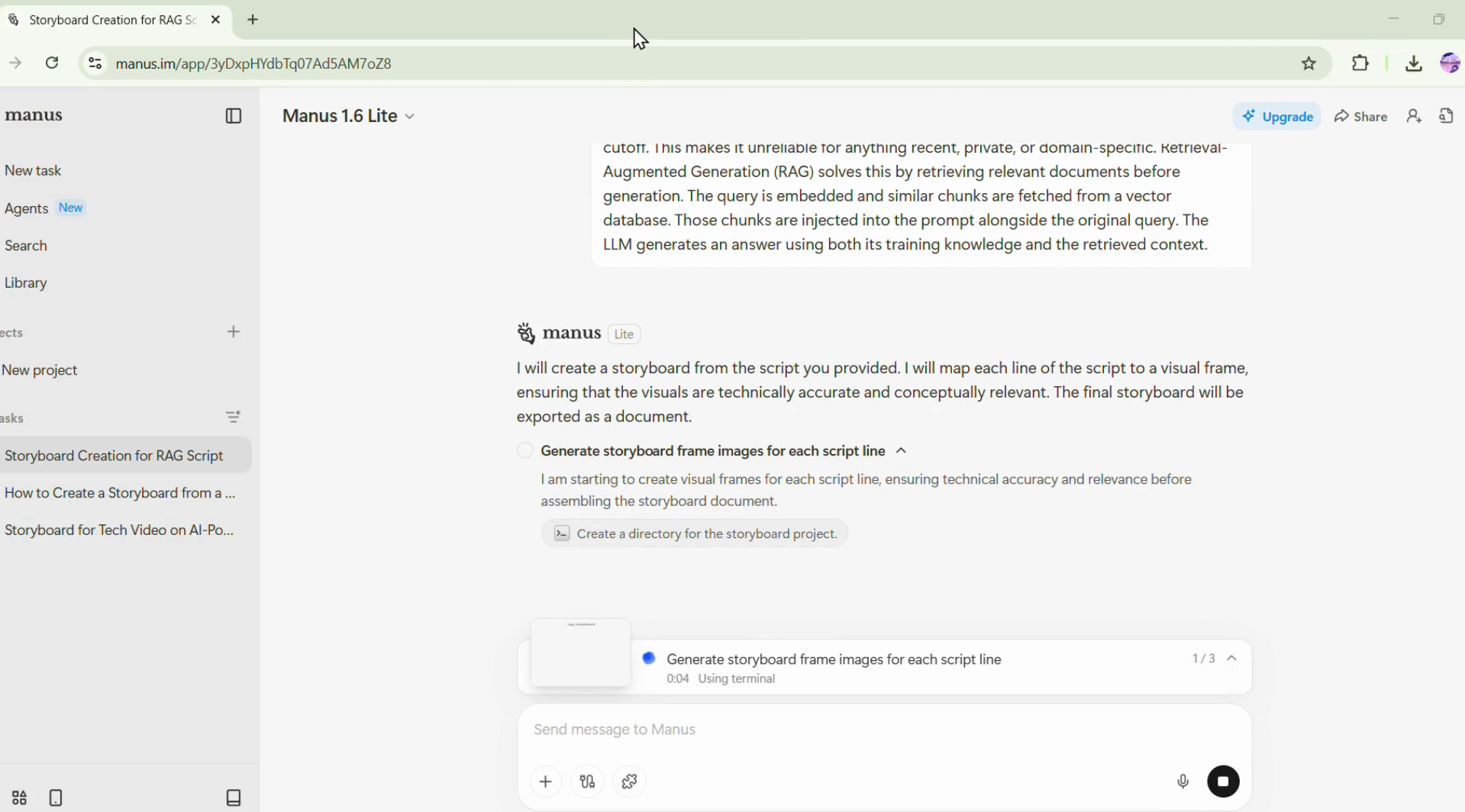
Observed output: Output artifact (Image): Script being parsed accordingly to generate visual storyboard — Screenshot 2026-04-04 113851.png
Input artifact: Input artifact (Text prompt): Parsing on technical script : Create a storyboard from the script below. Map each and every line of the script to a visual frame. There is no central character in this script — focus on generating technically accurate and conceptually relevant visuals for each line. Ensure each frame clearly represents the technical concept described in its corresponding script line. Export the complete storyboard as a document with each frame paired alongside its script line. A base LLM only knows what it learned during training — its knowledge is frozen at the cutoff. This makes it unreliable for anything recent, private, or domain-specific. Retrieval-Augmented Generation (RAG) solves this by retrieving relevant documents before generation. The query is embedded and similar chunks are fetched from a vector database. Those chunks are injected into the prompt alongside the original query. The LLM generates an answer using both its training knowledge and the retrieved context.
Output artifact: Output artifact (Image): Script being parsed accordingly to generate visual storyboard — Screenshot 2026-04-04 113851.png
What changed: Text prompt transformed into Image
Why it matters / Conclusion: Accurate scene parsing when explicitly instructed. Without clear mapping instructions, granularity is not guaranteed.
Manus parsed each script line as an individual scene when explicitly instructed. No native scene detection logic exists — the agent interprets scene boundaries through reasoning based on the prompt.
Visual GenerationStrong — high-quality visuals generated based on prompt9.2/10▾
Feature tested: Visual Generation
Result: Passed (9.2/10)
Verdict: Strong — high-quality visuals generated based on prompt
Expected behavior: Manus generated visuals for each scene based on script content and prompt instructions. Visual relevance was strong across both scripts when instructions were sufficiently detailed.
Test case: Artifact → Image
Input type: Artifact
Input used: Input artifact (Artifact): Structured prompt with creator narrative script : Create a storyboard from the script below. Map each and every line of the script to a visual frame. Maintain strict visual consistency for the central character across all frames. Ensure each generated visual is directly relevant to its corresponding script line. Export the complete storyboard as a document with each frame paired alongside its script line. AI is quietly doing the heavy lifting for millions of creators right now. Alex sits at his desk — scripts to write, footage to edit, deadlines already missed. He opens an AI tool, types out a rough idea, and watches a full script appear on screen. Hours of editing get condensed into minutes — structured, clean, ready to publish. What used to take a full day wraps up in a single sitting. AI isn't a shortcut. For creators like Alex, it's just how work gets done now.
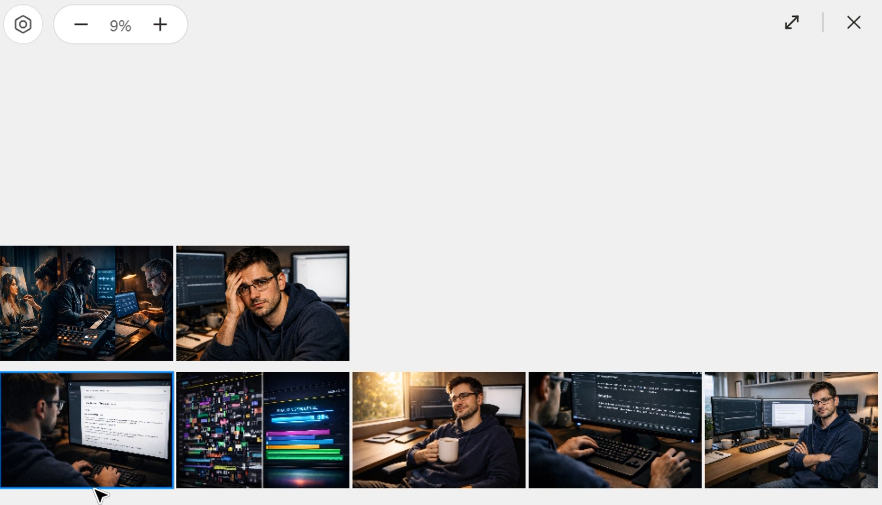
Observed output: Output artifact (Image): Six visuals generated of high quality and proper character consistency. — Screenshot 2026-04-04 114407.png
Input artifact: Input artifact (Artifact): Structured prompt with creator narrative script : Create a storyboard from the script below. Map each and every line of the script to a visual frame. Maintain strict visual consistency for the central character across all frames. Ensure each generated visual is directly relevant to its corresponding script line. Export the complete storyboard as a document with each frame paired alongside its script line. AI is quietly doing the heavy lifting for millions of creators right now. Alex sits at his desk — scripts to write, footage to edit, deadlines already missed. He opens an AI tool, types out a rough idea, and watches a full script appear on screen. Hours of editing get condensed into minutes — structured, clean, ready to publish. What used to take a full day wraps up in a single sitting. AI isn't a shortcut. For creators like Alex, it's just how work gets done now.
Output artifact: Output artifact (Image): Six visuals generated of high quality and proper character consistency. — Screenshot 2026-04-04 114407.png
What changed: Artifact transformed into Image
Test case: Text prompt → Image
Input type: Text prompt
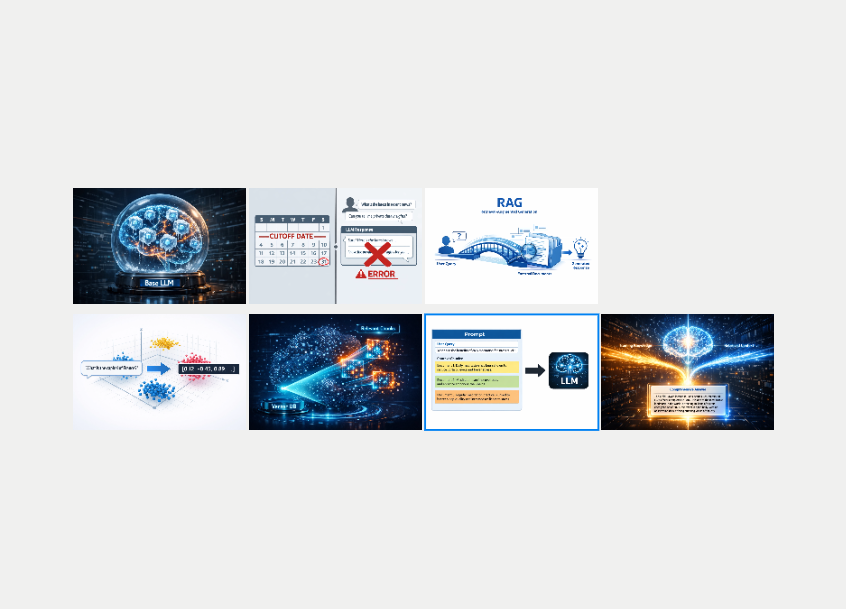
Input used: Input artifact (Text prompt): RAG Technical Script
Observed output: Output artifact (Image): High quality vector illustrations generated due to explicit prompting — Screenshot 2026-04-04 114800.png
Input artifact: Input artifact (Text prompt): RAG Technical Script
Output artifact: Output artifact (Image): High quality vector illustrations generated due to explicit prompting — Screenshot 2026-04-04 114800.png
What changed: Text prompt transformed into Image
Why it matters / Conclusion: Strong visual relevance across both narrative and technical content when correctly instructed. Technical concepts like vector databases and retrieval layers were translated into meaningful visuals.
Manus generated visuals for each scene based on script content and prompt instructions. Visual relevance was strong across both scripts when instructions were sufficiently detailed.
Character ConsistencyStrong — character consistency achieved through prompting8.5/10▾
Feature tested: Character Consistency
Result: Passed (8.5/10)
Verdict: Strong — character consistency achieved through prompting
Expected behavior: No native character locking mechanism exists. Consistency was achieved entirely through explicit prompt instruction.
Test case: Artifact → Image
Input type: Artifact
Input used: Input artifact (Artifact): Prompt containing explicit character consistency instruction : Maintain strict visual consistency for the central character across all frames.
Observed output: Output artifact (Image): Character appearance maintained consistently across all six frames — Screenshot 2026-04-04 114407.png
Input artifact: Input artifact (Artifact): Prompt containing explicit character consistency instruction : Maintain strict visual consistency for the central character across all frames.
Output artifact: Output artifact (Image): Character appearance maintained consistently across all six frames — Screenshot 2026-04-04 114407.png
What changed: Artifact transformed into Image
Why it matters / Conclusion: Consistency achievable through prompting but not guaranteed without it. No built-in confirmation or regeneration step.
No native character locking mechanism exists. Consistency was achieved entirely through explicit prompt instruction.
ExportStrong — export options and structure can be curated9/10▾
Feature tested: Export
Result: Passed (9/10)
Verdict: Strong — export options and structure can be curated
Expected behavior: Manus allows individual visual frames to be generated and downloaded separately, and based on the prompt, it can automatically organize and map those images alongside their corresponding script lines into a structured document.
Test case: Artifact → PDF document
Input type: Artifact
Input used: Input artifact (Artifact): Completed storyboard with output structure prompting : Export the complete storyboard as a document with each frame paired alongside its script line.
Observed output: Output artifact (PDF document): Clean document with script lines and visual frames paired sequentially — well-structured and presentable — Storyboard_AI_for_Creators.pdf
Input artifact: Input artifact (Artifact): Completed storyboard with output structure prompting : Export the complete storyboard as a document with each frame paired alongside its script line.
Output artifact: Output artifact (PDF document): Clean document with script lines and visual frames paired sequentially — well-structured and presentable — Storyboard_AI_for_Creators.pdf
What changed: Artifact transformed into PDF document
Test case: Artifact → PDF document
Input type: Artifact
Input used: Input artifact (Artifact): Completed storyboard with output structure prompting for technical script : Export the complete storyboard as a document with each frame paired alongside its script line.
Observed output: Output artifact (PDF document): Clean document with script lines and visual frames paired sequentially — well-structured and presentable — storyboard (2).pdf
Input artifact: Input artifact (Artifact): Completed storyboard with output structure prompting for technical script : Export the complete storyboard as a document with each frame paired alongside its script line.
Output artifact: Output artifact (PDF document): Clean document with script lines and visual frames paired sequentially — well-structured and presentable — storyboard (2).pdf
What changed: Artifact transformed into PDF document
Why it matters / Conclusion: Strongest output structure tested. Document format makes the storyboard immediately usable without post-generation organisation.
Manus allows individual visual frames to be generated and downloaded separately, and based on the prompt, it can automatically organize and map those images alongside their corresponding script lines into a structured document.
Pricing & Access
Plans as of March 2026. Tested on the Free plan.
Pricing as of March 2026.
Is This Right For You?
A side-by-side guide based on our hands-on testing.
Banner Preview
How the embed badge will look on your site

Embed HTML
Copy this code to your website source
Quick Integration Guide
- 1Copy the HTML code block above.
- 2Paste it into your site's HTML or CMS editor.
- 3Banner appears instantly on your page.
- 4Links back to your tool profile here.
Similar Tools
Discover more AI tools like Manus to enhance your workflow.
Comments (0)
Need a custom AI solution for this use case?
If you are looking to build a custom storyboard generation, scene planning, or shot list workflow for your business or internal workflow, email us at contact@futuresmart.ai.
Found something inaccurate or missing? We try to keep our AI research accurate and useful. If you found outdated information, an issue, or have a suggestion, email us at collaborate@aidemos.com.