
Zapcap AI Review: Auto Captions & B-Roll Video Editor Tested (2026)
ZapCap AI Review: Auto Captions & B-Roll Video Editor Tested (2026)
Our take
- You want accurate captions with automatic B-roll integration
- You need perfect timestamp alignment for visuals and text
- You want high-quality results even on a free or low-cost plan
- You need deep manual editing control
Feature scores on this page: 9.7/10 (5 scored features)
Our take
ZapCap AI is one of the most accurate tools forautomatic captions and B-roll integration, delivering highly synchronized visuals with minimal effort. It combines strong keyword understanding, precise timing, and smooth transitions to produceclean, professional, ready-to-publish videos. Even on the free plan, the output quality is consistently high
In-Depth Review
Our detailed analysis of Zapcap AI — features, performance, and real-world testing.
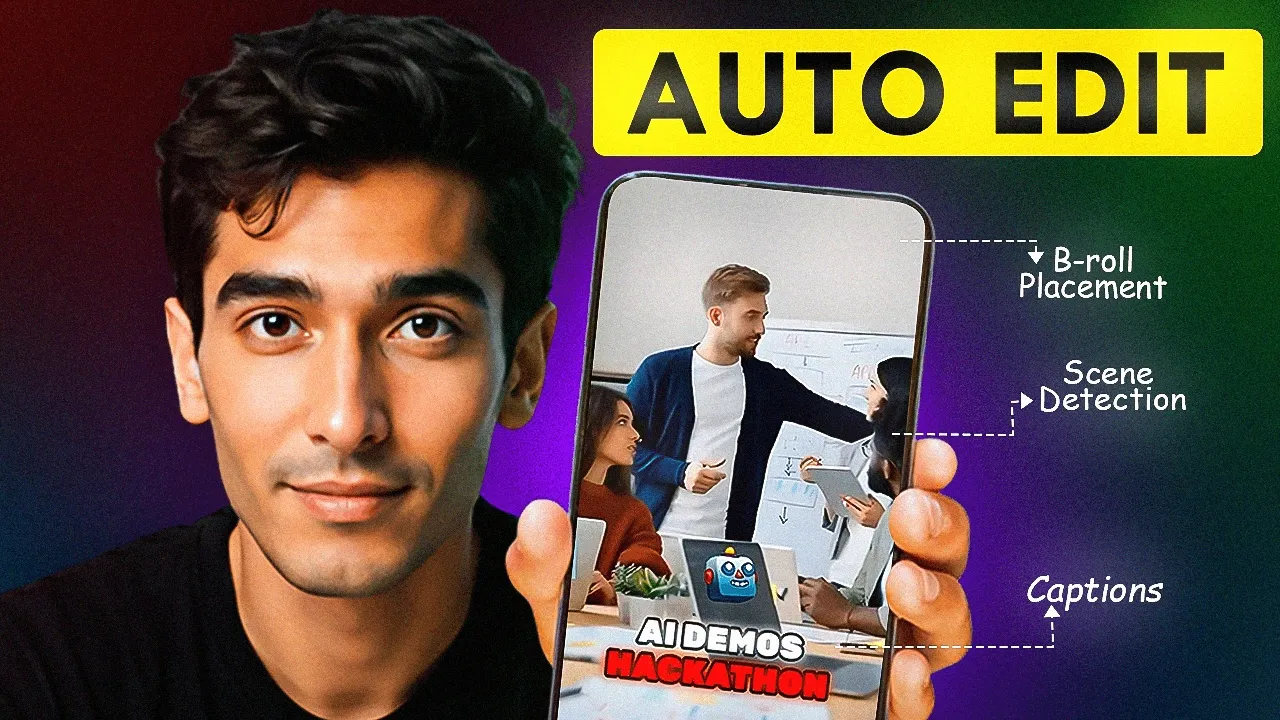
Feature-by-Feature Breakdown
We tested each feature individually. Click any card to see inputs, outputs, and our observations.
Caption Accuracy & Input HandlingHigh9.5/10▾
Feature tested: Caption Accuracy & Input Handling
Result: Passed (9.5/10)
Verdict: High
Expected behavior: Generates captions directly from speech with accurate transcription and timing.
Test case: Video file → Video file
Input type: Video file
Input used: Input artifact (Video file): Input: Talking-head video with clear speech — PXL_20251107_130225940~2 (1).mp4
Observed output: Output artifact (Video file): Output: Contextual visuals including ancient roads followed by modern highways aligned with narration — PXL_20251107_130225940~2 (2) (1) (1) (2).mp4
Input artifact: Input artifact (Video file): Input: Talking-head video with clear speech — PXL_20251107_130225940~2 (1).mp4
Output artifact: Output artifact (Video file): Output: Contextual visuals including ancient roads followed by modern highways aligned with narration — PXL_20251107_130225940~2 (2) (1) (1) (2).mp4
What changed: Video file transformed into Video file
Why it matters / Conclusion: Highly reliable caption generation with strong synchronization.
Generates captions directly from speech with accurate transcription and timing.
Contextual B-Roll GenerationHigh9.8/10▾
Feature tested: Contextual B-Roll Generation
Result: Passed (9.8/10)
Verdict: High
Expected behavior: Adds relevant B-roll clips based on spoken keywords and context.
Test case: Text prompt → Image
Input type: Text prompt
Input used: Input artifact (Text prompt): Topic on “Roman infrastructure and roads”
Observed output: Output artifact (Image): Output: Contextual visuals including ancient roads followed by modern highways aligned with narration — ChatGPT Image Apr 29, 2026, 03_47_09 PM (1).png
Input artifact: Input artifact (Text prompt): Topic on “Roman infrastructure and roads”
Output artifact: Output artifact (Image): Output: Contextual visuals including ancient roads followed by modern highways aligned with narration — ChatGPT Image Apr 29, 2026, 03_47_09 PM (1).png
What changed: Text prompt transformed into Image
Why it matters / Conclusion: Industry-leading B-roll relevance driven by contextual understanding.
Adds relevant B-roll clips based on spoken keywords and context.
.png)
Timestamp AccuracyHigh9.6/10▾
Feature tested: Timestamp Accuracy
Result: Passed (9.6/10)
Verdict: High
Expected behavior: Ensures captions and visuals are aligned perfectly with speech.
Test case: Text prompt → Image
Input type: Text prompt
Input used: Input artifact (Text prompt): Input: Multi-sentence speech with varying pace
Observed output: Output artifact (Image): Output: Captions and B-roll appearing exactly at the correct moments — ChatGPT Image Apr 29, 2026, 03_45_04 PM (1).png
Input artifact: Input artifact (Text prompt): Input: Multi-sentence speech with varying pace
Output artifact: Output artifact (Image): Output: Captions and B-roll appearing exactly at the correct moments — ChatGPT Image Apr 29, 2026, 03_45_04 PM (1).png
What changed: Text prompt transformed into Image
Why it matters / Conclusion: Near-perfect timing across captions and visuals.
Ensures captions and visuals are aligned perfectly with speech.
.png)
Visual Flow, Transitions & Sound EffectsHigh9.8/10▾
Feature tested: Visual Flow, Transitions & Sound Effects
Result: Passed (9.8/10)
Verdict: High
Expected behavior: Applies smooth transitions and synchronized sound effects automatically.
Test case: Text prompt → Image
Input type: Text prompt
Input used: Input artifact (Text prompt): Input: Short-form reel with multiple cuts
Observed output: Output artifact (Image): Output: Seamless transitions with subtle sound effects enhancing scene flow — ChatGPT Image Apr 29, 2026, 03_49_26 PM (1).png
Input artifact: Input artifact (Text prompt): Input: Short-form reel with multiple cuts
Output artifact: Output artifact (Image): Output: Seamless transitions with subtle sound effects enhancing scene flow — ChatGPT Image Apr 29, 2026, 03_49_26 PM (1).png
What changed: Text prompt transformed into Image
Why it matters / Conclusion: Excellent flow and engagement-focused transitions.
Applies smooth transitions and synchronized sound effects automatically.
.png)
Output Quality & Final RenderingHigh9.7/10▾
Feature tested: Output Quality & Final Rendering
Result: Passed (9.7/10)
Verdict: High
Expected behavior: Produces a clean, polished, and social-ready final video.
Test case: Text prompt → Video file
Input type: Text prompt
Input used: Input artifact (Text prompt): Input: Raw video with no edits
Observed output: Output artifact (Video file): Output: Fully processed video with captions, B-roll, transitions, and balanced visuals — PXL_20251107_130225940~2 (2) (1) (1) (2).mp4
Input artifact: Input artifact (Text prompt): Input: Raw video with no edits
Output artifact: Output artifact (Video file): Output: Fully processed video with captions, B-roll, transitions, and balanced visuals — PXL_20251107_130225940~2 (2) (1) (1) (2).mp4
What changed: Text prompt transformed into Video file
Why it matters / Conclusion: Professional-grade output with minimal effort.
Produces a clean, polished, and social-ready final video.
Pricing & Access
Update Protocol: Pricing checked March 2026. We re-check quarterly. Tested Plan: Free
*Pricing as of March 2026. Billed annually.
Is This Right For You?
A side-by-side guide based on our hands-on testing.
Banner Preview
How the embed badge will look on your site
Embed HTML
Copy this code to your website source
Quick Integration Guide
- 1Copy the HTML code block above.
- 2Paste it into your site's HTML or CMS editor.
- 3Banner appears instantly on your page.
- 4Links back to your tool profile here.
Similar Tools
Discover more AI tools like Zapcap AI to enhance your workflow.
Comments (0)
Need a custom AI solution for this use case?
If you are looking to build a custom video captioning, B-roll insertion, or editing workflow for your business or internal workflow, email us at contact@futuresmart.ai.
Found something inaccurate or missing? We try to keep our AI research accurate and useful. If you found outdated information, an issue, or have a suggestion, email us at collaborate@aidemos.com.