
Deepgram
Batch speech-to-text with word-level metadata and speaker labels, but weak on crosstalk and code-switching.
Good batch STT metadata, uneven hard-case accuracy
- you need a batch STT API that returns word-level timing, confidence, and speaker labels
- you mainly transcribe single-language technical narration and care about jargon recall
- you care more about batch throughput than live streaming
- you need reliable overlapping-speech handling for crosstalk-heavy meetings
Our take
Deepgram Nova-3 kept a stable developer payload and was excellent on the medical-jargon clip, but crosstalk and bilingual code-switching both produced high WER and lots of insertions and deletions. As configured here, it looks like a solid batch transcription API for mostly monolingual technical audio, not a safe default for overlapping meetings or Spanish-English conversation.
In-Depth Review
Our detailed analysis of Deepgram — features, performance, and real-world testing.
Feature-by-Feature Breakdown
Batch Audio TranscriptionMixed: strong on jargon, weak on overlap and code-switching.▾
Feature tested: Batch Audio Transcription
Result: Failed
Verdict: Mixed: strong on jargon, weak on overlap and code-switching.
Expected behavior: Converts uploaded pre-recorded audio into text in a single batch request. The member cards exercised it on overlapping meetings, medical-jargon narration, Spanish-English code-switching, and other prerecorded clips.
Test case: Audio file → Text/code file
Input type: Audio file
Input used: Input artifact (Audio file): Overlapping Speech / Crosstalk input audio — crosstalk.wav
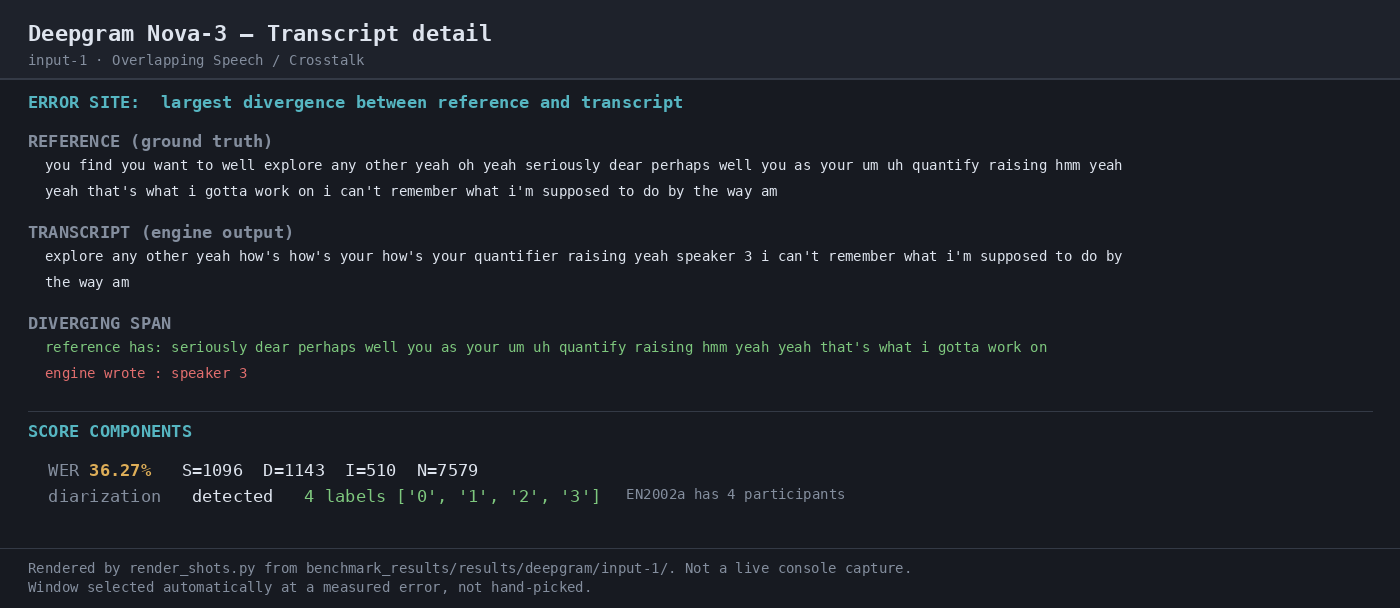
Observed output: Output artifact (Text/code file): Returned the crosstalk transcript for the 65.39 MB meeting clip; the run scored 36.27% WER, returned 6,946 words against 7,579 reference words, and exposed word-level timing, confidence, and speaker labels. — raw-response.json
Input artifact: Input artifact (Audio file): Overlapping Speech / Crosstalk input audio — crosstalk.wav
Output artifact: Output artifact (Text/code file): Returned the crosstalk transcript for the 65.39 MB meeting clip; the run scored 36.27% WER, returned 6,946 words against 7,579 reference words, and exposed word-level timing, confidence, and speaker labels. — raw-response.json
What changed: Audio file transformed into Text/code file
Test case: Audio file → Text/code file
Input type: Audio file
Input used: Input artifact (Audio file): Medical Jargon input audio — medical_terms.mp3
Observed output: Output artifact (Text/code file): Returned the medical-jargon transcript for the 8.58 MB narration clip; the run scored 5.43% WER, returned 2,726 words against 2,728 reference words, and achieved 100.0% jargon recall. — raw-response-2.json
Input artifact: Input artifact (Audio file): Medical Jargon input audio — medical_terms.mp3
Output artifact: Output artifact (Text/code file): Returned the medical-jargon transcript for the 8.58 MB narration clip; the run scored 5.43% WER, returned 2,726 words against 2,728 reference words, and achieved 100.0% jargon recall. — raw-response-2.json
What changed: Audio file transformed into Text/code file
Test case: Audio file → Text/code file
Input type: Audio file
Input used: Input artifact (Audio file): Bilingual Code-Switching input audio — mix_language.mp3
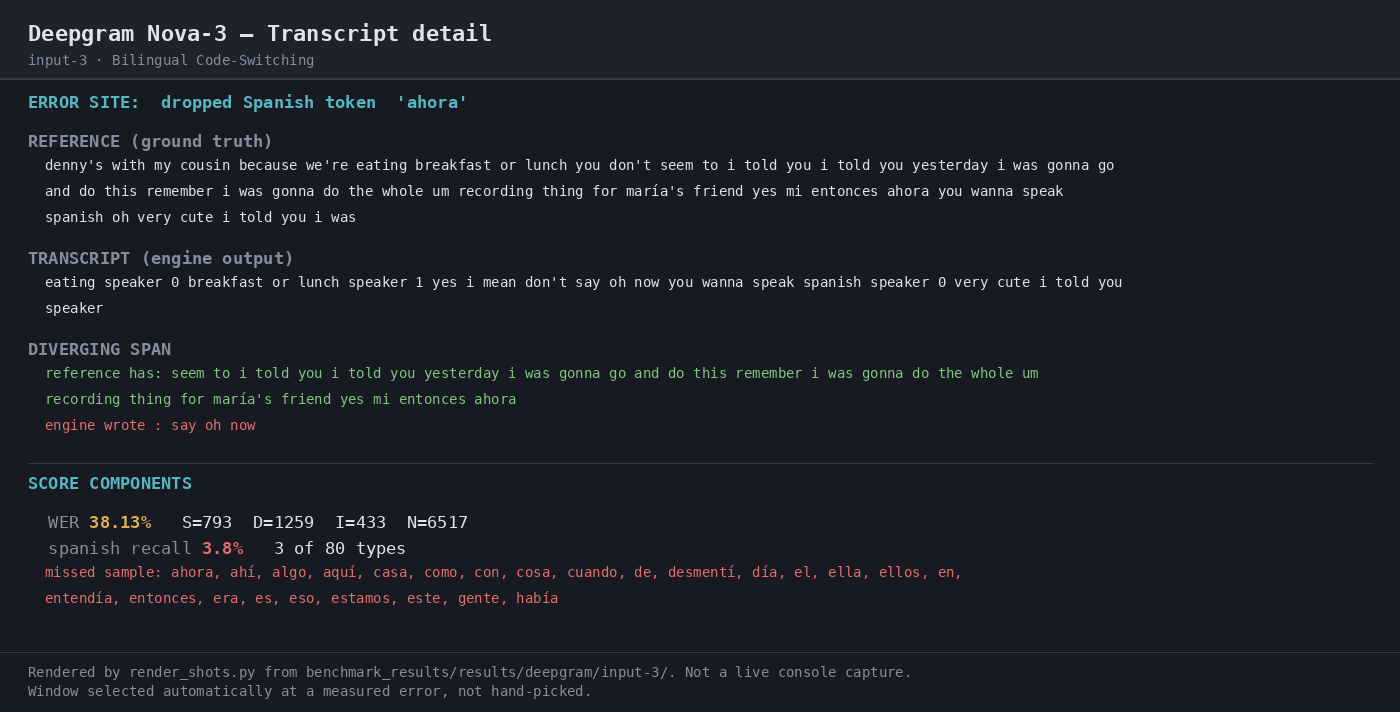
Observed output: Output artifact (Text/code file): Returned the bilingual code-switching transcript; the run scored 38.13% WER, returned 5,691 words against 6,517 reference words, and only recalled 3 of 80 Spanish token types. — raw-response-3.json
Input artifact: Input artifact (Audio file): Bilingual Code-Switching input audio — mix_language.mp3
Output artifact: Output artifact (Text/code file): Returned the bilingual code-switching transcript; the run scored 38.13% WER, returned 5,691 words against 6,517 reference words, and only recalled 3 of 80 Spanish token types. — raw-response-3.json
What changed: Audio file transformed into Text/code file
Why it matters / Conclusion: Good on the medical narration clip, but not dependable on crosstalk or Spanish-English code-switching as configured here.
Converts uploaded pre-recorded audio into text in a single batch request. The member cards exercised it on overlapping meetings, medical-jargon narration, Spanish-English code-switching, and other prerecorded clips.
Structured Transcript OutputConsistent developer payload across all three runs.▾
Feature tested: Structured Transcript Output
Result: Passed
Verdict: Consistent developer payload across all three runs.
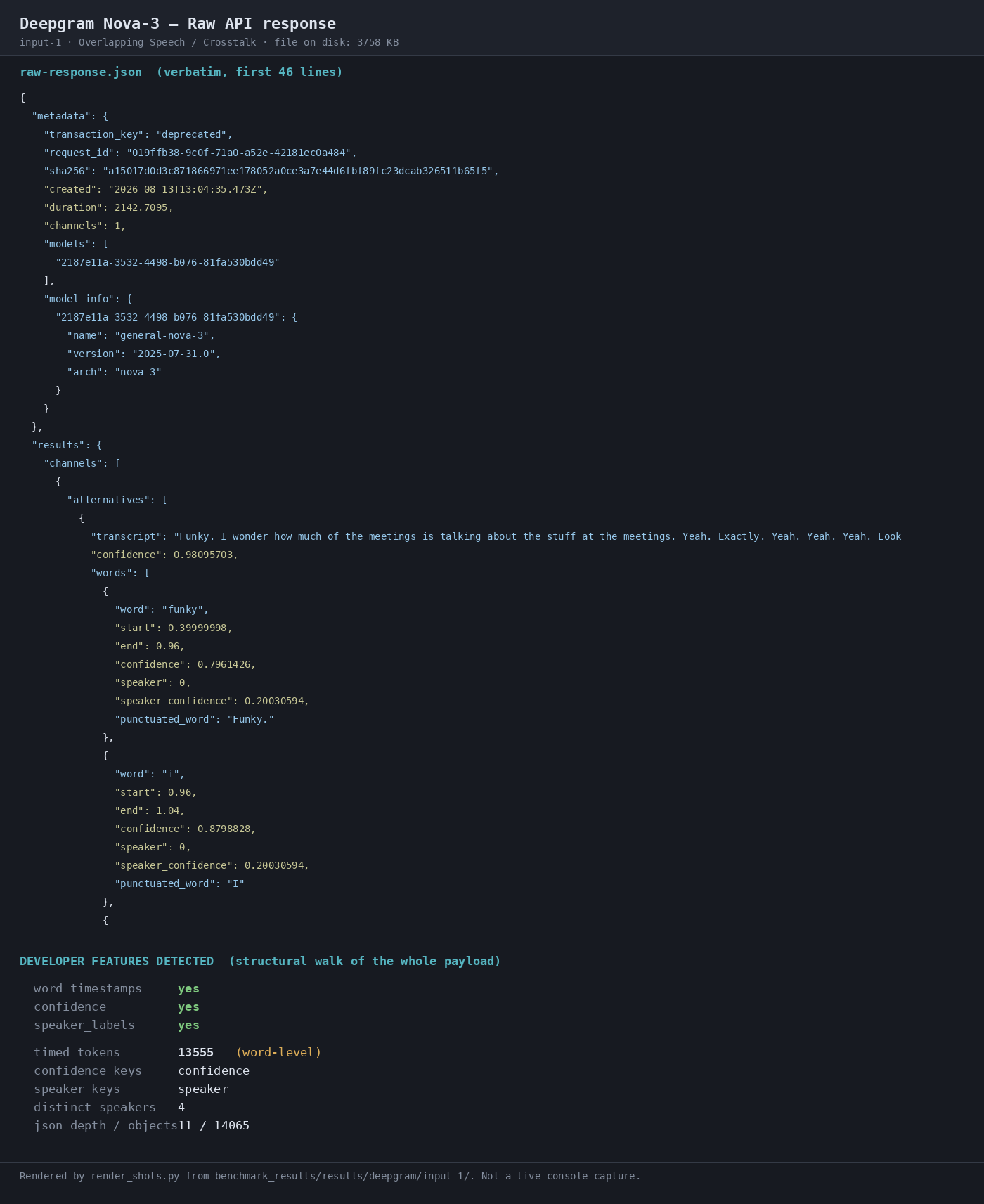
Expected behavior: Returns transcript results as structured JSON with fields like word-level timestamps, confidence values, punctuation, and speaker labels. The member cards exercised this across multiple runs and options such as smart_format, diarize, punctuate, and utterance.
Test case: Audio file → Image
Input type: Audio file
Input used: Input artifact (Audio file): Overlapping Speech / Crosstalk input audio — crosstalk.wav
Observed output: Output artifact (Image): Raw response preview shows word_timestamps yes, confidence yes, speaker_labels yes, 13,555 timed tokens, and 4 distinct speakers. — 02-response-raw-input-1.png
Input artifact: Input artifact (Audio file): Overlapping Speech / Crosstalk input audio — crosstalk.wav
Output artifact: Output artifact (Image): Raw response preview shows word_timestamps yes, confidence yes, speaker_labels yes, 13,555 timed tokens, and 4 distinct speakers. — 02-response-raw-input-1.png
What changed: Audio file transformed into Image
Test case: Audio file → Image
Input type: Audio file
Input used: Input artifact (Audio file): Medical Jargon input audio — medical_terms.mp3
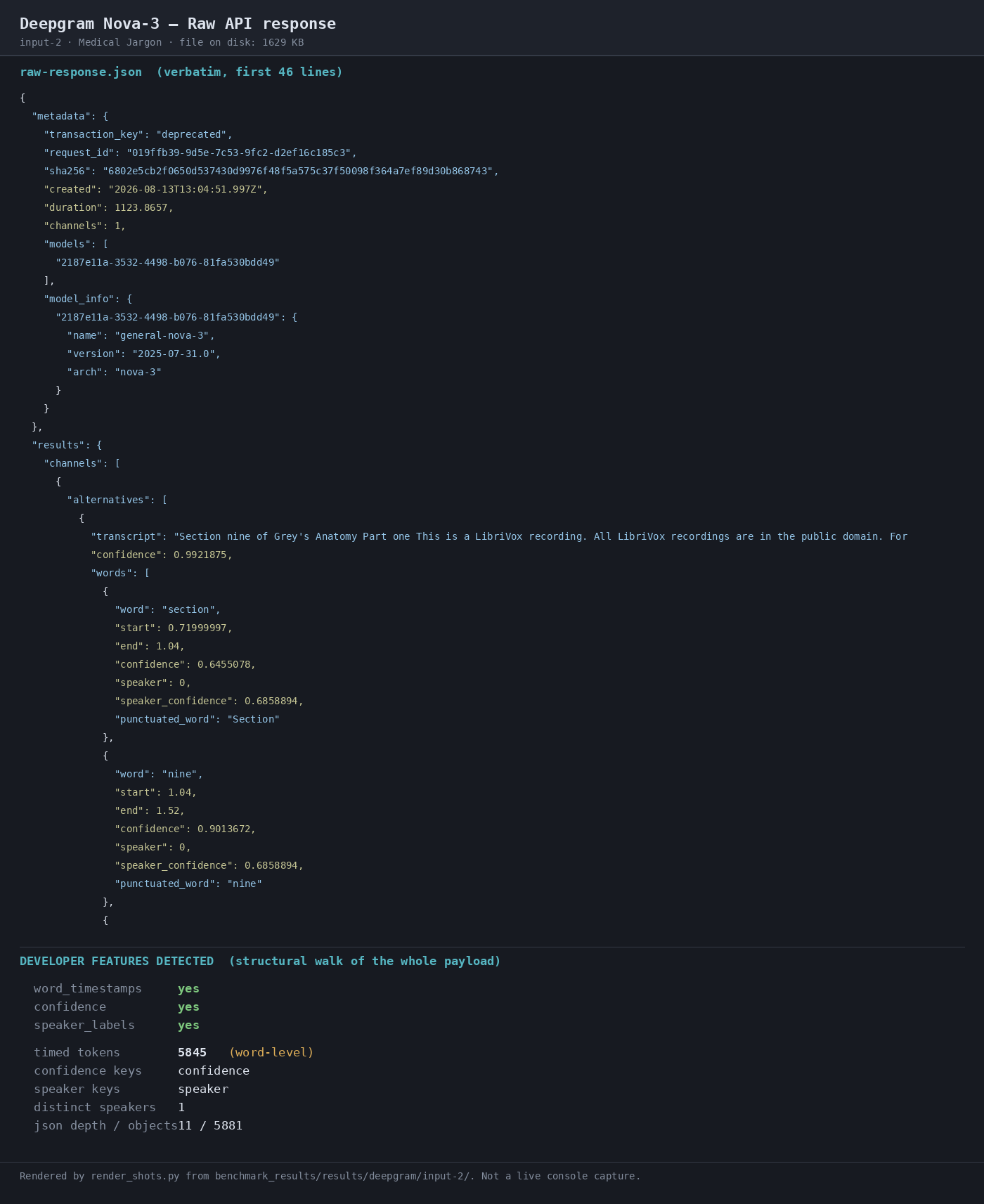
Observed output: Output artifact (Image): Raw response preview shows the same metadata shape on the medical clip, including word_timestamps, confidence, and speaker_labels. — 02-response-raw-input-2.png
Input artifact: Input artifact (Audio file): Medical Jargon input audio — medical_terms.mp3
Output artifact: Output artifact (Image): Raw response preview shows the same metadata shape on the medical clip, including word_timestamps, confidence, and speaker_labels. — 02-response-raw-input-2.png
What changed: Audio file transformed into Image
Test case: Audio file → Image
Input type: Audio file
Input used: Input artifact (Audio file): Bilingual Code-Switching input audio — mix_language.mp3
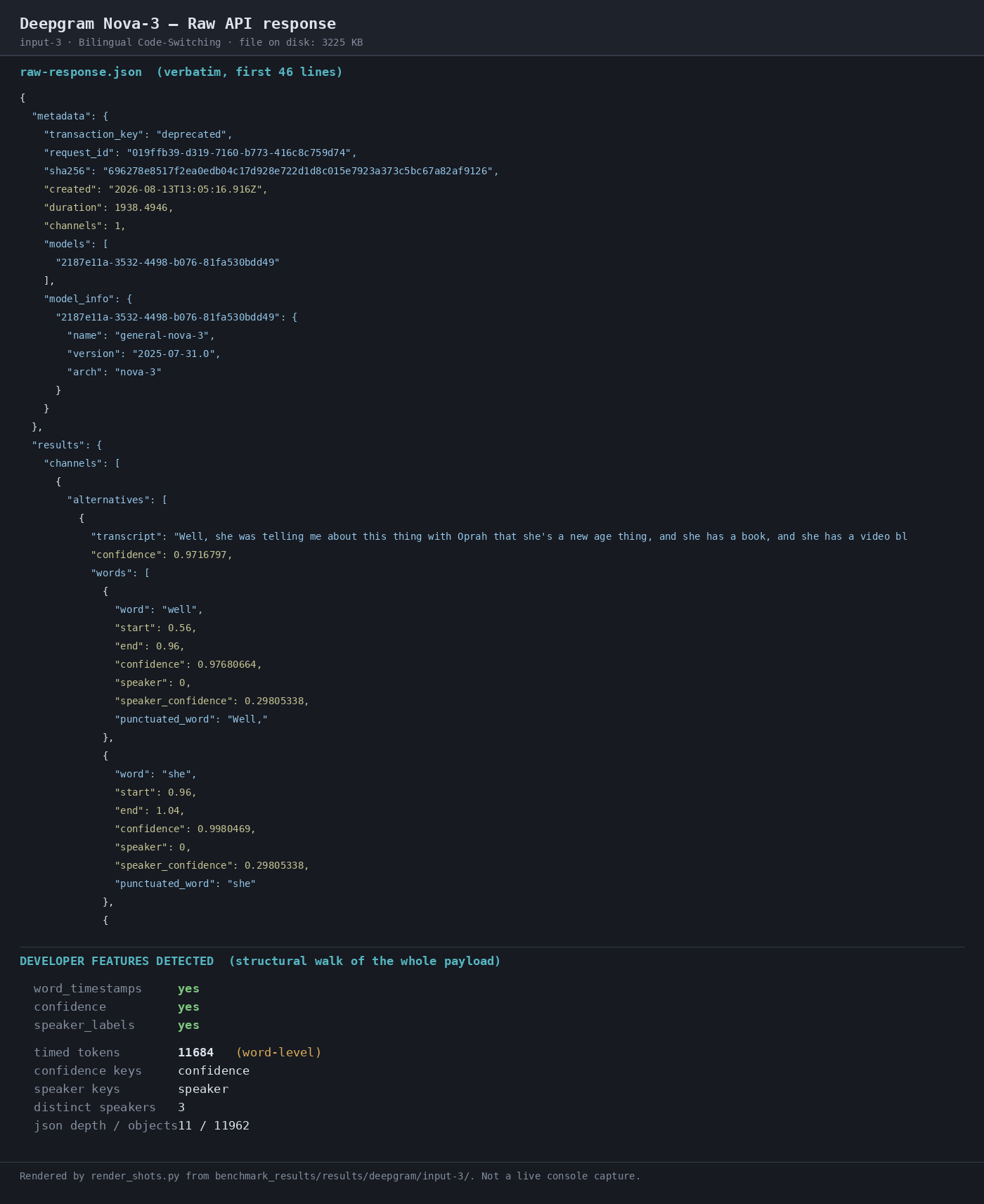
Observed output: Output artifact (Image): Raw response preview shows the same metadata shape on the bilingual clip, including word_timestamps, confidence, speaker_labels, and 11,684 timed tokens. — 02-response-raw-input-3.png
Input artifact: Input artifact (Audio file): Bilingual Code-Switching input audio — mix_language.mp3
Output artifact: Output artifact (Image): Raw response preview shows the same metadata shape on the bilingual clip, including word_timestamps, confidence, speaker_labels, and 11,684 timed tokens. — 02-response-raw-input-3.png
What changed: Audio file transformed into Image
Why it matters / Conclusion: This is the most consistent part of the product: the JSON shape stayed stable across all three inputs.
Returns transcript results as structured JSON with fields like word-level timestamps, confidence values, punctuation, and speaker labels. The member cards exercised this across multiple runs and options such as smart_format, diarize, punctuate, and utterance.
Speaker DiarizationUseful for speaker counts, but attribution correctness is unproven.▾
Feature tested: Speaker Diarization
Result: Partial
Verdict: Useful for speaker counts, but attribution correctness is unproven.
Expected behavior: Detects multiple speakers and includes speaker labels in the transcript payload. It was exercised on crosstalk and bilingual audio, where the responses surfaced multiple speaker labels.
Test case: Audio file → Image
Input type: Audio file
Input used: Input artifact (Audio file): Overlapping Speech / Crosstalk input audio — crosstalk.wav
Observed output: Output artifact (Image): Transcript detail shows the largest overlap divergence and confirms 4 diarization labels on the crosstalk case. — 04-transcript-detail-input-1.png
Input artifact: Input artifact (Audio file): Overlapping Speech / Crosstalk input audio — crosstalk.wav
Output artifact: Output artifact (Image): Transcript detail shows the largest overlap divergence and confirms 4 diarization labels on the crosstalk case. — 04-transcript-detail-input-1.png
What changed: Audio file transformed into Image
Test case: Audio file → Image
Input type: Audio file
Input used: Input artifact (Audio file): Medical Jargon input audio — medical_terms.mp3
Observed output: Output artifact (Image): Raw response preview shows a single-speaker medical narration run with 1 distinct speaker label. — 02-response-raw-input-2.png
Input artifact: Input artifact (Audio file): Medical Jargon input audio — medical_terms.mp3
Output artifact: Output artifact (Image): Raw response preview shows a single-speaker medical narration run with 1 distinct speaker label. — 02-response-raw-input-2.png
What changed: Audio file transformed into Image
Test case: Audio file → Image
Input type: Audio file
Input used: Input artifact (Audio file): Bilingual Code-Switching input audio — mix_language.mp3
Observed output: Output artifact (Image): Transcript detail shows speaker labels in the code-switching transcript and highlights the dropped Spanish token 'ahora'. — 04-transcript-detail-input-3.png
Input artifact: Input artifact (Audio file): Bilingual Code-Switching input audio — mix_language.mp3
Output artifact: Output artifact (Image): Transcript detail shows speaker labels in the code-switching transcript and highlights the dropped Spanish token 'ahora'. — 04-transcript-detail-input-3.png
What changed: Audio file transformed into Image
Why it matters / Conclusion: Useful for speaker-count metadata, but the benchmark does not prove speaker-attribution accuracy.
Detects multiple speakers and includes speaker labels in the transcript payload. It was exercised on crosstalk and bilingual audio, where the responses surfaced multiple speaker labels.
How it scored on the research's own criteria
The 4 evaluation dimensions from our hands-on research on Deepgram , each judged from recorded runs on 3 test inputs — the same verdicts the ranking page ranks on.
held up partial failed not exercised by this input
| Criterion | Verdict | What the runs showed | Per input | Proof |
|---|---|---|---|---|
| Output quality | Weak2/5 | It is clearly strong on dense medical narration, but the other two tests show major accuracy trouble: crosstalk sits in the mid-30% WER range, and code-switching collapses with Spanish recall near zero. That pattern makes the transcript quality unreliable outside cleaner monolingual speech. | open proof ↗ | |
| Automation level | Strong5/5 | It finishes each test in one POST with no operator touch, so the workflow is fully hands-off. The only caveat is that the trace records the vendor's single-call design rather than counting calls live, but that does not change the fact that the runs complete end to end without intervention. | — | |
| Export | Strong5/5 | Every run returns the full developer-facing package: word timing, confidence, and speaker labels together, plus a deep structured payload. That is the kind of output you can plug into downstream tooling without needing to reconstruct transcript metadata yourself. | open proof ↗ | |
| Input handling | Strong5/5 | All three uploads were accepted at their full sizes and durations, and each run completed cleanly. That shows it can take the provided long-form audio in batch form without rejecting the file or stopping short. | — |
Verdicts come verbatim from the study's recorded observations, never re-derived at render; a criterion with no recorded run shows Not exercised — this section cannot invent a score.
Reported vendor tiers
The report notes that the served pricing page did not fully confirm the pre-recorded Nova-3 tab, so treat model-specific rates as unverified.
Benchmark cost was calculated from list price × measured duration; the task header also reports $0.0063/min ($0.378/audio-hour) for the tested configuration.
Featured in Rankings
Independent rankings where Deepgram was tested and rated.
Banner Preview
How the embed badge will look on your site

Embed HTML
Copy this code to your website source
Quick Integration Guide
- 1Copy the HTML code block above.
- 2Paste it into your site's HTML or CMS editor.
- 3Banner appears instantly on your page.
- 4Links back to your tool profile here.
Similar Tools
Discover more AI tools like Deepgram to enhance your workflow.
Comments (0)
Need a custom AI solution for this use case?
If you are looking to build a custom speech-to-text, audio transcription, or speaker diarization system for your business or internal workflow, email us at contact@futuresmart.ai.
Found something inaccurate or missing? We try to keep our AI research accurate and useful. If you found outdated information, an issue, or have a suggestion, email us at collaborate@aidemos.com.