
FutureSmart AI
Fast prompt-to-short generation with script controls and download-ready exports, but detailed scenes and post-render fixes are limited.
Balanced for speed, weaker on precision
- You want a complete vertical short from a text prompt with voiceover, captions, background music, and direct download.
- You value pre-generation controls like provider, style, tone, target length, and script-first workflow.
- You can tolerate simplified visuals in detailed dashboard scenes or some character drift in story shorts.
- You need post-generation scene, caption, or visual editing to fix mistakes.
Our take
FutureSmart AI is a fast way to turn text prompts into complete vertical shorts with voiceover, captions, background music, and download-ready exports. It works best for broad concept storytelling and pre-generation control, but the tests showed blurred UI scenes, generic character visuals, subtitle drift, and no way to fix mistakes after render.
In-Depth Review
Our detailed analysis of FutureSmart AI — features, performance, and real-world testing.
Feature-by-Feature Breakdown
Prompt Intake and Routing▾
Feature tested: Prompt Intake and Routing
Result: Passed
Expected behavior: Accepts full natural-language prompts, including style and output instructions, and routes them into the generation workflow.
Test case: Text prompt → Video file
Input type: Text prompt
Input used: Input artifact (Text prompt): Input
Observed output: Output artifact (Video file): The tool accepted the full dashboard prompt and generated a finished vertical short, showing reliable prompt ingestion. — FutureSmartAI_AnchorTask1_Dashboard_Output.mp4
Input artifact: Input artifact (Text prompt): Input
Output artifact: Output artifact (Video file): The tool accepted the full dashboard prompt and generated a finished vertical short, showing reliable prompt ingestion. — FutureSmartAI_AnchorTask1_Dashboard_Output.mp4
What changed: Text prompt transformed into Video file
Test case: Text prompt → Video file
Input type: Text prompt
Input used: Input artifact (Text prompt): Input
Observed output: Output artifact (Video file): The tool accepted the robot-intern story prompt and generated a finished vertical short, showing the same prompt handling on a narrative use case. — FutureSmartAI_AnchorTask2_RobotIntern_Output.mp4
Input artifact: Input artifact (Text prompt): Input
Output artifact: Output artifact (Video file): The tool accepted the robot-intern story prompt and generated a finished vertical short, showing the same prompt handling on a narrative use case. — FutureSmartAI_AnchorTask2_RobotIntern_Output.mp4
What changed: Text prompt transformed into Video file
Why it matters / Conclusion: Prompt handling was solid on both anchor tasks; the main problems appeared later in visual fidelity rather than input acceptance.
Accepts full natural-language prompts, including style and output instructions, and routes them into the generation workflow.
Script Generation and Selection▾
Feature tested: Script Generation and Selection
Result: Passed
Expected behavior: Generates multiple script options from the prompt and lets the user preview, compare, and select one before rendering.
Test case: Text prompt → Text prompt
Input type: Text prompt
Input used: Input artifact (Text prompt): Input
Observed output: Output artifact (Text prompt): Output
Input artifact: Input artifact (Text prompt): Input
Output artifact: Output artifact (Text prompt): Output
What changed: Text prompt transformed into Text prompt
Why it matters / Conclusion: Script review is genuinely useful for shaping the first pass, but it does not solve the later visual accuracy and sync problems.
Generates multiple script options from the prompt and lets the user preview, compare, and select one before rendering.
Pre-Generation Controls▾
Feature tested: Pre-Generation Controls
Result: Passed
Expected behavior: Lets the user steer the render with AI provider/model, style, tone, target length, and script-first versus direct-video workflow controls.
Test case: Text prompt → Text prompt
Input type: Text prompt
Input used: Input artifact (Text prompt): Input
Observed output: Output artifact (Text prompt): Output
Input artifact: Input artifact (Text prompt): Input
Output artifact: Output artifact (Text prompt): Output
What changed: Text prompt transformed into Text prompt
Why it matters / Conclusion: Pre-generation controls are a real strength, especially for steering the first output, but they do not provide a correction path once the video is rendered.
Lets the user steer the render with AI provider/model, style, tone, target length, and script-first versus direct-video workflow controls.
AI Video Generation▾
Feature tested: AI Video Generation
Result: Passed
Expected behavior: Creates the finished vertical short from the selected script, including animated scenes and full story flow.
Test case: Text prompt → Video file
Input type: Text prompt
Input used: Input artifact (Text prompt): Input
Observed output: Output artifact (Video file): Generated a complete vertical short for the customer-support dashboard prompt, but the report says the interface-heavy scenes became blurry and simplified. — FutureSmartAI_AnchorTask1_Dashboard_Output.mp4
Input artifact: Input artifact (Text prompt): Input
Output artifact: Output artifact (Video file): Generated a complete vertical short for the customer-support dashboard prompt, but the report says the interface-heavy scenes became blurry and simplified. — FutureSmartAI_AnchorTask1_Dashboard_Output.mp4
What changed: Text prompt transformed into Video file
Test case: Text prompt → Video file
Input type: Text prompt
Input used: Input artifact (Text prompt): Input
Observed output: Output artifact (Video file): Generated a complete vertical story short for the robot-intern prompt, but the report says character identity drifted and later scenes looked generic. — FutureSmartAI_AnchorTask2_RobotIntern_Output.mp4
Input artifact: Input artifact (Text prompt): Input
Output artifact: Output artifact (Video file): Generated a complete vertical story short for the robot-intern prompt, but the report says character identity drifted and later scenes looked generic. — FutureSmartAI_AnchorTask2_RobotIntern_Output.mp4
What changed: Text prompt transformed into Video file
Why it matters / Conclusion: This is the tool's core strength: it reliably produces complete shorts end-to-end, but it performs better on broad narrative ideas than on detailed UI scenes or consistent characters.
Creates the finished vertical short from the selected script, including animated scenes and full story flow.
Captioning, Voiceover, and Music Generation▾
Feature tested: Captioning, Voiceover, and Music Generation
Result: Passed
Expected behavior: Adds narration, captions, and background music automatically during render.
Test case: Text prompt → Image
Input type: Text prompt
Input used: Input artifact (Text prompt): Input
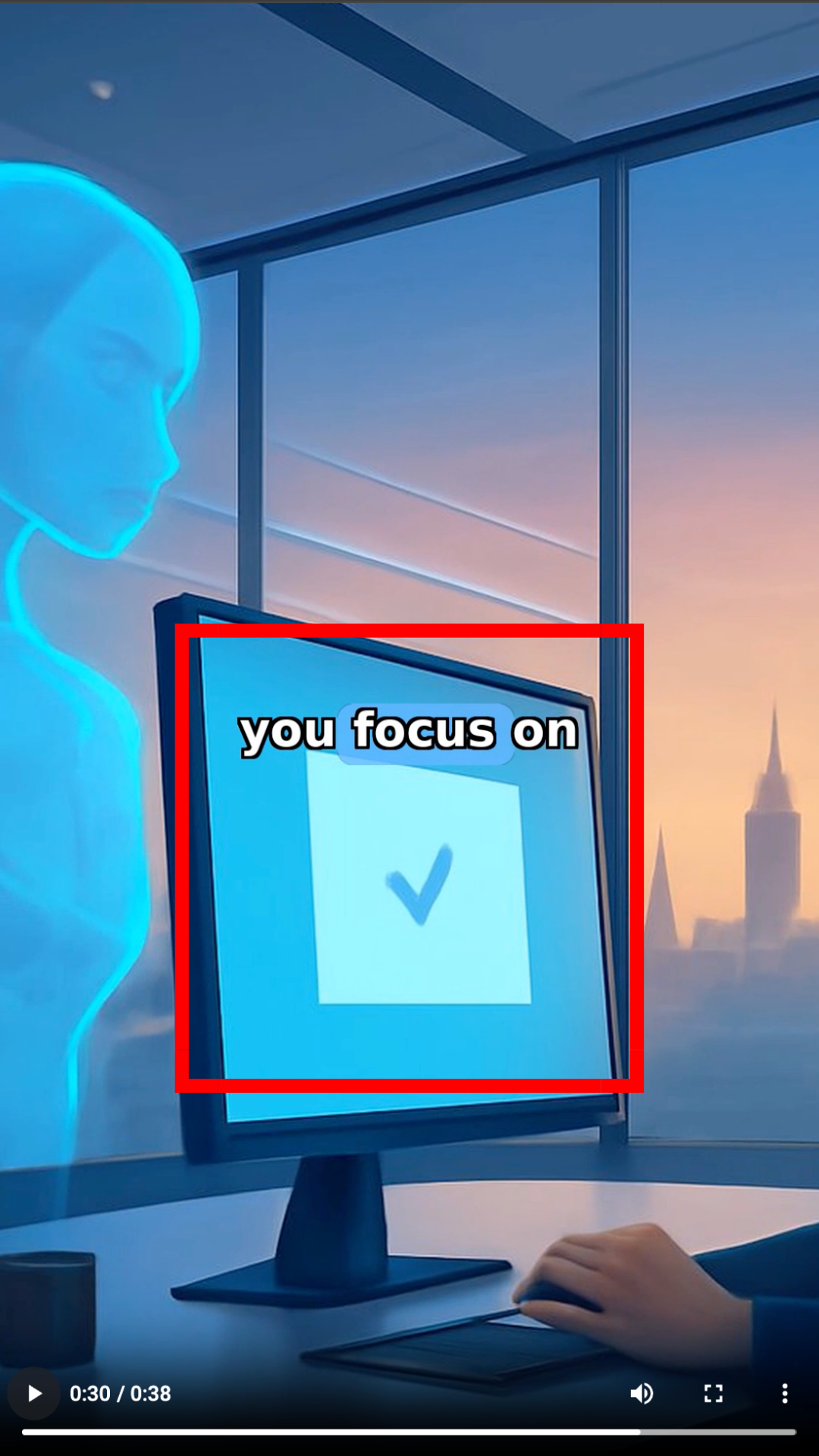
Observed output: Output artifact (Image): At 00:30, the render had captions and narration, but the visual did not cleanly match the spoken moment, showing weaker caption-to-scene alignment. — FutureSmartAI_Anchor1_CaptionMismatch_0030.png
Input artifact: Input artifact (Text prompt): Input
Output artifact: Output artifact (Image): At 00:30, the render had captions and narration, but the visual did not cleanly match the spoken moment, showing weaker caption-to-scene alignment. — FutureSmartAI_Anchor1_CaptionMismatch_0030.png
What changed: Text prompt transformed into Image
Test case: Text prompt → Image
Input type: Text prompt
Input used: Input artifact (Text prompt): Input
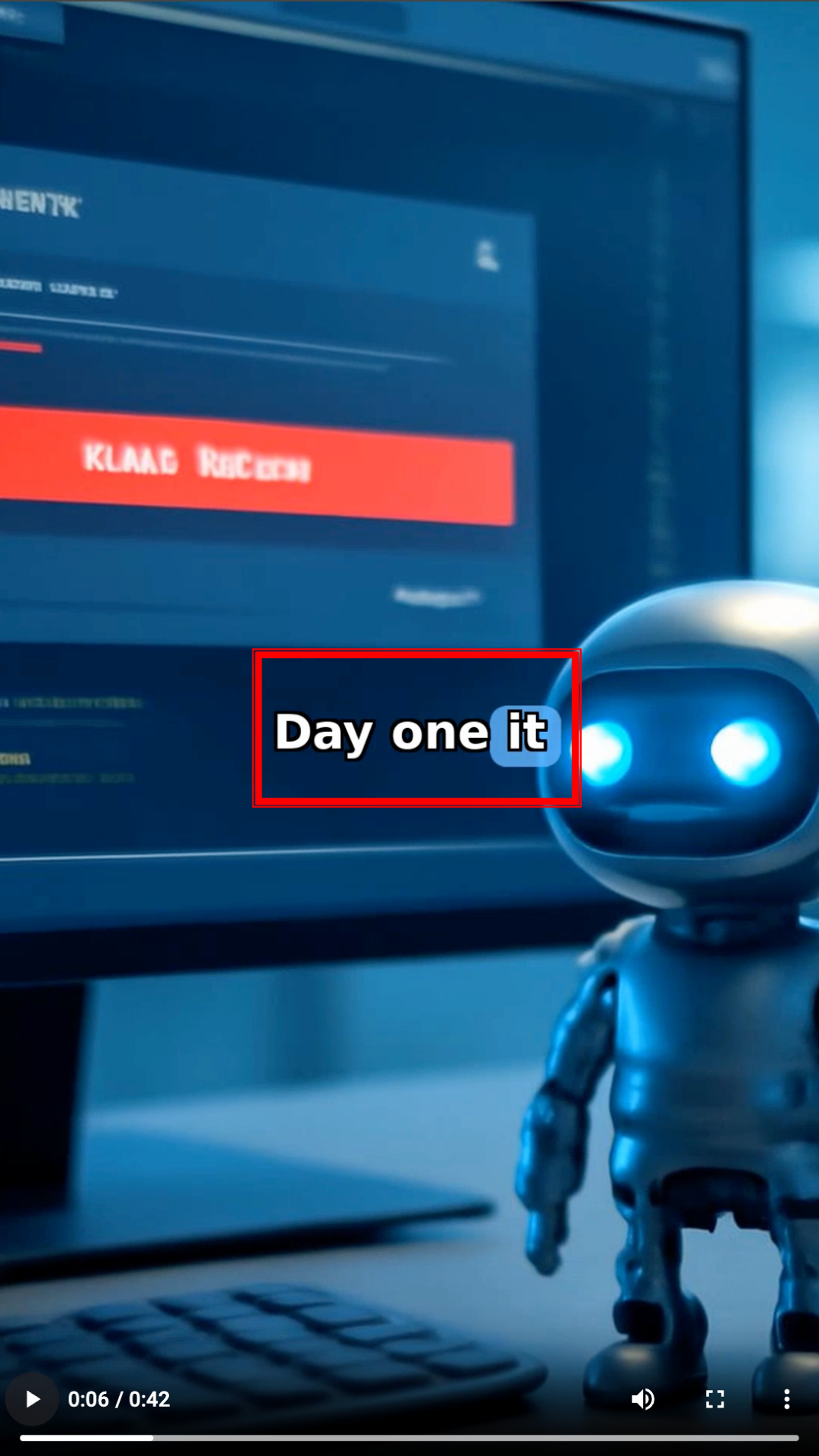
Observed output: Output artifact (Image): At 00:06, the subtitle lagged behind the narration, confirming that automatic caption timing was not fully synchronized. — FutureSmartAI_Anchor2_SubtitleSync_0006.png
Input artifact: Input artifact (Text prompt): Input
Output artifact: Output artifact (Image): At 00:06, the subtitle lagged behind the narration, confirming that automatic caption timing was not fully synchronized. — FutureSmartAI_Anchor2_SubtitleSync_0006.png
What changed: Text prompt transformed into Image
Why it matters / Conclusion: The tool does automate the audio-and-caption bundle, but sync is not fully reliable and captions can drift from the spoken line or the scene.
Adds narration, captions, and background music automatically during render.
Video Export and Download▾
Feature tested: Video Export and Download
Result: Passed
Expected behavior: Packages the finished vertical video into a download-ready export page with render metadata.
Test case: Text prompt → Image
Input type: Text prompt
Input used: Input artifact (Text prompt): Input
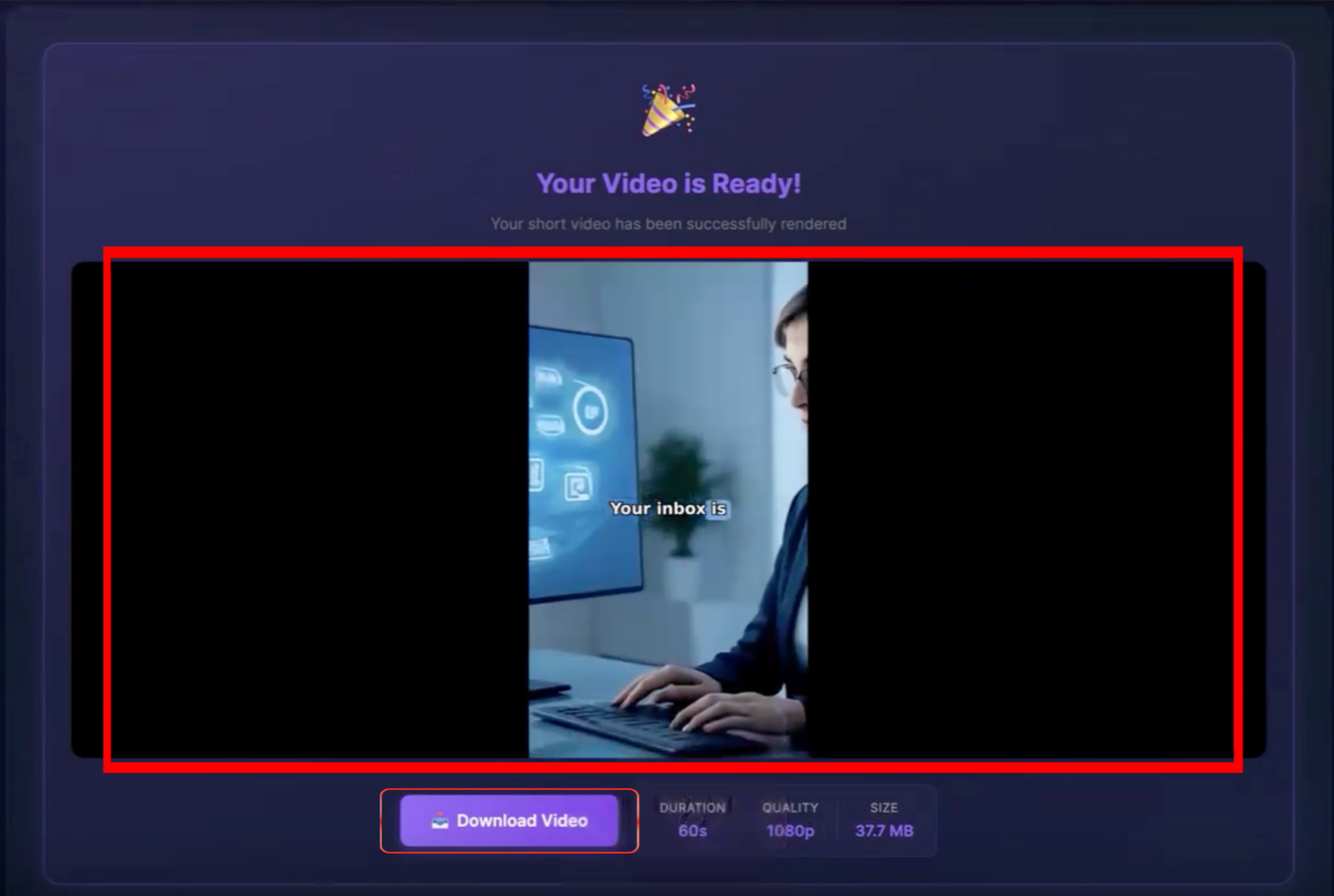
Observed output: Output artifact (Image): The results page says 'Your Video is Ready!' and shows a downloadable 60s, 1080p export, confirming that the render was packaged for download. — FutureSmartAI_Anchor1_NoPostGenerationEditing.png
Input artifact: Input artifact (Text prompt): Input
Output artifact: Output artifact (Image): The results page says 'Your Video is Ready!' and shows a downloadable 60s, 1080p export, confirming that the render was packaged for download. — FutureSmartAI_Anchor1_NoPostGenerationEditing.png
What changed: Text prompt transformed into Image
Test case: Text prompt → Image
Input type: Text prompt
Input used: Input artifact (Text prompt): Input
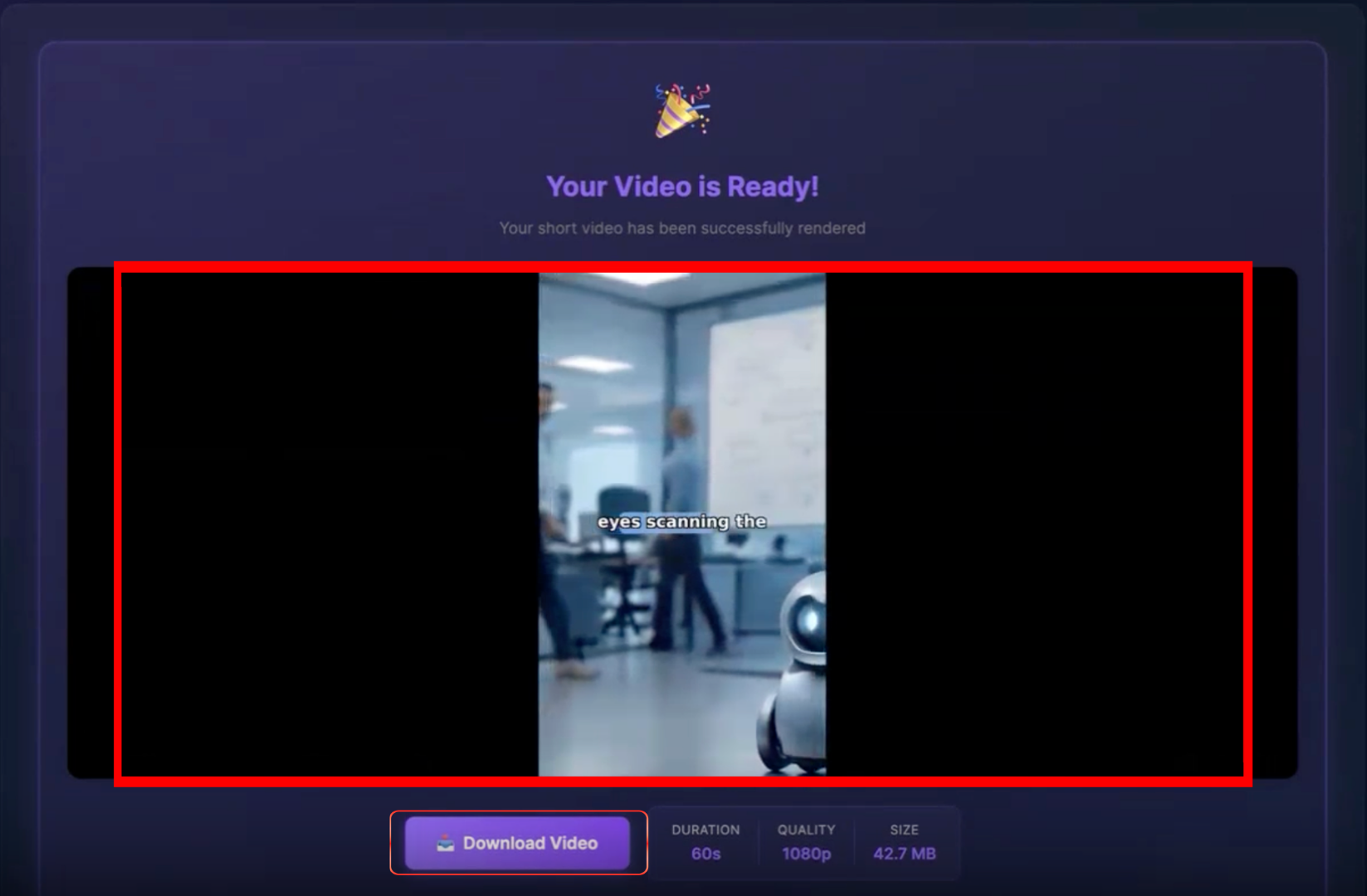
Observed output: Output artifact (Image): The results page says 'Your Video is Ready!' and shows a downloadable 60s, 1080p export, confirming the same export path on the second run. — FutureSmartAI_Anchor2_NoPostGenerationEditing.png
Input artifact: Input artifact (Text prompt): Input
Output artifact: Output artifact (Image): The results page says 'Your Video is Ready!' and shows a downloadable 60s, 1080p export, confirming the same export path on the second run. — FutureSmartAI_Anchor2_NoPostGenerationEditing.png
What changed: Text prompt transformed into Image
Why it matters / Conclusion: Export is dependable and ready for download, but it simply preserves the generated result rather than correcting visual or caption issues.
Packages the finished vertical video into a download-ready export page with render metadata.
Banner Preview
How the embed badge will look on your site

Embed HTML
Copy this code to your website source
Quick Integration Guide
- 1Copy the HTML code block above.
- 2Paste it into your site's HTML or CMS editor.
- 3Banner appears instantly on your page.
- 4Links back to your tool profile here.
Similar Tools
Discover more AI tools like FutureSmart AI to enhance your workflow.
Comments (0)
Need a custom AI solution for this use case?
If you are looking to build a custom AI video generator, short-form video creation, or prompt-to-video workflow for your business or internal workflow, email us at contact@futuresmart.ai.
Found something inaccurate or missing? We try to keep our AI research accurate and useful. If you found outdated information, an issue, or have a suggestion, email us at collaborate@aidemos.com.