The output#1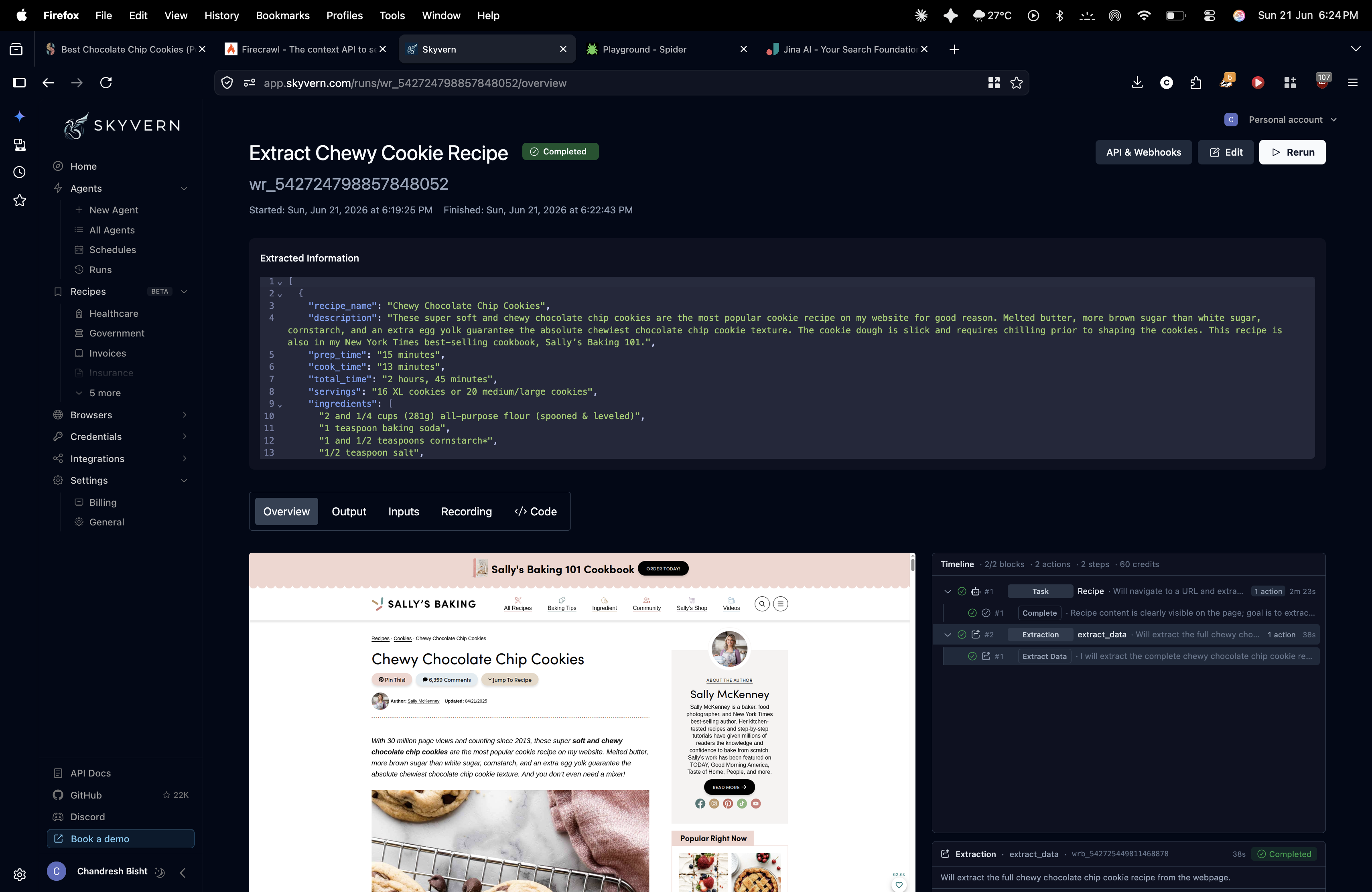
Skyvern
Extracted only the requested recipe fields into a clean JSON array, stripping ads, navigation, author bio, and comments.
Completed extraction of a chewy cookie recipe
We tested four AI web-scraping tools on three live targets—a cluttered recipe blog, a JS-heavy Nike product page, and a protected Glassdoor jobs page—to see which ones return usable Markdown or structured data with zero manual selectors.
Highest structural quality across the three live tests, especially on noisy and JS-heavy pages, with slower runs and some recording-sync fragility.
Worked reliably overall, but dynamic runs showed occasional sync issues and added latency.
We rank on the 7 checks that decide whether a tool does this job: Interaction Stability, JS DOM Hydration, Noise Filtering, Output Quality, Proxy Evasion, Schema Extraction Integrity, Visual Spatial Awareness. A check only carries a score when we recorded a finding for it, and a tool has to be measured on all of them to take the top spot. We also checked Automation Level, Export, Input Handling — compared for you, but not part of the ranking.
Columns, left to right: Interaction Stability · JS DOM Hydration · Noise Filtering · Output Quality · Proxy Evasion · Schema Extraction Integrity · Visual Spatial Awareness
Pick the tools you care about, then compare what they returned or how they scored.
Extracted only the requested recipe fields into a clean JSON array, stripping ads, navigation, author bio, and comments.
Completed extraction of a chewy cookie recipe
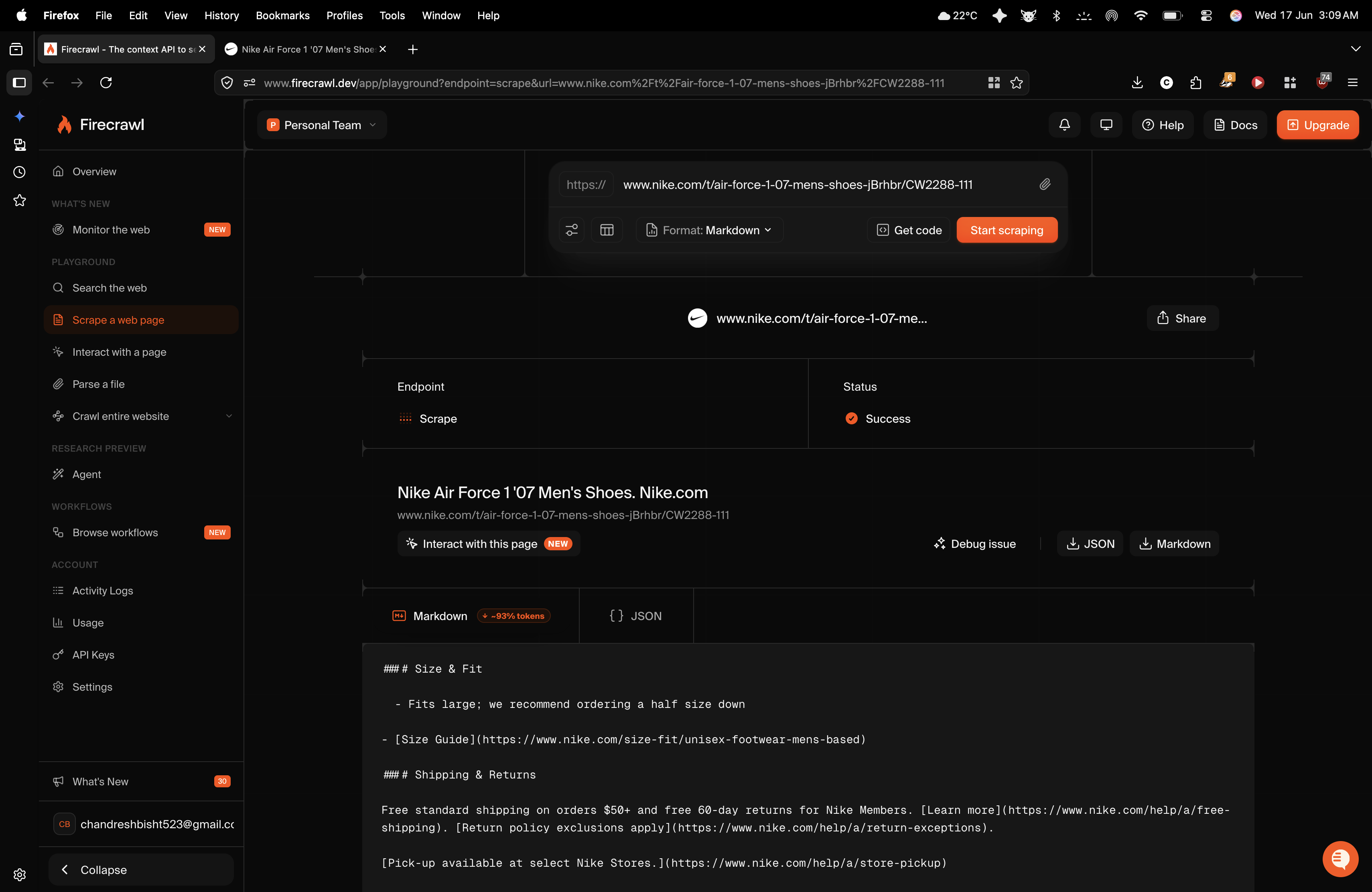
Extracted the recipe content with good textual fidelity, but also dumped navigation, sidebar, review, and footer noise into the Markdown.
Firecrawl scrape result for a Nike product page in Markdown format.
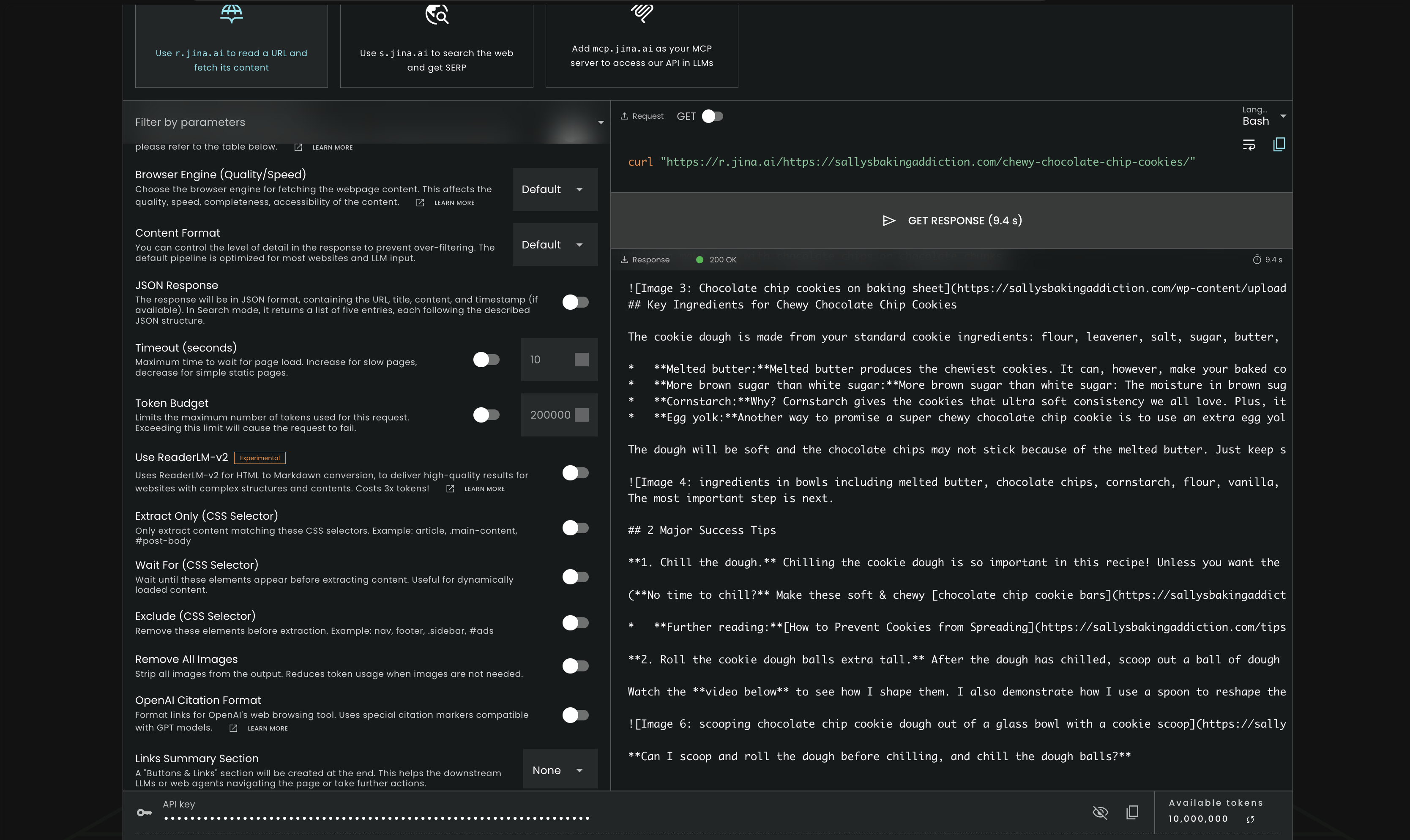
Returned a 404 page caused by a nested URL-resolution bug instead of the recipe, with only site chrome/privacy text extracted.
Jina Reader extracting a cookie recipe page
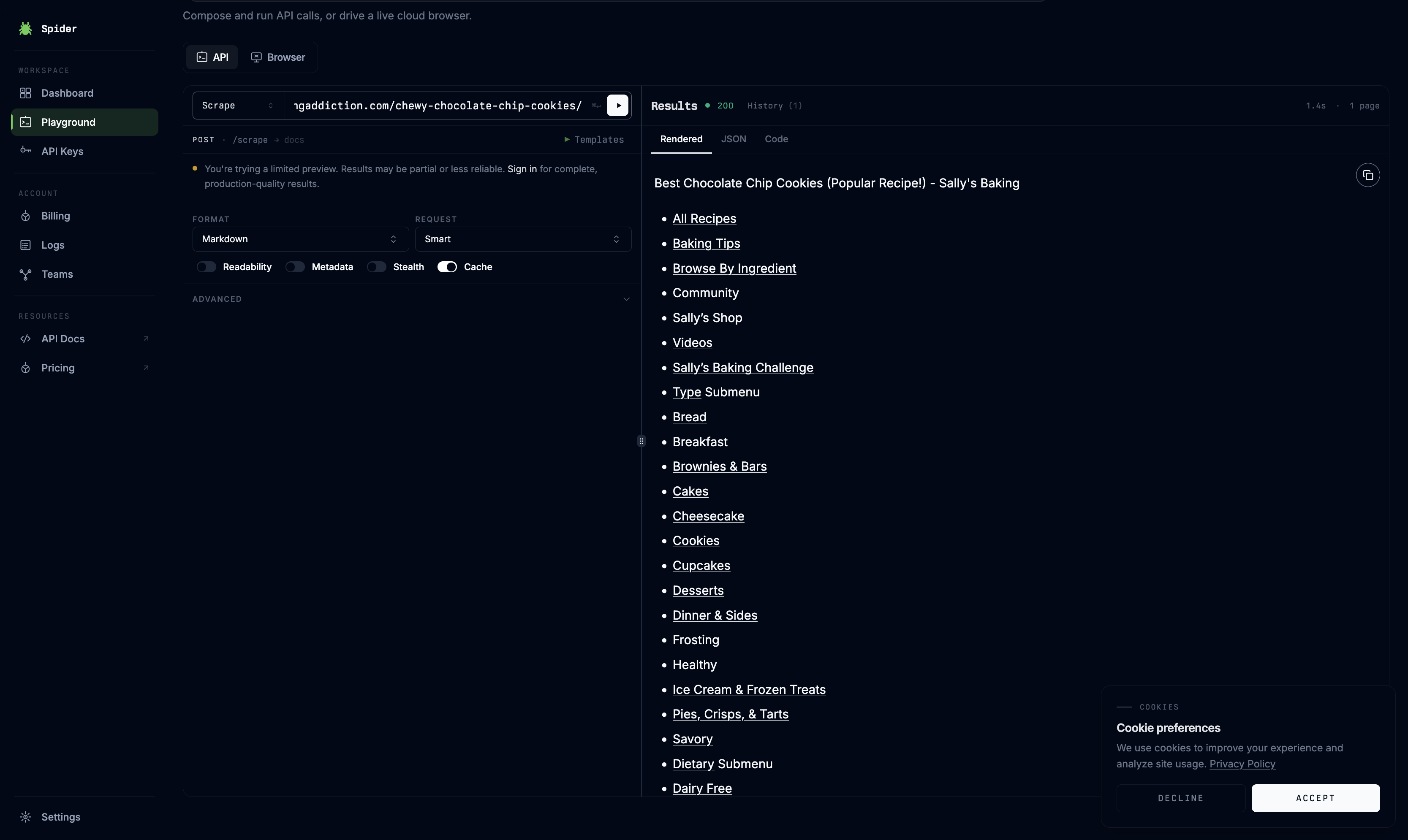
It preserved the central ingredients and directions accurately, but the markdown was cluttered with navigation, social links, cookie notices, and user reviews.
Spider Playground showing scraped results from a recipe page
All 10 recorded checks per tool. Open a tool to inspect every finding.
Worked reliably overall, but dynamic runs showed occasional sync issues and added latency.
Tends to incur substantial execution overhead from visual validation loops and other vision-based processing, resulting in noticeably longer runtimes than raw text parsing approaches.
permalink to this finding →Adds significant visual-validation overhead, making runs much slower than raw text parsing even when the extraction completes.
permalink to this finding →The extraction completed, but the screen-capture recorder fell out of sync and froze on an early page state, so runtime observability degraded.
permalink to this finding →The live recording pipeline went out of sync during hydration and froze on the initial page view even though backend extraction still completed, showing unreliable handling of dynamic UI state changes.
permalink to this finding →Handles the page extraction itself, but the run’s live recording pipeline can fall out of sync during hydration: the report states the screen capture froze on the initial page view, making the recording unwatchable and hard to debug.
permalink to this finding →Skyvern is the best choice here if you want the cleanest output or structured data directly from messy live pages, especially when page layout understanding matters more than speed. Firecrawl is the best fallback for teams building large-scale pipelines that can tolerate noisy Markdown and clean it later with an LLM. Spider and Jina AI Reader both underperformed on modern JS-heavy or protected pages in this benchmark. The report's own closing recommendation is a hybrid: use a vision agent like Skyvern when UI interaction or modal handling matters, then pair it with a fast text flattener like Firecrawl when you need scalable downstream processing.
The tools we tested for this use case — each card opens its full tested review.
If you are looking to build a custom web scraping, markdown extraction, or structured data extraction system for your business or internal workflow, email us at contact@futuresmart.ai.
Found something inaccurate or missing? We try to keep our AI research accurate and useful. If you found outdated information, an issue, or have a suggestion, email us at collaborate@aidemos.com.
Comments (0)