video-generator · updated july 2026

Best AI Tools for Animated Captions with Effects in Videos

We tested six video captioning tools on four real talking-head clips to compare transcription accuracy, word-level timing, style flexibility, and export limits.

0
6 tools10 things we checked4 tests63 findings10 screenshots12 min read
Our verdictUpdated July 2026 · 6/6 tools tested hands-on
#1 pick
AutoCaption.ioUsable3.7/5 · 9 checks

Best overall caption quality in this set, with strong transcript cleanup, polished styling, and the most convincing kinetic-caption workflow before the export wall stops it.

The rest of the field

#2 VEED.io· #3 Vizard.ai· #4 Zubtitle· #5 Opus Clip· #6 Vidyo.ai

The ranking

Scores are the average across every check we scored for that tool. Not every tool was scored on every check — the count is shown.

ToolScorePriceWhere it lands
#1AutoCaption.ioUsable3.7/5
9 checks
$14–$18Fast, accurate captioning with strong styling controls, but the finished file is held back by a hard export wall.
#2VEED.ioUsable3.6/5
7 checks
₹520 per user / monthAccurate subtitles with strong manual caption control, but a very restrictive free export path
#3Vizard.aiNeeds work2.9/5
10 checks
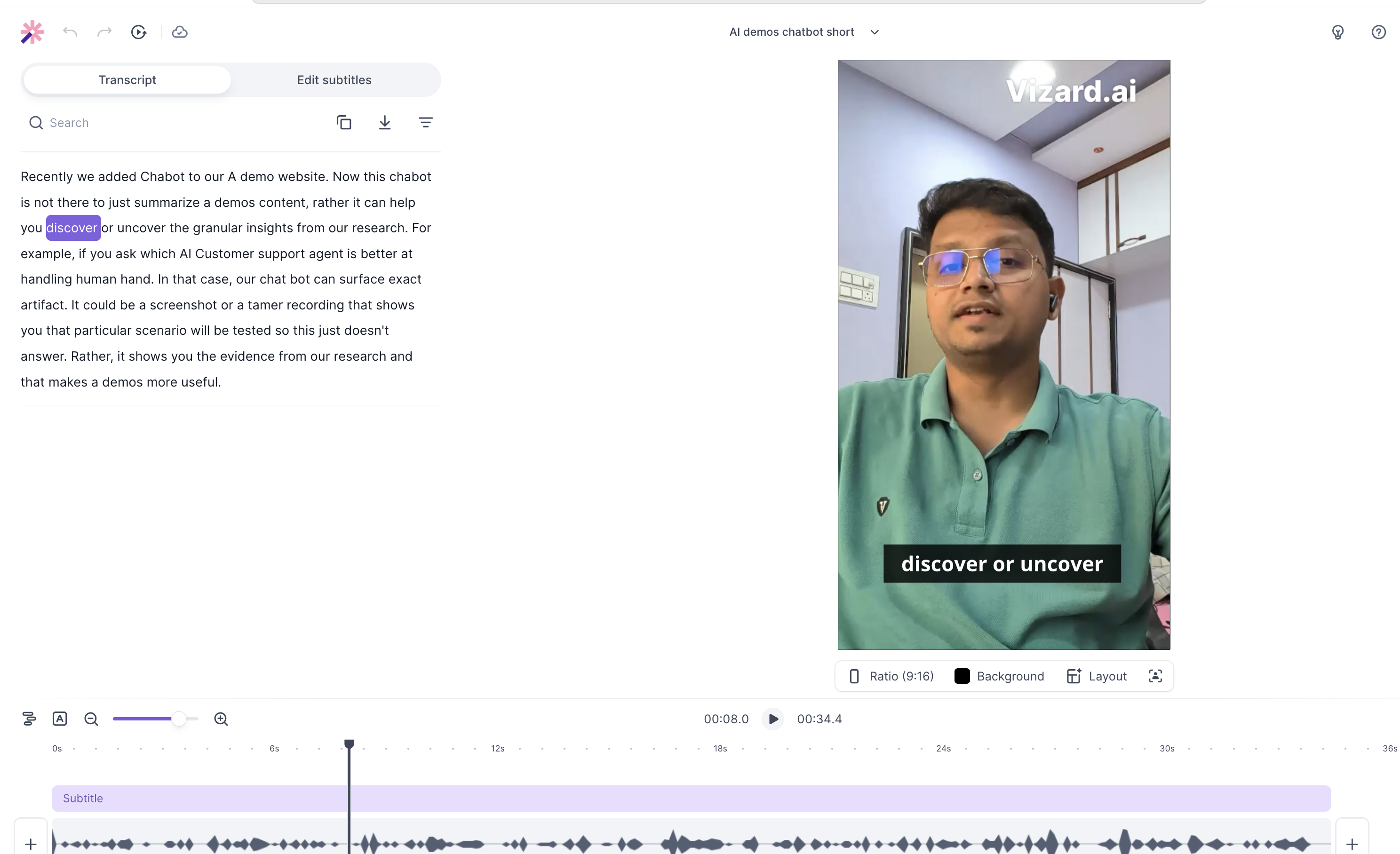
Free · Starting at ~$14.50Fast, accurate subtitle editor with strong timing, but the free tier is heavily locked down.
#4ZubtitleNeeds work2.8/5
6 checks
Free · $19/moSolid at basic caption drafts, but export limits, rough jargon handling, and manual cleanup keep it from the top tier.
#5Opus ClipNeeds work2.7/5
7 checks
$16 USD / $9 USD/moStrong preset-driven captioning, but weak on deep brand control and free-tier export portability
#6Vidyo.aiUnstable2.1/5
8 checks
Free · $29/moA polished auto-clipper with strong default motion, but very rigid free-tier controls.

What we checked

Every finding below is tied to one of these checks, and to the test that produced it. The number is how many of the 6 tools we recorded findings for.

Customization depth 6 toolsExport flexibility 6 toolsTiming precision 6 toolsTranscription accuracy 6 toolsBatch capability 5 toolsProcessing speed 5 toolsAnimation quality 4 toolsEditing ease 4 toolsStyle range 4 toolsSpeaker detection 2 tools

What we tried

The same 4 tests were run on every tool.

Client pay us for branding and emoji clipFast-paced AI demos chatbot clipMarkdown pages software demo clipWorkflow vs AI Agent narrative pause clip
Read it

AutoCaption.io

Usable#1 of 6

Fast, accurate captioning with strong styling controls, but the finished file is held back by a hard export wall.

Customization depthCapability check5/51 finding

The editor exposes fine-grained controls across color, stroke, font, capitalization, effects, and background treatment, which is the kind of depth that counts as full-featured customization.

This is a capability we checked per tool — whether (and how well) it supports this — so it shows a support verdict and what we found, rather than media or an input→output pair.

Worked wellwhen we tried: Client pay us for branding and emoji cliplink to this finding

The caption styling drawer exposes granular controls for text color and size, stroke color and width, font family, capitalization, typography style, active colors, shadows, and a background box, while also showing that no custom fonts had been uploaded yet.

Export flexibilityCapability check1/51 finding

Export is not flexible here: the standard path is blocked by credits, and there is no usable caption-file export for free users, so this is a core failure.

This is a capability we checked per tool — whether (and how well) it supports this — so it shows a support verdict and what we found, rather than media or an input→output pair.

Failedacross all testslink to this finding

On the standard tier, export is effectively blocked: the modal says "Export failed" because there are not enough credits and that the export requires 7 credits per minute, while the report also says raw .srt/.vtt exports are not available to free users.

Timing precision5/51 finding

Word timing stayed locked to rapid speech without drifting, so the highlight landings look consistently correct rather than merely acceptable.

Worked wellwhen we tried: Fast-paced AI demos chatbot cliplink to this finding

At high speech speed, the word-level split points stayed locked to the spoken cadence, with the report saying the captions did not drift across the timeline or introduce visible frame delays.

Transcription accuracy5/51 finding

It handled niche software jargon cleanly on the first pass and kept the technical phrase intact, which is top-tier performance for transcription accuracy.

Worked wellwhen we tried: Markdown pages software demo cliplink to this finding

The transcription engine handled niche software jargon cleanly on the first pass, accurately rendering the technical phrase "markdown pages" without the spelling hallucinations or phonetic garbling the report says are common on this kind of input.

Batch capabilityCapability check1/51 finding

It does not support true multi-clip reuse of the same branded look, so this fails the batch-use case at the core.

This is a capability we checked per tool — whether (and how well) it supports this — so it shows a support verdict and what we found, rather than media or an input→output pair.

Failedacross all testslink to this finding

Reusable brand styling does not scale across multiple uploads: the report says applying uniform custom brand characteristics across sequential projects requires global template configurations that are locked down.

Processing speedCapability check4/51 finding

It is clearly fast on the short clip, with captions appearing within seconds and no setup delay, but there is not enough proof here to call the long-form experience flawless.

This is a capability we checked per tool — whether (and how well) it supports this — so it shows a support verdict and what we found, rather than media or an input→output pair.

Worked wellwhen we tried: Markdown pages software demo cliplink to this finding

The system completed speech-to-text decoding within seconds of upload on the short demo clip, with no pre-configuration required before a styled caption preview appeared.

Animation quality5/51 finding

The motion stayed smooth and synchronized under speed, with no visible lag or overlap, so the animation quality is clearly excellent rather than just passable.

Worked wellwhen we tried: Fast-paced AI demos chatbot cliplink to this finding

The kinetic text animation stayed visually stable during rapid delivery: the word bounce tracked the speech without visible frame delays or caption overlaps, and emoji overlays were synchronized to the active phrase layer.

Editing easeCapability check3/51 finding

The tool clearly gives you the right places to edit, but there is no proof that a one-word fix or timing nudge is actually quick, so this is useful but not clearly fast.

This is a capability we checked per tool — whether (and how well) it supports this — so it shows a support verdict and what we found, rather than media or an input→output pair.

Mixedwhen we tried: Markdown pages software demo cliplink to this finding

The interface supports caption search and direct timeline editing, but the report does not measure how quickly a single-word transcription fix or timing tweak can be completed.

Style rangeCapability check4/51 finding

It offers a healthy spread of built-in styles and filters, but the evidence shows breadth more clearly than dramatic differences between styles, so this lands just below the top.

This is a capability we checked per tool — whether (and how well) it supports this — so it shows a support verdict and what we found, rather than media or an input→output pair.

Worked wellwhen we tried: Markdown pages software demo cliplink to this finding

The editor ships with multiple built-in caption styles, including PODCAST, Cove, SPOKE, Widow, DAZE, MARY, and JACOB, plus All and My Styles filters.

VEED.io

Usable#2 of 6

Accurate subtitles with strong manual caption control, but a very restrictive free export path

Customization depthCapability check5/51 finding

The tool goes well beyond a single preset and lets you shape the look and placement of captions in meaningful ways. Because it exposes both styling controls and timeline/canvas adjustment, it behaves like a real editor rather than a locked template app.

This is a capability we checked per tool — whether (and how well) it supports this — so it shows a support verdict and what we found, rather than media or an input→output pair.

Worked wellwhen we tried: Client pay us for branding and emoji cliplink to this finding

The editor exposes real subtitle styling controls instead of only a fixed preset, including font weights, highlight colors, and manual canvas/timeline adjustments.

Export flexibilityCapability check3/51 finding

VEED offers more than one output format, so it isn’t stuck on a single export path. But the free route is clearly constrained by watermarking and 720p limits, and we didn’t see an exportable caption layer, so it lands in the middle rather than near the top.

This is a capability we checked per tool — whether (and how well) it supports this — so it shows a support verdict and what we found, rather than media or an input→output pair.

Worked wellacross all testslink to this finding

Free exports are limited to a watermarked 720p MP4, while the download panel also offers MP3 and GIF plus a paid 'No Watermark' HD option.

Timing precision4/51 finding

The captions held their place during playback, which is a strong sign that word timing was generally on target. I’m not giving a perfect score because we only saw a stable result, not a harder case with obvious timing correction or stress on fast word changes.

Worked wellwhen we tried: Client pay us for branding and emoji cliplink to this finding

The generated subtitle track stayed stable during playback, with the report stating that text tracking remained stable rather than visibly drifting.

Transcription accuracy5/53 findings

It consistently got the spoken content right on both the technical monologue and the dense business monologue, so the captions read as reliable rather than just acceptable. The notes point to clean parsing without garbling or hallucinated terms, which is the hallmark of top-tier accuracy.

Worked wellacross all testslink to this finding

The ASR handled both a clean single-speaker technical monologue and a dense business monologue effectively, with clean subtitles and no hallucinated phonemes or garbled terms.

Worked wellwhen we tried: Client pay us for branding and emoji cliplink to this finding

The ASR also handled a dense business monologue effectively, capturing the spoken context cleanly in subtitles.

Processing speedCapability check1/51 finding

There’s no usable timing result here, and the third clip was blocked before caption generation finished. Since the tool never demonstrated a real upload-to-output time, speed remains effectively unproven in this test.

This is a capability we checked per tool — whether (and how well) it supports this — so it shows a support verdict and what we found, rather than media or an input→output pair.

Mixedacross all testslink to this finding

The report does not give upload-to-output timings for a 60-second or 10+ minute clip, and processing stopped at the paywall on the third file, so speed could not be measured from this run.

Editing easeCapability check5/51 finding

Fixing a caption looks fast because the tool lets you change timing and line breaks at a fine level instead of forcing broad, clumsy edits. That kind of direct control is exactly what makes subtitle cleanup efficient.

This is a capability we checked per tool — whether (and how well) it supports this — so it shows a support verdict and what we found, rather than media or an input→output pair.

Worked wellwhen we tried: Client pay us for branding and emoji cliplink to this finding

The subtitles panel allows granular manual fixes to subtitle timing, including precise changes to text breaks and pacing.

Speaker detection2/51 finding

The app shows that it can try to detect speakers, but the free quota stopped the job before speaker attribution was actually completed. That means the feature is present, yet in this run it never got far enough to prove correct multi-speaker captions.

Mixedwhen we tried: Workflow vs AI Agent narrative pause cliplink to this finding

The UI exposes a Detect Speakers control, but the free-tier quota stopped auto-subtitle generation at 0:14 transcription minutes remaining, so speaker attribution could not be completed on the third clip.

Vizard.ai

Needs work#3 of 6

Fast, accurate subtitle editor with strong timing, but the free tier is heavily locked down.

Customization depthCapability check3/51 finding

It offers real brand-kit fields, so this is more than a one-preset tool, but the meaningful controls are restricted behind payment. That leaves it in the middle: configurable in structure, but not deeply customizable for free users.

This is a capability we checked per tool — whether (and how well) it supports this — so it shows a support verdict and what we found, rather than media or an input→output pair.

Mixedwhen we tried: Client pay us for branding and emoji cliplink to this finding

The brand-kit panel exposes template, logo, subtitle, text style, and image slots, but free users cannot truly customize output because brand scaling is disabled and custom fonts plus hexadecimal color mapping are paywalled.

Export flexibilityCapability check1/52 findings

Free output is trapped in a watermarked, low-resolution video format, and the reusable caption file is paywalled as well. Because both the video export and the caption-layer export are constrained, this is a near-total failure for flexible exporting.

This is a capability we checked per tool — whether (and how well) it supports this — so it shows a support verdict and what we found, rather than media or an input→output pair.

Failedacross all testslink to this finding

Raw .srt track downloads are locked behind the Creator/Business tiers, so the free plan does not provide an exportable caption layer.

Struggledwhen we tried: Markdown pages software demo cliplink to this finding

Free-tier export is capped at 720p and includes a visible watermark, while 1080p is surfaced only as an upgrade option.

Timing precision5/53 findings

The captions stay aligned both in rapid delivery and through pauses, which points to genuinely reliable word timing rather than just acceptable rough syncing. There is no sign of drift or flicker in either test, so this lands at the top of the scale.

Worked wellacross all testslink to this finding

Timing precision held up through pauses and fast-paced syllables, with caption continuity preserved and word-level sync remaining locked without reported drift.

Worked wellwhen we tried: Fast-paced AI demos chatbot cliplink to this finding

Word-level sync remains locked during high-speed syllables, with no reported drift in the highlight-to-speech alignment.

Transcription accuracy3/53 findings

It can keep up with fast spoken delivery, but it breaks down on technical jargon and acronym-heavy phrasing. That makes the overall result workable in general speech yet unreliable where exact wording matters most.

Mixedacross all testslink to this finding

It handled rapid speech accurately, but broke on technical jargon and acronym-heavy speech, including a mistranscribed "Markdowns parser." and a malformed "html to markdown parser" rendering without correct casing or syntax structure.

Failedwhen we tried: Markdown pages software demo cliplink to this finding

The ASR engine breaks on technical jargon and acronym-heavy speech, including a mistranscribed "Markdowns parser." and a malformed "html to markdown parser" rendering without correct casing or syntax structure.

Batch capabilityCapability check2/51 finding

The workflow appears to be one clip at a time, with no clear sign of a multi-clip apply-all path. That is not a hard proof that batch mode is impossible, but it is weak enough to count as poor batch support.

This is a capability we checked per tool — whether (and how well) it supports this — so it shows a support verdict and what we found, rather than media or an input→output pair.

Struggledacross all testslink to this finding

The report does not describe any way to apply a style or brand kit across multiple clips in one pass; the workflow is described per clip rather than as a batch operation.

Processing speedCapability check4/51 finding

It feels quick because the editor appears right after upload instead of leaving you waiting in a queue. That said, this is only demonstrated on a short clip, so the score stays just below the top mark.

This is a capability we checked per tool — whether (and how well) it supports this — so it shows a support verdict and what we found, rather than media or an input→output pair.

Worked wellwhen we tried: Markdown pages software demo cliplink to this finding

The service returns the editing workspace immediately after upload, so cloud processing feels fast rather than queue-bound.

Animation quality4/51 finding

The caption motion looks smooth and stable, which is the main thing this criterion cares about. I would not call it fully proven at every pace and style, but the motion quality is clearly strong.

Worked wellwhen we tried: Fast-paced AI demos chatbot cliplink to this finding

Caption motion stays fluid, with the report describing the kinetic text animations as smooth rather than jittery.

Editing easeCapability check3/52 findings

Basic transcript fixes are quick, but precision timing repairs are clumsier. That split makes the editor efficient for routine cleanup yet only average when you need to polish one caption frame by frame.

This is a capability we checked per tool — whether (and how well) it supports this — so it shows a support verdict and what we found, rather than media or an input→output pair.

Worked wellwhen we tried: Markdown pages software demo cliplink to this finding

The text-first editor makes transcript fixes fast, with a word-processor-like layout that supports rapid deletions and cuts on the timeline.

Struggledwhen we tried: Workflow vs AI Agent narrative pause cliplink to this finding

The editor lacks fine-grained timeline controls for nudging a caption off by the exact millisecond, which limits precise manual timing fixes.

Style rangeCapability check2/51 finding

The available styles look more like small variations of the same corporate subtitle treatment than a broad creative library. That is enough for basic use, but not enough to count as a wide or distinctive style range.

This is a capability we checked per tool — whether (and how well) it supports this — so it shows a support verdict and what we found, rather than media or an input→output pair.

Struggledwhen we tried: Fast-paced AI demos chatbot cliplink to this finding

The built-in styles skew toward standard corporate subtitles and do not provide a strongly differentiated high-contrast social-caption look.

Speaker detection2/51 finding

There is no sign that the tool identifies different speakers or labels them correctly, so it cannot be credited for that capability. The evidence is sparse rather than explicitly broken, which keeps the score low but not at the absolute bottom.

Struggledacross all testslink to this finding

The research report does not mention multi-speaker detection or speaker attribution, so there is no evidence that the tool labels different speakers correctly.

Zubtitle

Needs work#4 of 6

Solid at basic caption drafts, but export limits, rough jargon handling, and manual cleanup keep it from the top tier.

Customization depthCapability check4/51 finding

The editor gives you many real controls instead of a single canned preset, so you can reshape the look and layout quite a bit even though some cleanup is still manual.

This is a capability we checked per tool — whether (and how well) it supports this — so it shows a support verdict and what we found, rather than media or an input→output pair.

Worked wellacross all testslink to this finding

The editor exposes a fairly deep set of styling/layout controls rather than a single preset, including Text Editor, Templates, AI, Text Styles, Text Motion, Canvas, Logos, Progress Bar, and Resize.

Export flexibilityCapability check1/51 finding

Exports are effectively locked to branded rendered video, with a 720p cap and a quota wall, and there’s no sign of a more flexible caption-file or project export.

This is a capability we checked per tool — whether (and how well) it supports this — so it shows a support verdict and what we found, rather than media or an input→output pair.

Failedacross all testslink to this finding

The free export path is constrained to rendered video output and is hard-limited by the account quota: the report describes MP4 rendering with a fixed watermark and 720p cap, and the render modal blocks delivery once the 2-video monthly limit is reached. It does not show a downloadable SRT or editable project export.

Timing precision4/53 findings

Timing lands correctly on the clean clip, and the only weaker case never reached a final output check because the render was blocked, so the sync looks strong with one missing stress test.

Mixedacross all testslink to this finding

It was accurate on the clean, standard-paced clip, but on the fast-paced clip export was blocked before rapid-speech kinetic typography could be visually evaluated, so final word-timing precision was not validated in an output file.

Worked wellwhen we tried: Markdown pages software demo cliplink to this finding

Zubtitle kept word-level captions aligned on the clean, standard-paced clip: the report says it "successfully synchronized the transcript timestamps to the vocal track" and produced "accurate subtitle entry and exit timing."

Transcription accuracy3/53 findings

It does well on clean, technical-but-clear speech, but the jargon-heavy clip breaks down badly, so the overall accuracy is uneven rather than dependable.

Mixedacross all testslink to this finding

It was mixed: the transcript could preserve niche technical tokens like ".md," "HTML," "LMS," and "AI agents," but it badly misheard jargon-heavy speech such as "RAG system" and "workflows."

Worked wellwhen we tried: Markdown pages software demo cliplink to this finding

The transcript panel can preserve niche technical tokens without obvious phonetic garbling, including ".md," "HTML," "LMS," and "AI agents" in the generated caption track.

Batch capabilityCapability check2/51 finding

There is no sign of a workflow for pushing one style across multiple clips, and the free plan stops any batch run from being proven, so batch use looks weak.

This is a capability we checked per tool — whether (and how well) it supports this — so it shows a support verdict and what we found, rather than media or an input→output pair.

Failedacross all testslink to this finding

Batch-style processing was not demonstrated; the report explicitly says the free-tier limits "prevent full evaluation of batch video pipelines without subscribing to a paid tier."

Editing easeCapability check3/51 finding

You can edit the transcript directly, but the fixes are manual enough that cleanup takes work, so the editing flow is usable rather than especially fast.

This is a capability we checked per tool — whether (and how well) it supports this — so it shows a support verdict and what we found, rather than media or an input→output pair.

Mixedwhen we tried: Client pay us for branding and emoji cliplink to this finding

The editor provides an editable captions/SRT panel, but the report frames error correction as manual cleanup: transcript misparses must be fixed by hand and the auto-inserted HEADLINE box must be deleted manually.

Opus Clip

Needs work#5 of 6

Strong preset-driven captioning, but weak on deep brand control and free-tier export portability

Customization depthCapability check2/51 finding

The tool blocks the controls that matter most for brand-specific work on the free path, including fonts, exact colors, and sidecar subtitle access. That leaves only limited preset-level control, so the score stays low.

This is a capability we checked per tool — whether (and how well) it supports this — so it shows a support verdict and what we found, rather than media or an input→output pair.

Struggledacross all testslink to this finding

Deep brand customization is gated: the free tier blocks custom .ttf/.otf font uploads, custom hexadecimal color mappings, and raw .srt subtitle downloads.

Export flexibilityCapability check2/51 finding

On the free path, output is basically a burned-in video with a watermark, while useful caption and project handoff exports sit behind payment. That makes the export options limited and brittle for workflow reuse.

This is a capability we checked per tool — whether (and how well) it supports this — so it shows a support verdict and what we found, rather than media or an input→output pair.

Struggledacross all testslink to this finding

Export is mostly burned-in output on the free path; detached subtitle/text-track export and editor handoff are only listed on paid plans, while the free tier is described as watermarked.

Timing precision2/51 finding

The captions stayed close, but rapid delivery pushed the word highlighting off target. Because the sync broke down under speed stress, this is a clear low score rather than a near-perfect one.

Struggledwhen we tried: Fast-paced AI demos chatbot cliplink to this finding

Under a 1.15x playback stress test, word-level highlights drifted on rapid speech and did not perfectly match the spoken phonemes.

Transcription accuracy2/51 finding

It handled the clip, but it stumbled on a software-specific term and punctuation that matter in technical demos. That kind of niche misread is more than a minor typo, so this lands in the low range rather than a strong score.

Struggledwhen we tried: Markdown pages software demo cliplink to this finding

The transcription engine misparses technical syntax: it lowercases the spoken term "markdown" and drops the period in the explicit file extension ".md".

Batch capabilityCapability check5/51 finding

The same look can be pushed across multiple clips at once, which is exactly what batch styling should do. There is no sign of one-by-one only handling, so this earns the top score.

This is a capability we checked per tool — whether (and how well) it supports this — so it shows a support verdict and what we found, rather than media or an input→output pair.

Worked wellacross all testslink to this finding

Built-in styles can be applied immediately across multi-clip generation batches, so styling is not limited to one clip at a time.

Processing speedCapability check1 finding

We didn't capture timed upload-to-output results for either the 60-second or 10+ minute benchmark, so the tool's true processing speed can't be rated from the available evidence.

This is a capability we checked per tool — whether (and how well) it supports this — so it shows a support verdict and what we found, rather than media or an input→output pair.

Mixedacross all testslink to this finding

The research only supports qualitative speed claims such as "completed quickly" and "within standard operational windows"; it does not give timed upload-to-output measurements for either the 60-second or 10+ minute benchmark.

Animation quality2/51 finding

The motion works, but speed exposes visible stutter and frame drops. Since the caption animation is not consistently smooth under stress, it scores in the low range.

Struggledwhen we tried: Fast-paced AI demos chatbot cliplink to this finding

The render shows minor frame drops and visible text stuttering during fast audio, so the kinetic caption motion is not perfectly smooth at high speed.

Style rangeCapability check4/51 finding

The tool offers a solid set of distinct preset looks, enough to feel varied without being endlessly customizable. That is stronger than average, but not broad enough to deserve the top score.

This is a capability we checked per tool — whether (and how well) it supports this — so it shows a support verdict and what we found, rather than media or an input→output pair.

Worked wellacross all testslink to this finding

The styling system exposes at least six built-in motion themes—DEFAULT, PODCAST, BEN, Cove, LAKE, and SPOKE—so the preset library has moderate variety.

Vidyo.ai

Unstable#6 of 6

A polished auto-clipper with strong default motion, but very rigid free-tier controls.

Customization depthCapability check1/52 findings

It blocks both fine animation control and the basic brand controls that make captions feel custom. With font uploads, hex colors, and exit-animation tweaks all unavailable, this is a core limitation, not a small omission.

This is a capability we checked per tool — whether (and how well) it supports this — so it shows a support verdict and what we found, rather than media or an input→output pair.

Failedwhen we tried: Client pay us for branding and emoji cliplink to this finding

The testing tier blocks custom .ttf/.otf font uploads and exact hex color inputs, leaving brand styling locked to the default platform look.

Failedwhen we tried: Workflow vs AI Agent narrative pause cliplink to this finding

The free tier does not let you subtly tune the text-block exit animations, so pause transitions are preset-only unless you upgrade.

Export flexibilityCapability check1/51 finding

The free tier only gives a burned-in video, and the subtitle layer is locked away. That is a hard export ceiling, so this is a clear 1/5.

This is a capability we checked per tool — whether (and how well) it supports this — so it shows a support verdict and what we found, rather than media or an input→output pair.

Failedacross all testslink to this finding

Export is limited to burned-in MP4 output on the free tier, and raw .srt subtitle downloads are completely paywalled behind paid plans.

Timing precision3/51 finding

The captions mostly stayed in step with fast speech, but the fastest bursts slipped a bit. That is better than a genuine sync problem, yet not clean enough for a 4/5, so it sits in the middle.

Mixedwhen we tried: Fast-paced AI demos chatbot cliplink to this finding

On the fast-paced demo, word-highlighting stayed usable at about 1.15× spoken speed, but the report says it showed fractional-frame lag during the fastest phonetic bursts.

Transcription accuracy2/51 finding

It got the file-extension syntax wrong on the markdown demo, which is a meaningful transcription miss for technical text. That looks more than a small typo, but there isn't evidence that its core speech recognition is broadly broken, so this lands at 2/5 rather than 1/5.

Struggledwhen we tried: Markdown pages software demo cliplink to this finding

The transcription engine mishandles technical syntax, dropping the literal ".md" formatting and rendering the term phonetically or as lowercase text instead of preserving the file-extension syntax.

Batch capabilityCapability check1/51 finding

Style changes could not be pushed across multiple clips on the tested tier, which means batching is effectively unavailable for the use case we checked. That is a broken workflow rather than a minor inconvenience.

This is a capability we checked per tool — whether (and how well) it supports this — so it shows a support verdict and what we found, rather than media or an input→output pair.

Failedwhen we tried: Client pay us for branding and emoji cliplink to this finding

Brand scaling and custom batching were completely disabled on the testing tier, so style changes could not be propagated across multiple clips.

Processing speedCapability check3/51 finding

It feels snappy on the clips we checked and never bogged down, but we do not have measured turnaround times for a short clip and a long clip. That makes it look good in practice, but not strong enough for a top score.

This is a capability we checked per tool — whether (and how well) it supports this — so it shows a support verdict and what we found, rather than media or an input→output pair.

Mixedacross all testslink to this finding

The report uses qualitative speed language such as "swiftly" and "fast and reliable," but it does not provide a measured 60-second or 10+ minute turnaround benchmark.

Animation quality4/53 findings

The motion looks smooth and stable, especially through silence, and the animation system is clearly integrated into editing. The weaker emoji fallback dulls the effect in some cases, but it does not overturn the overall polish.

Mixedacross all testslink to this finding

The subtitle layer stayed visually stable through silence, but the auto-emoji system fell back to generic or repetitive icons on abstract dialogue, weakening the visual effect.

Mixedwhen we tried: Fast-paced AI demos chatbot cliplink to this finding

The auto-emoji system injects emoji natively from the subtitle editor, but it falls back to generic or repetitive icons when the dialogue is abstract, which weakens the visual effect.

Style rangeCapability check2/51 finding

There is proof of one preset and a rigid free-tier look, but not of a broad or meaningfully varied style library. That suggests limited style range rather than true versatility.

This is a capability we checked per tool — whether (and how well) it supports this — so it shows a support verdict and what we found, rather than media or an input→output pair.

Mixedacross all testslink to this finding

The report surfaces at least one named preset, "Trending Shorts," and describes the free-tier presets as highly rigid, but it does not show a broad built-in style library.

Final Take

AutoCaption.io is the overall winner. It has the strongest scorecard where it matters most for caption work: transcription accuracy, timing precision, customization depth, and animation quality all sit at the top, and its processing speed is also solid. The main catch is the same one that keeps it from being a clean universal pick: export flexibility is a hard weak point, batch capability is poor, and editing ease is only middling. If you need the best-looking, most precisely controlled captions, AutoCaption.io is the best fit; if you need a smoother manual editing experience, VEED.io is the closer alternative because its editing ease and customization are strong, though it gives up speed and has a restrictive export path. Vizard.ai is the better route when timing and processing speed matter more than transcription quality, but its free-tier export limits are severe. Zubtitle is acceptable for basic caption drafts, but export limits and rougher handling keep it below the top tier. Opus Clip stands out for batch capability and preset-driven workflows, but it is weaker on accuracy, timing, and deep brand control. Vidyo.ai has polished default motion, but the rigid free-tier controls and low customization make it less flexible than the leaders.

Similar Tools

The tools we tested for this use case — each card opens its full tested review.

Comments (0)

Please Log in to join the discussion.