
Fathom
Reliable meeting notes, search, and sharing from live calls, with a caveat on speaker attribution.
Strong meeting memory, with speaker-attribution checks
- You want a searchable, shareable meeting record with transcript, summary, and action items.
- You want a true free tier with unlimited recordings/transcriptions and a usable API.
- You want API or MCP access for downstream automation or agent queries.
- You need perfectly reliable speaker attribution in fast-turn multi-speaker calls.
Our take
Fathom came through as a production-ready meeting assistant in this test: it captured a usable transcript, generated a structured summary and real action items, and made the notes searchable, shareable, and accessible through both API and MCP. The main caveat is attribution — a few speaker/name labels were wrong, so fast-turn and named-person outputs should be checked before acting on them.
In-Depth Review
Our detailed analysis of Fathom — features, performance, and real-world testing.
Feature-by-Feature Breakdown
Automated Meeting Capture▾
Feature tested: Automated Meeting Capture
Result: Partial
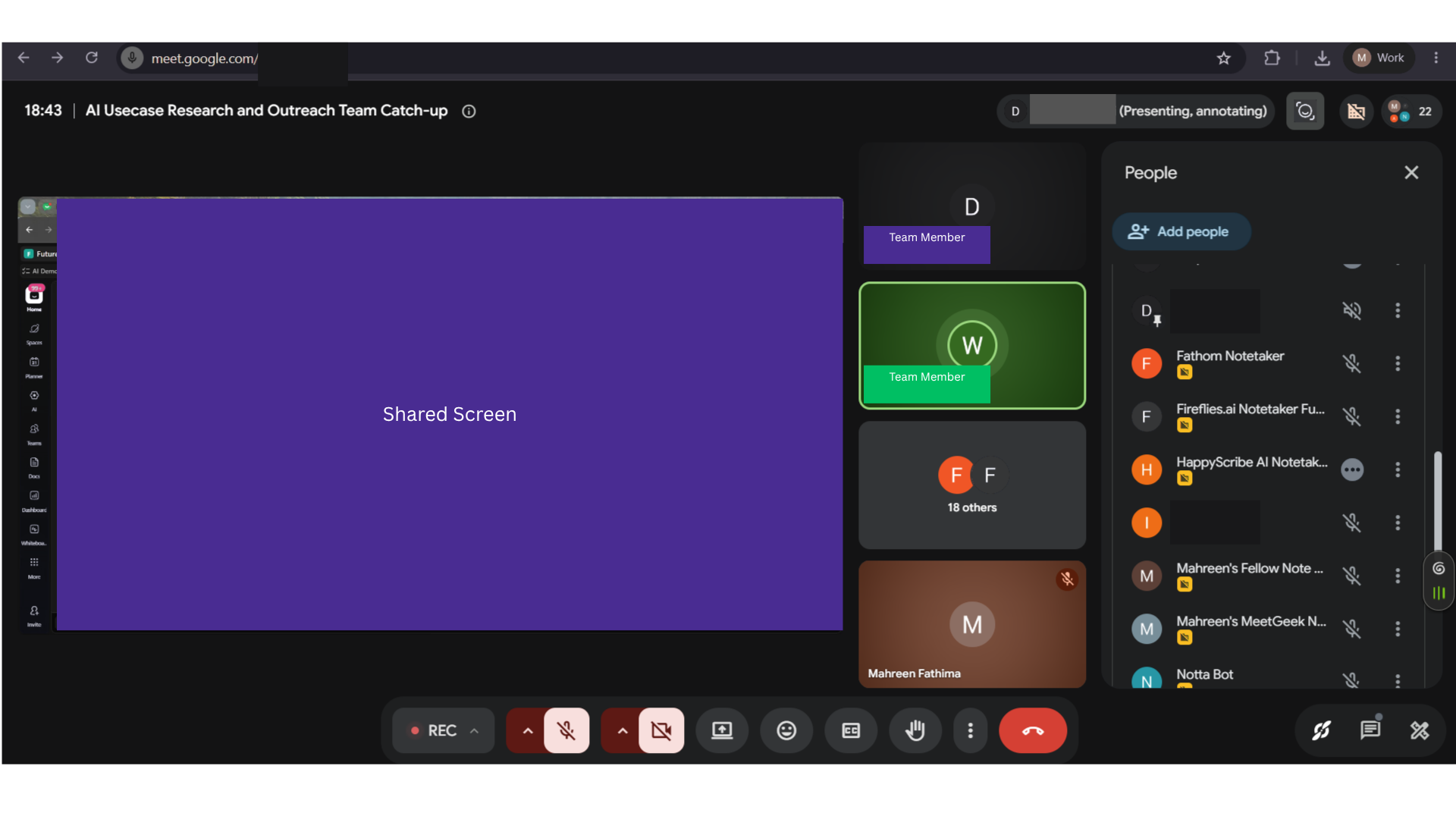
Expected behavior: Fathom can join a live Google Meet as a bot and keep recording through the call; the tested standup stayed connected for the full meeting.
Test case: Image → Image
Input type: Image
Input used: Input artifact (Image): 31 July 2026 AI Demos daily standup on Google Meet, about 25 minutes long, with one Fathom bot joining alongside other notetakers. — 31-july-meeting-screenshot.png
Observed output: Output artifact (Image): The bot/note-taker appears to have joined the meeting successfully. — fathom-bot-meeting-joined-success.png
Input artifact: Input artifact (Image): 31 July 2026 AI Demos daily standup on Google Meet, about 25 minutes long, with one Fathom bot joining alongside other notetakers. — 31-july-meeting-screenshot.png
Output artifact: Output artifact (Image): The bot/note-taker appears to have joined the meeting successfully. — fathom-bot-meeting-joined-success.png
What changed: Image transformed into Image
Test case: Image → Image
Input type: Image
Input used: Input artifact (Image): 31 July 2026 AI Demos daily standup on Google Meet, about 25 minutes long, with one Fathom bot joining alongside other notetakers. — 31-july-meeting-screenshot.png
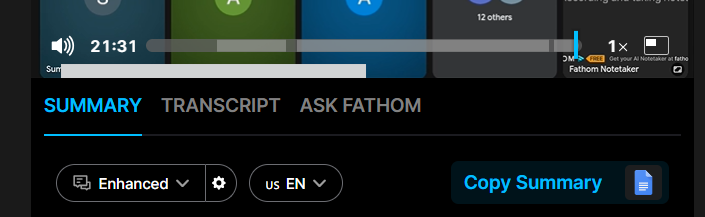
Observed output: Output artifact (Image): The recording remained available near the end of playback, corroborating full-session capture without a mid-call drop. — fathom-bot-till-end-of-meeting-join-reliability-success.png
Input artifact: Input artifact (Image): 31 July 2026 AI Demos daily standup on Google Meet, about 25 minutes long, with one Fathom bot joining alongside other notetakers. — 31-july-meeting-screenshot.png
Output artifact: Output artifact (Image): The recording remained available near the end of playback, corroborating full-session capture without a mid-call drop. — fathom-bot-till-end-of-meeting-join-reliability-success.png
What changed: Image transformed into Image
Test case: Video file → Image
Input type: Video file
Input used: Input artifact (Video file): 31 July 2026 AI Demos daily standup in Google Meet (~25 min, ~10 active speakers, normal audio). — 31-july-meeting-artifact.webm
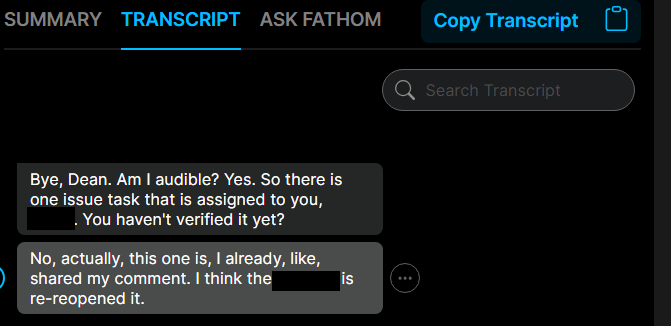
Observed output: Output artifact (Image): Fathom generated a readable transcript for the tested standup; most of the content was captured correctly, but one visible name error rendered "Mahreen" as "Meryl." — fathom-meeting-transcript-generated-success.png
Input artifact: Input artifact (Video file): 31 July 2026 AI Demos daily standup in Google Meet (~25 min, ~10 active speakers, normal audio). — 31-july-meeting-artifact.webm
Output artifact: Output artifact (Image): Fathom generated a readable transcript for the tested standup; most of the content was captured correctly, but one visible name error rendered "Mahreen" as "Meryl." — fathom-meeting-transcript-generated-success.png
What changed: Video file transformed into Image
Why it matters / Conclusion: Join reliability looked solid in this normal standup.
Fathom can join a live Google Meet as a bot and keep recording through the call; the tested standup stayed connected for the full meeting.

Speech-to-Text Transcription▾
Feature tested: Speech-to-Text Transcription
Result: Partial
Expected behavior: Fathom produces a readable meeting transcript for the tested standup, capturing most names, jargon, and numbers correctly while still allowing some name-level errors.
Test case: Image → Image
Input type: Image
Input used: Input artifact (Image): 31 July 2026 standup with typical engineering jargon, names, and numbers. — 31-july-meeting-screenshot.png
Observed output: Output artifact (Image): Fathom generated a readable transcript for the standup, with the transcript pane showing a coherent conversation thread. — fathom-meeting-transcript-generated-success.png
Input artifact: Input artifact (Image): 31 July 2026 standup with typical engineering jargon, names, and numbers. — 31-july-meeting-screenshot.png
Output artifact: Output artifact (Image): Fathom generated a readable transcript for the standup, with the transcript pane showing a coherent conversation thread. — fathom-meeting-transcript-generated-success.png
What changed: Image transformed into Image
Why it matters / Conclusion: Mostly accurate, but name-level corrections are still needed.
Fathom produces a readable meeting transcript for the tested standup, capturing most names, jargon, and numbers correctly while still allowing some name-level errors.
Speaker Attribution▾
Feature tested: Speaker Attribution
Result: Partial
Expected behavior: Fathom labels speakers in multi-speaker transcripts, mostly attributing turns correctly even when fast transitions can merge or mislabel turns.
Test case: Video file → Image
Input type: Video file
Input used: Input artifact (Video file): 31 July standup with ~10 active speakers and frequent speaker transitions. — 31-july-meeting-artifact.webm
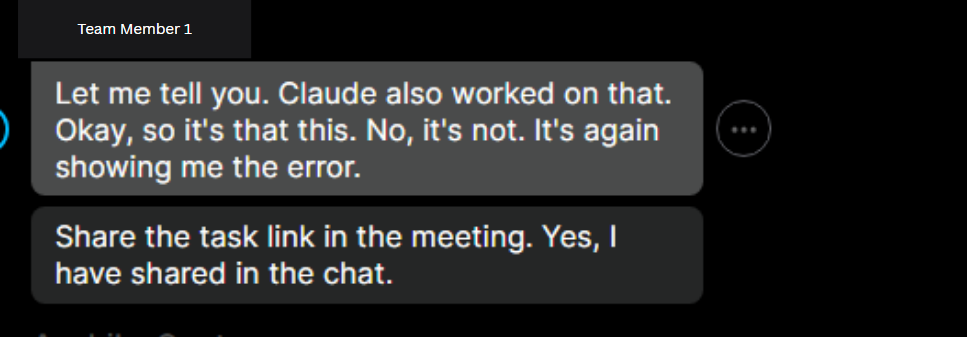
Observed output: Output artifact (Image): Fathom applied speaker labels across the transcript and handled most turns correctly on the multi-speaker standup. — fathom-speaker-diariazation-success.png
Input artifact: Input artifact (Video file): 31 July standup with ~10 active speakers and frequent speaker transitions. — 31-july-meeting-artifact.webm
Output artifact: Output artifact (Image): Fathom applied speaker labels across the transcript and handled most turns correctly on the multi-speaker standup. — fathom-speaker-diariazation-success.png
What changed: Video file transformed into Image
Why it matters / Conclusion: Good overall, with a real attribution risk in fast-turn segments.
Fathom labels speakers in multi-speaker transcripts, mostly attributing turns correctly even when fast transitions can merge or mislabel turns.
Meeting Summaries▾
Feature tested: Meeting Summaries
Result: Passed
Expected behavior: Fathom turns the meeting into a structured, scannable summary with purpose, key takeaways, and named topic sections that mirror the meeting flow.
Test case: Video file → Image
Input type: Video file
Input used: Input artifact (Video file): 31 July 2026 standup with multiple discussion threads and action points. — 31-july-meeting-artifact.webm
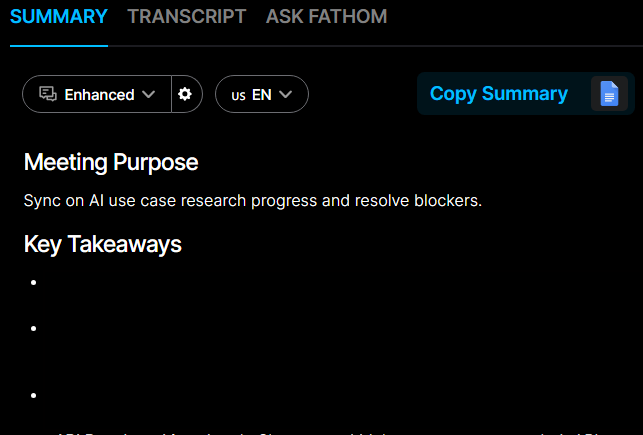
Observed output: Output artifact (Image): Fathom produced a structured summary with a meeting purpose and key takeaways, showing that it can create a skimmable recap after the call. — fathom-meeting-summary-generated-success.png
Input artifact: Input artifact (Video file): 31 July 2026 standup with multiple discussion threads and action points. — 31-july-meeting-artifact.webm
Output artifact: Output artifact (Image): Fathom produced a structured summary with a meeting purpose and key takeaways, showing that it can create a skimmable recap after the call. — fathom-meeting-summary-generated-success.png
What changed: Video file transformed into Image
Test case: Video file → Image
Input type: Video file
Input used: Input artifact (Video file): Same standup, checked for topic breaks in the generated notes. — 31-july-meeting-artifact.webm
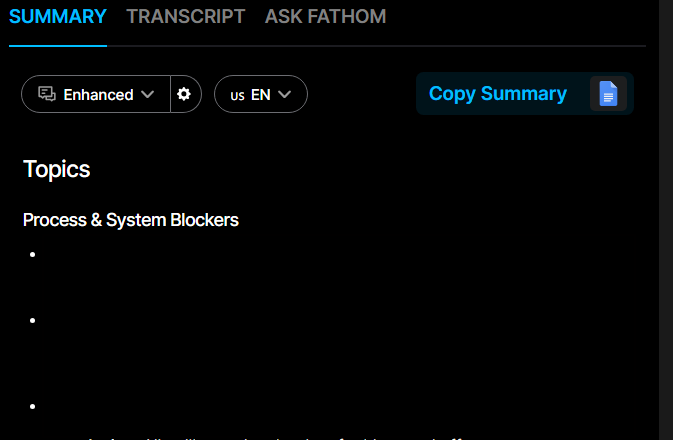
Observed output: Output artifact (Image): The summary is segmented into named topics rather than one undifferentiated block, which makes the output easier to scan and navigate. — fathom-topic-segmentation-success.png
Input artifact: Input artifact (Video file): Same standup, checked for topic breaks in the generated notes. — 31-july-meeting-artifact.webm
Output artifact: Output artifact (Image): The summary is segmented into named topics rather than one undifferentiated block, which makes the output easier to scan and navigate. — fathom-topic-segmentation-success.png
What changed: Video file transformed into Image
Test case: Image → Image
Input type: Image
Input used: Input artifact (Image): INPUT: Same standup, checked for the detailed topic structure inside the summary. — 31-july-meeting-screenshot.png
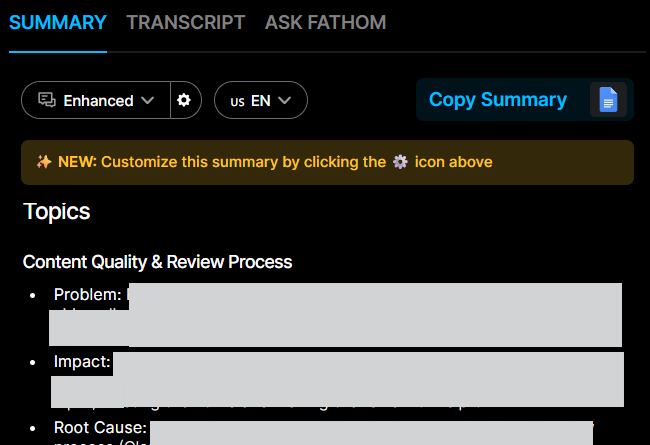
Observed output: Output artifact (Image): Topic section snippet showing structured subheadings and bullet structure. — fathom-meeting-summary-topics-section-snippet.png
Input artifact: Input artifact (Image): INPUT: Same standup, checked for the detailed topic structure inside the summary. — 31-july-meeting-screenshot.png
Output artifact: Output artifact (Image): Topic section snippet showing structured subheadings and bullet structure. — fathom-meeting-summary-topics-section-snippet.png
What changed: Image transformed into Image
Why it matters / Conclusion: Clear, structured, and useful for quick review.
Fathom turns the meeting into a structured, scannable summary with purpose, key takeaways, and named topic sections that mirror the meeting flow.
Action-Item Extraction▾
Feature tested: Action-Item Extraction
Result: Passed
Expected behavior: Fathom extracts commitments from the meeting and attaches owners to them, including action-item lists pulled from the tested call.
Test case: Image → Image
Input type: Image
Input used: Input artifact (Image): INPUT: 25-minute standup with real commitments made by named participants. — 31-july-meeting-screenshot.png
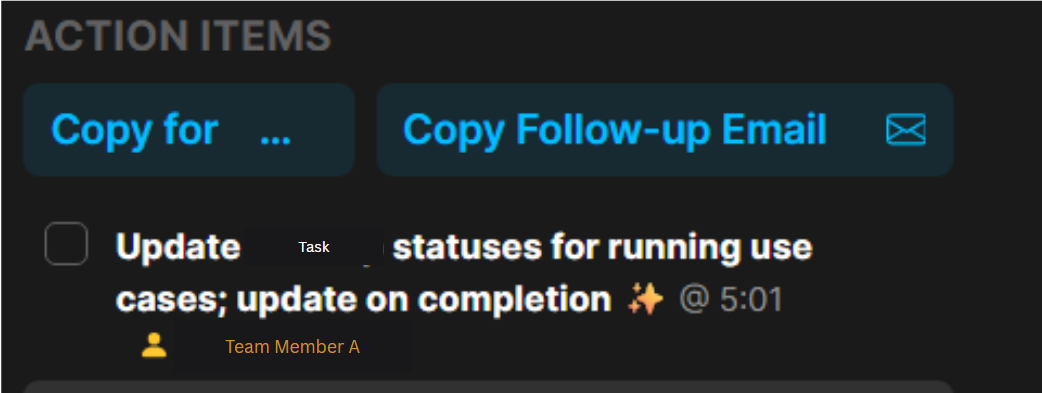
Observed output: Output artifact (Image): Single extracted action item with a checkbox-style task entry. — fathom-action-item-extracted-success.png
Input artifact: Input artifact (Image): INPUT: 25-minute standup with real commitments made by named participants. — 31-july-meeting-screenshot.png
Output artifact: Output artifact (Image): Single extracted action item with a checkbox-style task entry. — fathom-action-item-extracted-success.png
What changed: Image transformed into Image
Why it matters / Conclusion: Captured the real commitments without obvious false positives.
Fathom extracts commitments from the meeting and attaches owners to them, including action-item lists pulled from the tested call.
Editable Meeting Outputs▾
Feature tested: Editable Meeting Outputs
Result: Passed
Expected behavior: Fathom lets users edit extracted action items inline and refine summaries with instructions before regenerating the output.
Test case: Text prompt → Image
Input type: Text prompt
Input used: Input artifact (Text prompt): INPUT
Observed output: Output artifact (Image): An action item row shows an edit pencil, indicating the extracted task can be edited inline. — fathom-action-item-editability-success.png
Input artifact: Input artifact (Text prompt): INPUT
Output artifact: Output artifact (Image): An action item row shows an edit pencil, indicating the extracted task can be edited inline. — fathom-action-item-editability-success.png
What changed: Text prompt transformed into Image
Test case: Text prompt → Image
Input type: Text prompt
Input used: Input artifact (Text prompt): INPUT
Observed output: Output artifact (Image): The same action item is shown in edit mode with the caret active inside the text. — fathom-action-item-editing-success.png
Input artifact: Input artifact (Text prompt): INPUT
Output artifact: Output artifact (Image): The same action item is shown in edit mode with the caret active inside the text. — fathom-action-item-editing-success.png
What changed: Text prompt transformed into Image
Test case: Text prompt → Image
Input type: Text prompt
Input used: Input artifact (Text prompt): INPUT
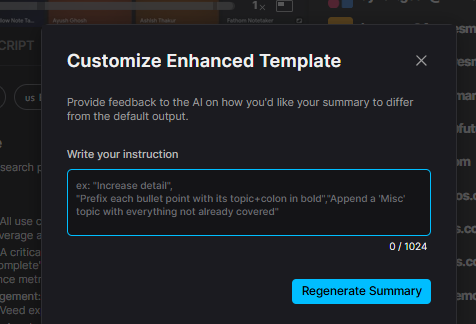
Observed output: Output artifact (Image): The summary can be customized by giving the AI instructions and regenerating the template. — fathom-summary-customizable-feature.png
Input artifact: Input artifact (Text prompt): INPUT
Output artifact: Output artifact (Image): The summary can be customized by giving the AI instructions and regenerating the template. — fathom-summary-customizable-feature.png
What changed: Text prompt transformed into Image
Why it matters / Conclusion: Outputs are correctable before sharing.
Fathom lets users edit extracted action items inline and refine summaries with instructions before regenerating the output.


Transcript Search▾
Feature tested: Transcript Search
Result: Passed
Expected behavior: Fathom supports keyword search across the transcript, returning timestamped matches and surfacing relevant moments; one combined card also paired this with grounded meeting Q&A.
Test case: Text prompt → Image
Input type: Text prompt
Input used: Input artifact (Text prompt): INPUT
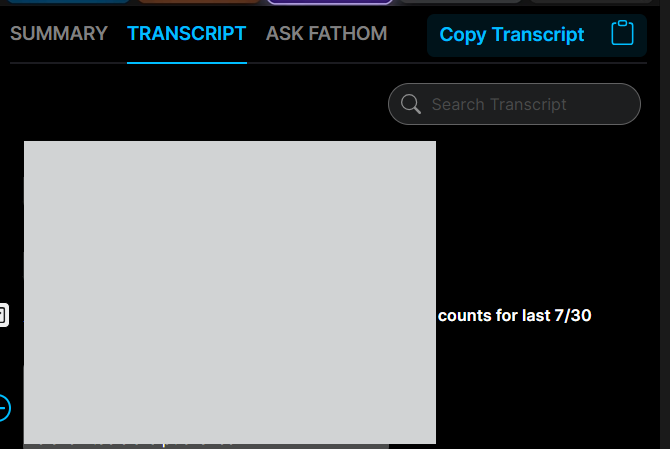
Observed output: Output artifact (Image): The transcript tab shows search controls and a searchable meeting transcript, confirming in-call lookup is available. — fathom-meeting-transcript-search-success.png
Input artifact: Input artifact (Text prompt): INPUT
Output artifact: Output artifact (Image): The transcript tab shows search controls and a searchable meeting transcript, confirming in-call lookup is available. — fathom-meeting-transcript-search-success.png
What changed: Text prompt transformed into Image
Why it matters / Conclusion: Fast, precise lookup on the tested meeting.
Fathom supports keyword search across the transcript, returning timestamped matches and surfacing relevant moments; one combined card also paired this with grounded meeting Q&A.
Meeting Q&A Assistant▾
Feature tested: Meeting Q&A Assistant
Result: Passed
Expected behavior: Fathom answers plain-language questions about the meeting using grounded references to the transcript, including schedule and action-item questions.
Test case: Text prompt → Image
Input type: Text prompt
Input used: Input artifact (Text prompt): INPUT
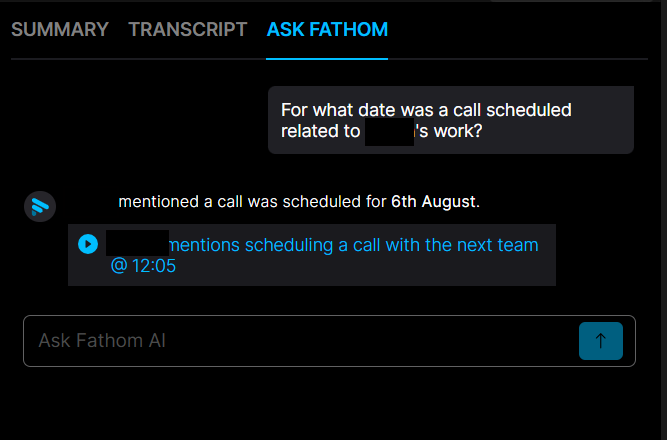
Observed output: Output artifact (Image): Ask Fathom answers that the call was scheduled for 6th August and cites the related meeting mention. — fathom-chat-query-and-answer-success.png
Input artifact: Input artifact (Text prompt): INPUT
Output artifact: Output artifact (Image): Ask Fathom answers that the call was scheduled for 6th August and cites the related meeting mention. — fathom-chat-query-and-answer-success.png
What changed: Text prompt transformed into Image
Test case: Text prompt → Image
Input type: Text prompt
Input used: Input artifact (Text prompt): INPUT
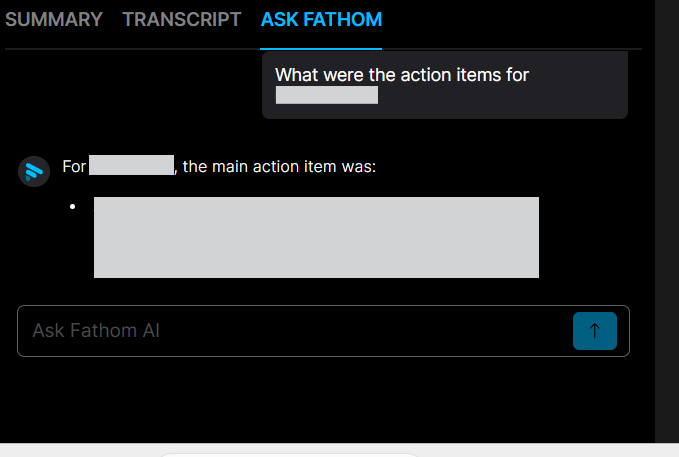
Observed output: Output artifact (Image): The Ask Fathom pane shows a successful question-and-answer interaction about meeting action items. — fathom-meeting-chat-query-success.png
Input artifact: Input artifact (Text prompt): INPUT
Output artifact: Output artifact (Image): The Ask Fathom pane shows a successful question-and-answer interaction about meeting action items. — fathom-meeting-chat-query-success.png
What changed: Text prompt transformed into Image
Why it matters / Conclusion: Good for post-call questions on the tested meeting.
Fathom answers plain-language questions about the meeting using grounded references to the transcript, including schedule and action-item questions.
Shareable Notes Links▾
Feature tested: Shareable Notes Links
Result: Passed
Expected behavior: Fathom generates shareable links so published notes can be opened without requiring a Fathom account.
Test case: Text prompt → Image
Input type: Text prompt
Input used: Input artifact (Text prompt): INPUT
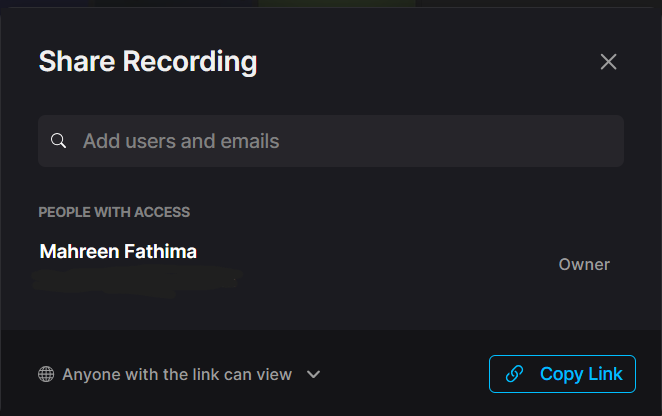
Observed output: Output artifact (Image): The share modal shows link-based access controls, including 'Anyone with the link can view'. — fathom-31july-meet-meeting-sharing-options.png
Input artifact: Input artifact (Text prompt): INPUT
Output artifact: Output artifact (Image): The share modal shows link-based access controls, including 'Anyone with the link can view'. — fathom-31july-meet-meeting-sharing-options.png
What changed: Text prompt transformed into Image
Why it matters / Conclusion: External viewers can open shared content without a signup wall.
Fathom generates shareable links so published notes can be opened without requiring a Fathom account.
Meeting Data API▾
Feature tested: Meeting Data API
Result: Passed
Expected behavior: Fathom exposes REST API endpoints that returned successful responses for summary, transcript, and meeting-listing data in the test script.
Test case: Text prompt → Image
Input type: Text prompt
Input used: Input artifact (Text prompt): INPUT
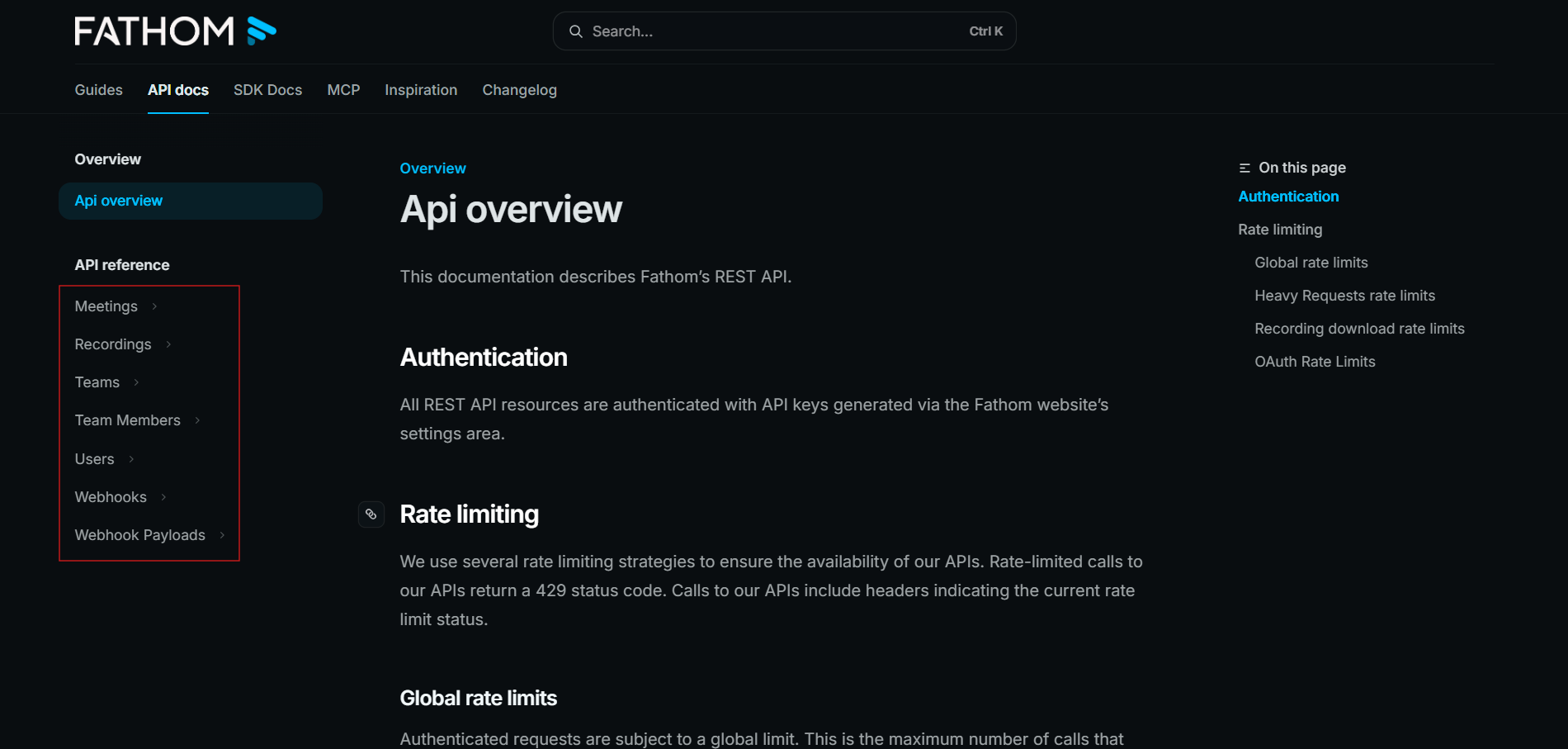
Observed output: Output artifact (Image): The API docs describe Fathom's REST API, including API-key authentication and rate limiting. — fathom-api-docs.png
Input artifact: Input artifact (Text prompt): INPUT
Output artifact: Output artifact (Image): The API docs describe Fathom's REST API, including API-key authentication and rate limiting. — fathom-api-docs.png
What changed: Text prompt transformed into Image
Test case: Text prompt → Image
Input type: Text prompt
Input used: Input artifact (Text prompt): INPUT
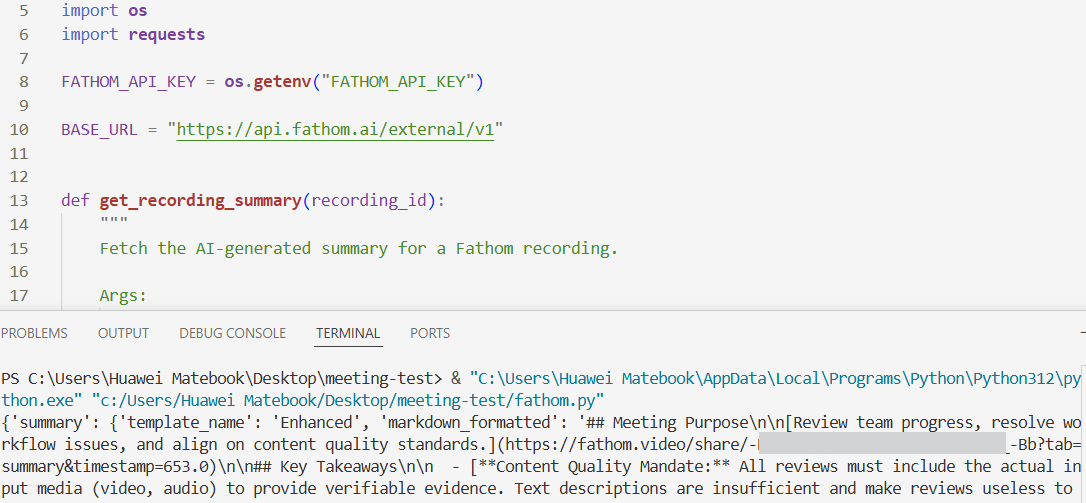
Observed output: Output artifact (Image): A Python script and terminal output show a successful Fathom API summary response. — fathom-api-tested-success.png
Input artifact: Input artifact (Text prompt): INPUT
Output artifact: Output artifact (Image): A Python script and terminal output show a successful Fathom API summary response. — fathom-api-tested-success.png
What changed: Text prompt transformed into Image
Test case: Text prompt → Image
Input type: Text prompt
Input used: Input artifact (Text prompt): INPUT
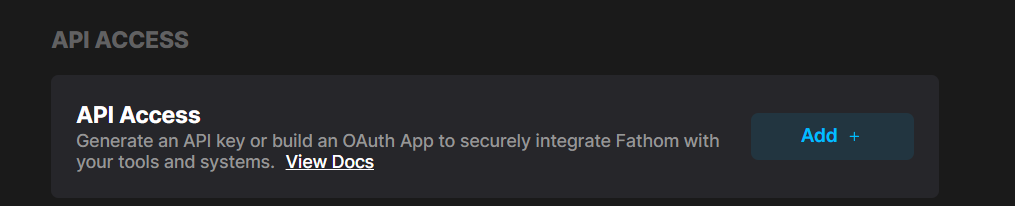
Observed output: Output artifact (Image): The API access screen shows the option to generate an API key or build an OAuth app, confirming that programmatic access is intentionally supported. — fathom-api-docs-2.png
Input artifact: Input artifact (Text prompt): INPUT
Output artifact: Output artifact (Image): The API access screen shows the option to generate an API key or build an OAuth app, confirming that programmatic access is intentionally supported. — fathom-api-docs-2.png
What changed: Text prompt transformed into Image
Why it matters / Conclusion: Programmatic access worked in the test.
Fathom exposes REST API endpoints that returned successful responses for summary, transcript, and meeting-listing data in the test script.
Claude MCP Integration▾
Feature tested: Claude MCP Integration
Result: Partial
Expected behavior: Fathom connects to Claude through MCP so meeting-specific questions can be asked from that environment, though one named-person query was misattributed in testing.
Test case: Text prompt → Image
Input type: Text prompt
Input used: Input artifact (Text prompt): INPUT
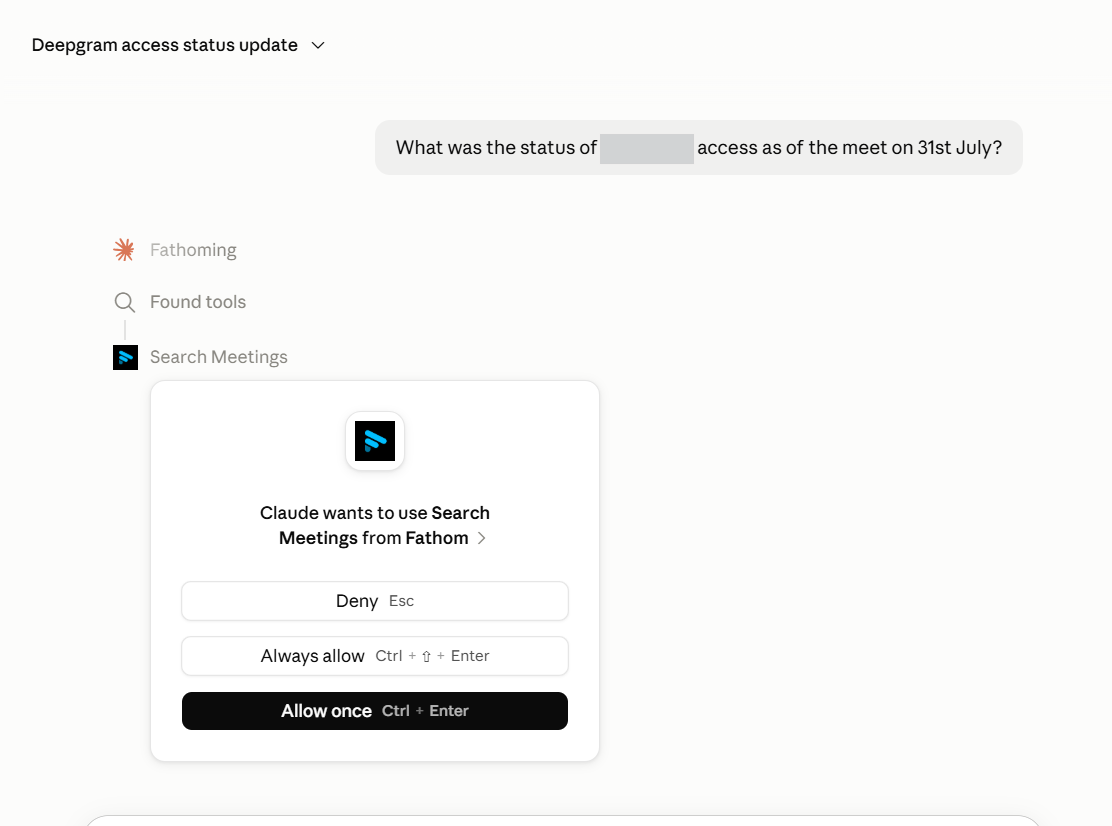
Observed output: Output artifact (Image): Claude shows the Fathom Search Meetings tool as connected and ready for approval. — fathom-claude-mcp-connected-success.png
Input artifact: Input artifact (Text prompt): INPUT
Output artifact: Output artifact (Image): Claude shows the Fathom Search Meetings tool as connected and ready for approval. — fathom-claude-mcp-connected-success.png
What changed: Text prompt transformed into Image
Why it matters / Conclusion: Useful integration, but named-person answers need verification.
Fathom connects to Claude through MCP so meeting-specific questions can be asked from that environment, though one named-person query was misattributed in testing.
Recording Mode Controls▾
Feature tested: Recording Mode Controls
Result: Partial
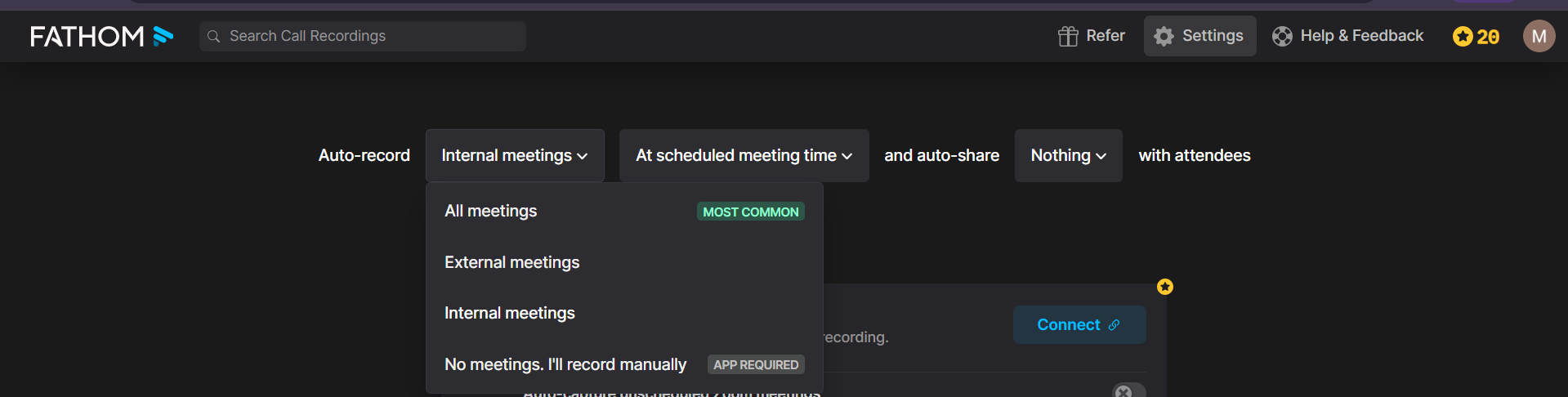
Expected behavior: Fathom provides capture-mode settings such as all meetings, external meetings, internal meetings, or manual recording, and it also notes a botless option in beta.
Test case: Text prompt → Image
Input type: Text prompt
Input used: Input artifact (Text prompt): INPUT
Observed output: Output artifact (Image): The settings menu shows capture-mode choices including all meetings, external meetings, internal meetings, and manual recording. — fathom-meeting-options.png
Input artifact: Input artifact (Text prompt): INPUT
Output artifact: Output artifact (Image): The settings menu shows capture-mode choices including all meetings, external meetings, internal meetings, and manual recording. — fathom-meeting-options.png
What changed: Text prompt transformed into Image
Why it matters / Conclusion: Good control over how the bot joins, though botless is still beta.
Fathom provides capture-mode settings such as all meetings, external meetings, internal meetings, or manual recording, and it also notes a botless option in beta.
Native App Integrations▾
Feature tested: Native App Integrations
Result: Passed
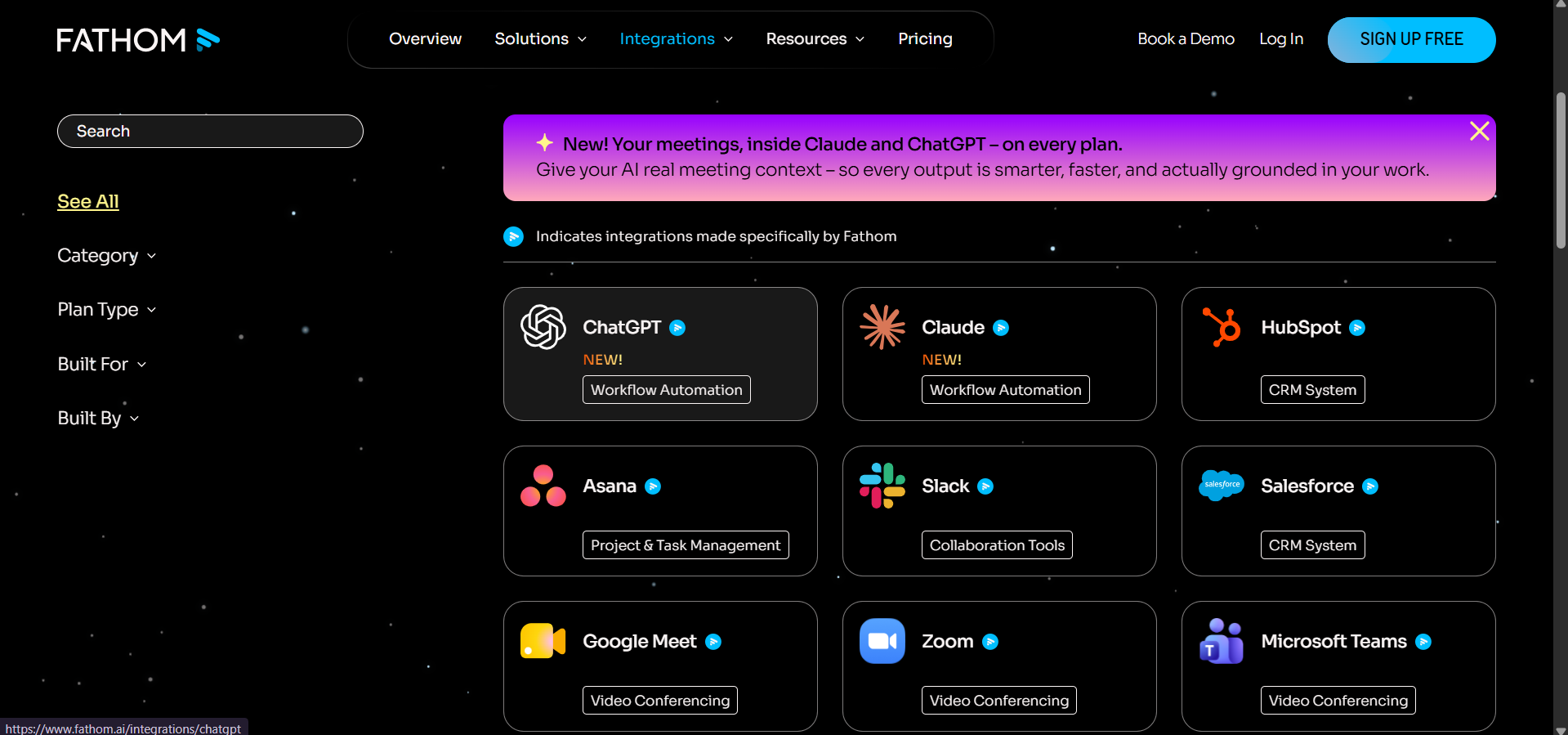
Expected behavior: Fathom’s integrations gallery includes major tools and meeting platforms such as Claude, ChatGPT, HubSpot, Asana, Slack, and Salesforce.
Test case: Text prompt → Image
Input type: Text prompt
Input used: Input artifact (Text prompt): INPUT
Observed output: Output artifact (Image): The integrations gallery lists apps such as Claude, ChatGPT, HubSpot, Asana, Slack, Salesforce, Google Meet, Zoom, and Microsoft Teams. — fathom-integrations-available.png
Input artifact: Input artifact (Text prompt): INPUT
Output artifact: Output artifact (Image): The integrations gallery lists apps such as Claude, ChatGPT, HubSpot, Asana, Slack, Salesforce, Google Meet, Zoom, and Microsoft Teams. — fathom-integrations-available.png
What changed: Text prompt transformed into Image
Why it matters / Conclusion: Breadth looks strong across collaboration, CRM, and meeting platforms.
Fathom’s integrations gallery includes major tools and meeting platforms such as Claude, ChatGPT, HubSpot, Asana, Slack, and Salesforce.
Multilingual Transcription▾
Feature tested: Multilingual Transcription
Result: Passed
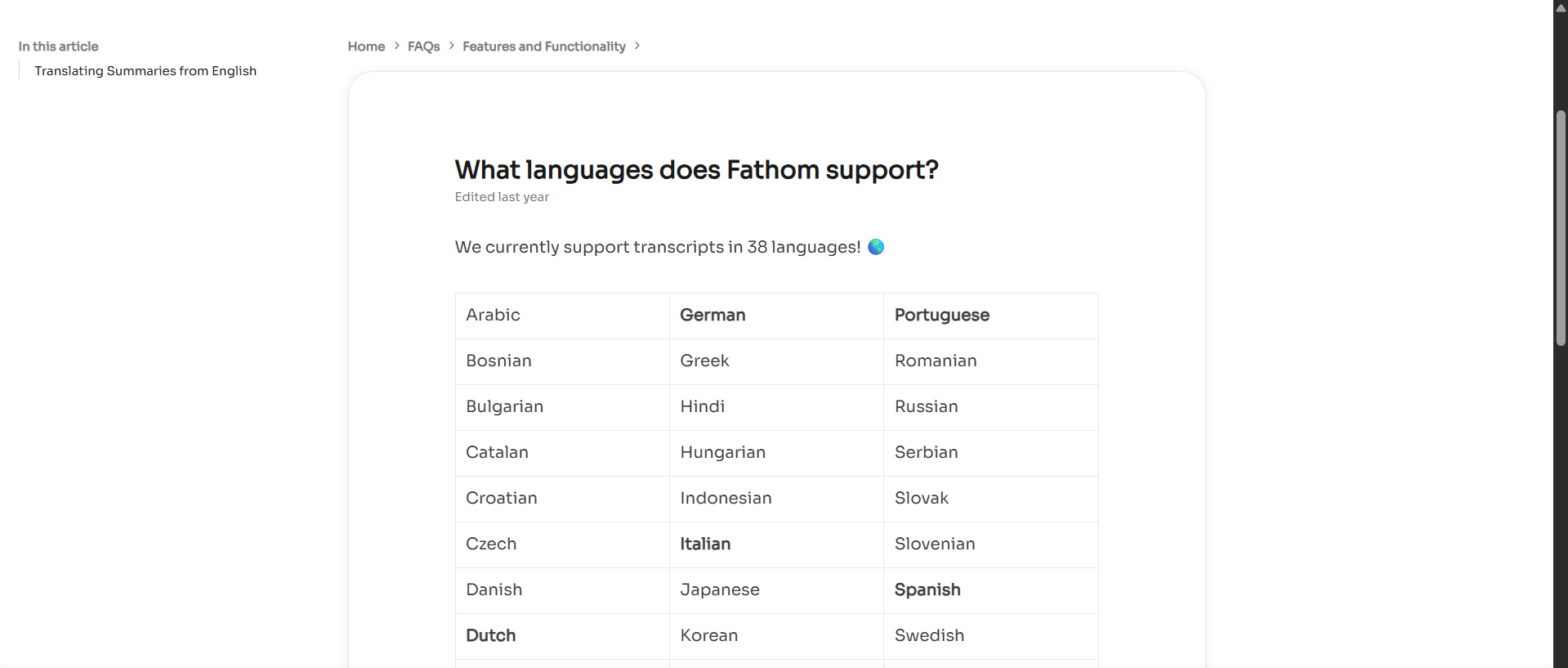
Expected behavior: Fathom documents transcript support for 38 languages; the evaluation itself only exercised English, so the multilingual claim is documentation-backed here.
Test case: Text prompt → Image
Input type: Text prompt
Input used: Input artifact (Text prompt): INPUT
Observed output: Output artifact (Image): The help article states that Fathom currently supports transcripts in 38 languages. — fathom-language-support.png
Input artifact: Input artifact (Text prompt): INPUT
Output artifact: Output artifact (Image): The help article states that Fathom currently supports transcripts in 38 languages. — fathom-language-support.png
What changed: Text prompt transformed into Image
Why it matters / Conclusion: Broad language coverage on paper, though only English was exercised here.
Fathom documents transcript support for 38 languages; the evaluation itself only exercised English, so the multilingual claim is documentation-backed here.
Pricing to supercharge every meeting
Annual billing saves 25%+; paid plans show a 90-day guarantee.
Banner Preview
How the embed badge will look on your site

Embed HTML
Copy this code to your website source
Quick Integration Guide
- 1Copy the HTML code block above.
- 2Paste it into your site's HTML or CMS editor.
- 3Banner appears instantly on your page.
- 4Links back to your tool profile here.
Similar Tools
Discover more AI tools like Fathom to enhance your workflow.
Comments (0)
Need a custom AI solution for this use case?
If you are looking to build a custom meeting transcription, call summarization, or meeting notes assistant for your business or internal workflow, email us at contact@futuresmart.ai.
Found something inaccurate or missing? We try to keep our AI research accurate and useful. If you found outdated information, an issue, or have a suggestion, email us at collaborate@aidemos.com.