
Notta
Reliable live-meeting capture, summaries, and action items for teams that can live with plan limits and no public API.
Strong on capture and follow-up, weaker on operational flexibility
- You need a bot-based meeting assistant that can join a live call, produce a transcript, and turn it into a structured summary with real action items.
- You want public link sharing for teammates or clients without forcing them to create an account.
- You can live without a public self-serve API and are okay with manual setup for MCP if you want agent access.
- You need a generous free tier for recurring team standups.
Our take
Notta performed very well on the core meeting-notetaker job in this standup: it joined the call, captured a usable transcript, produced a structured summary, extracted real action items, and supported public sharing and grounded chat. The main tradeoffs are operational: the free tier is too small for recurring team meetings, there is no public self-serve API, and speaker attribution was mostly good but not airtight.
In-Depth Review
Our detailed analysis of Notta — features, performance, and real-world testing.
Feature-by-Feature Breakdown
Live Meeting Capture and TranscriptionCaptured the full standup and turned it into a readable transcript without dropouts.▾
Feature tested: Live Meeting Capture and Transcription
Result: Passed
Verdict: Captured the full standup and turned it into a readable transcript without dropouts.
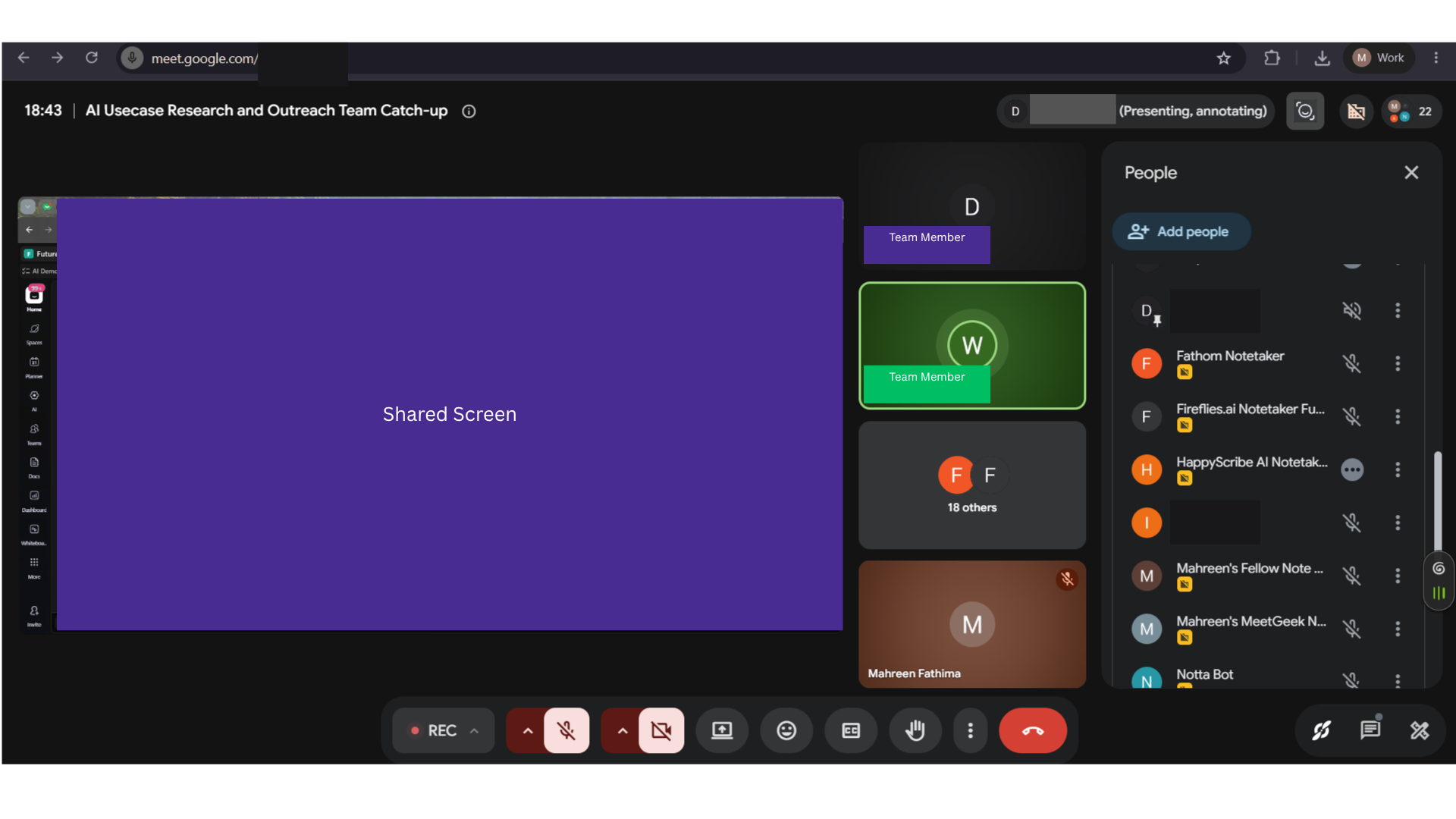
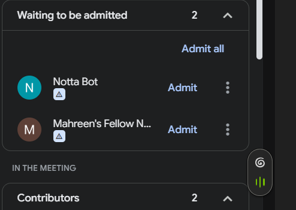
Expected behavior: Captures a live meeting end-to-end and produces a transcript from the call. In the tested Google Meet standup, Notta joined as a bot, stayed connected through the full call, and recorded the discussion to completion with correct capture of names, jargon, and numbers.
Test case: Image → Image
Input type: Image
Input used: Input artifact (Image): Input — 31-july-meeting-screenshot.png
Observed output: Output artifact (Image): Google Meet participants panel shows Notta Bot present in the meeting, confirming that the bot successfully joined the live call. — notta-bot-in-meeting-success.png
Input artifact: Input artifact (Image): Input — 31-july-meeting-screenshot.png
Output artifact: Output artifact (Image): Google Meet participants panel shows Notta Bot present in the meeting, confirming that the bot successfully joined the live call. — notta-bot-in-meeting-success.png
What changed: Image transformed into Image
Test case: Image → Image
Input type: Image
Input used: Input artifact (Image): Input — 31-july-meeting-screenshot.png
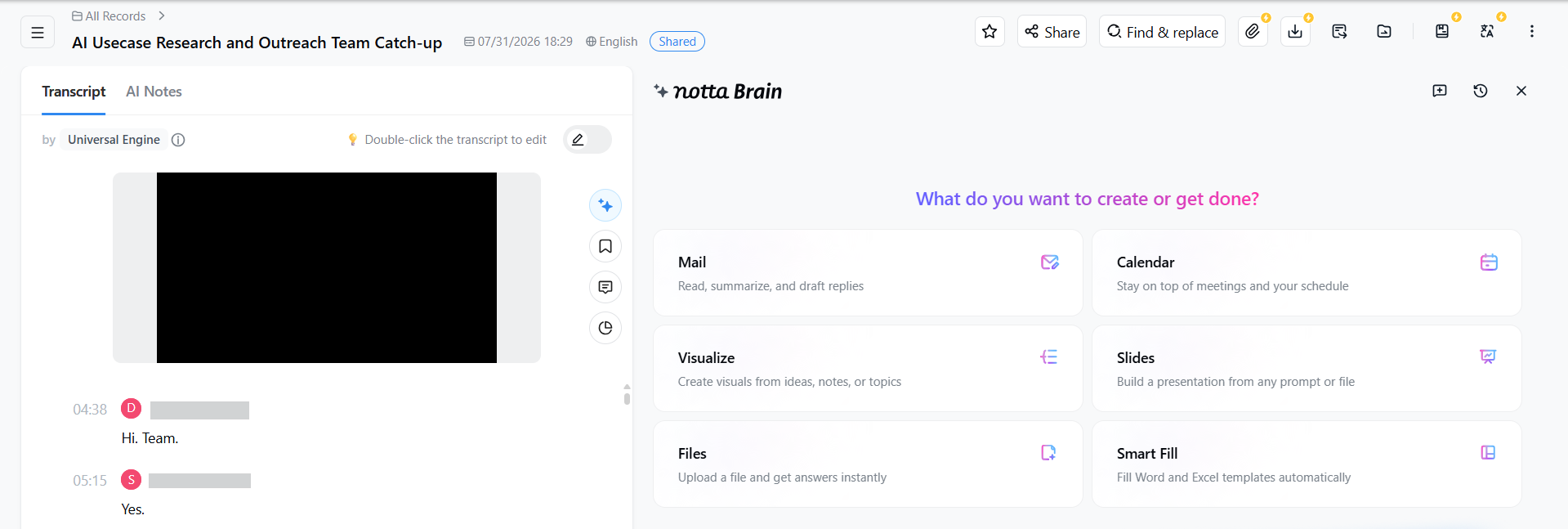
Observed output: Output artifact (Image): Notta's record page shows the meeting transcript and Notta Brain workspace, confirming that the call was captured into a transcript view. — notta-meeting-transcript-success.png
Input artifact: Input artifact (Image): Input — 31-july-meeting-screenshot.png
Output artifact: Output artifact (Image): Notta's record page shows the meeting transcript and Notta Brain workspace, confirming that the call was captured into a transcript view. — notta-meeting-transcript-success.png
What changed: Image transformed into Image
Why it matters / Conclusion: Good end-to-end capture for a real meeting, with no mid-call dropouts observed.
Captures a live meeting end-to-end and produces a transcript from the call. In the tested Google Meet standup, Notta joined as a bot, stayed connected through the full call, and recorded the discussion to completion with correct capture of names, jargon, and numbers.
Speaker DiarizationMostly correct, but speaker attribution errors and a possible cross-tool contamination issue keep this mixed.▾
Feature tested: Speaker Diarization
Result: Partial
Verdict: Mostly correct, but speaker attribution errors and a possible cross-tool contamination issue keep this mixed.
Expected behavior: Separates a multi-speaker meeting transcript by speaker and attributes lines to named participants. On the tested standup, most voices were labeled correctly, though some misattribution and ambiguity were observed.
Test case: Image → Image
Input type: Image
Input used: Input artifact (Image): Meeting input — 31-july-meeting-screenshot.png
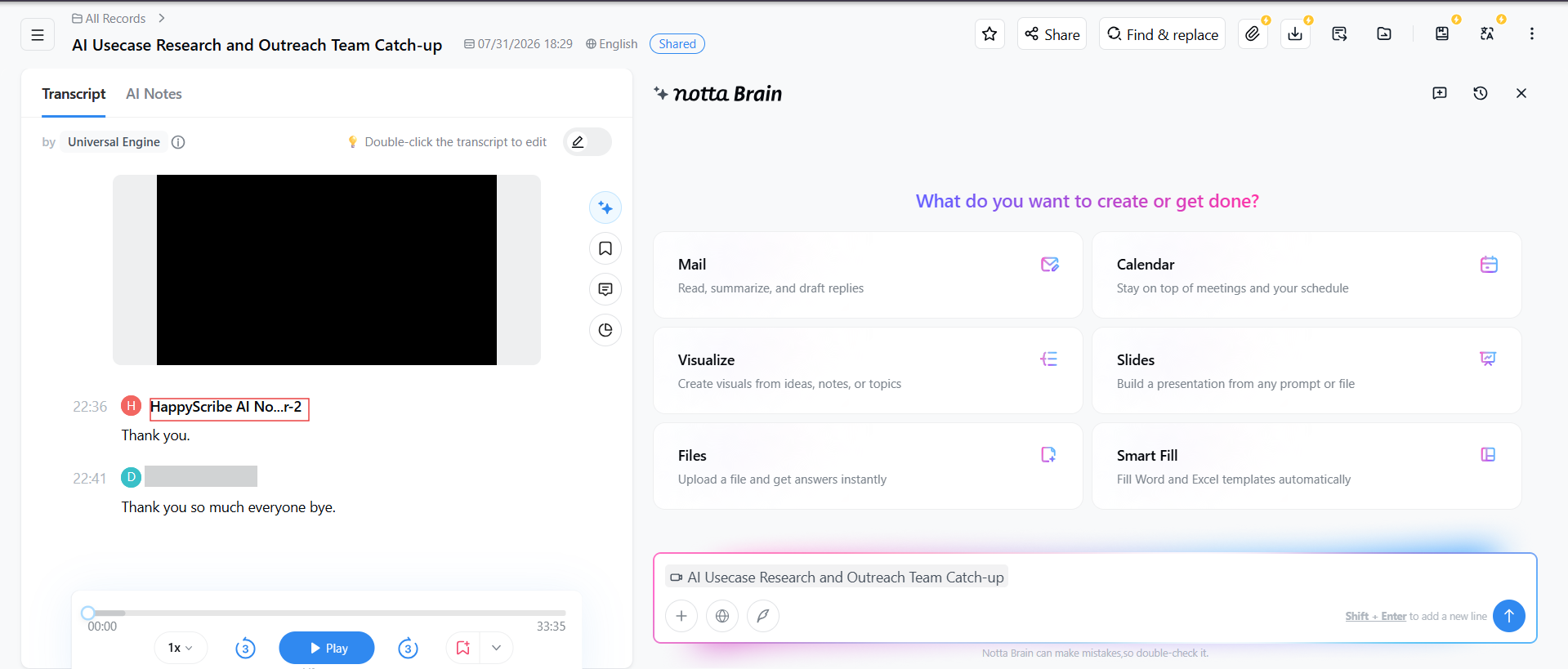
Observed output: Output artifact (Image): Speaker attribution worked for some lines but not all, matching the report's mixed diarization verdict. — notta-speaker-diarization-partial-success.png
Input artifact: Input artifact (Image): Meeting input — 31-july-meeting-screenshot.png
Output artifact: Output artifact (Image): Speaker attribution worked for some lines but not all, matching the report's mixed diarization verdict. — notta-speaker-diarization-partial-success.png
What changed: Image transformed into Image
Why it matters / Conclusion: Useful most of the time, but the attribution edge cases are important enough to keep accountability imperfect.
Separates a multi-speaker meeting transcript by speaker and attributes lines to named participants. On the tested standup, most voices were labeled correctly, though some misattribution and ambiguity were observed.
AI Meeting Summaries and Topic OrganizationProduced a comprehensive summary with clear topic breaks and skimmable structure.▾
Feature tested: AI Meeting Summaries and Topic Organization
Result: Passed
Verdict: Produced a comprehensive summary with clear topic breaks and skimmable structure.
Expected behavior: Turns a meeting into structured notes with a summary and topical sections. The tested standup was summarized into readable AI Notes with named sections, task/issue organization, and a mindmap-style view for navigation.
Test case: Video file → Image
Input type: Video file
Input used: Input artifact (Video file): Input — 31-july-meeting-artifact.mp4
Observed output: Output artifact (Image): The AI Notes summary condensed the meeting into a structured document with a topic heading and a mindmap-style navigation layer. — notta-generated-summary-success.png
Input artifact: Input artifact (Video file): Input — 31-july-meeting-artifact.mp4
Output artifact: Output artifact (Image): The AI Notes summary condensed the meeting into a structured document with a topic heading and a mindmap-style navigation layer. — notta-generated-summary-success.png
What changed: Video file transformed into Image
Why it matters / Conclusion: A strong summary layer: the notes are organized enough to skim, not just read.
Turns a meeting into structured notes with a summary and topical sections. The tested standup was summarized into readable AI Notes with named sections, task/issue organization, and a mindmap-style view for navigation.
Action Item ExtractionExtracted real commitments with the right owners and no observed false positives.▾
Feature tested: Action Item Extraction
Result: Passed
Verdict: Extracted real commitments with the right owners and no observed false positives.
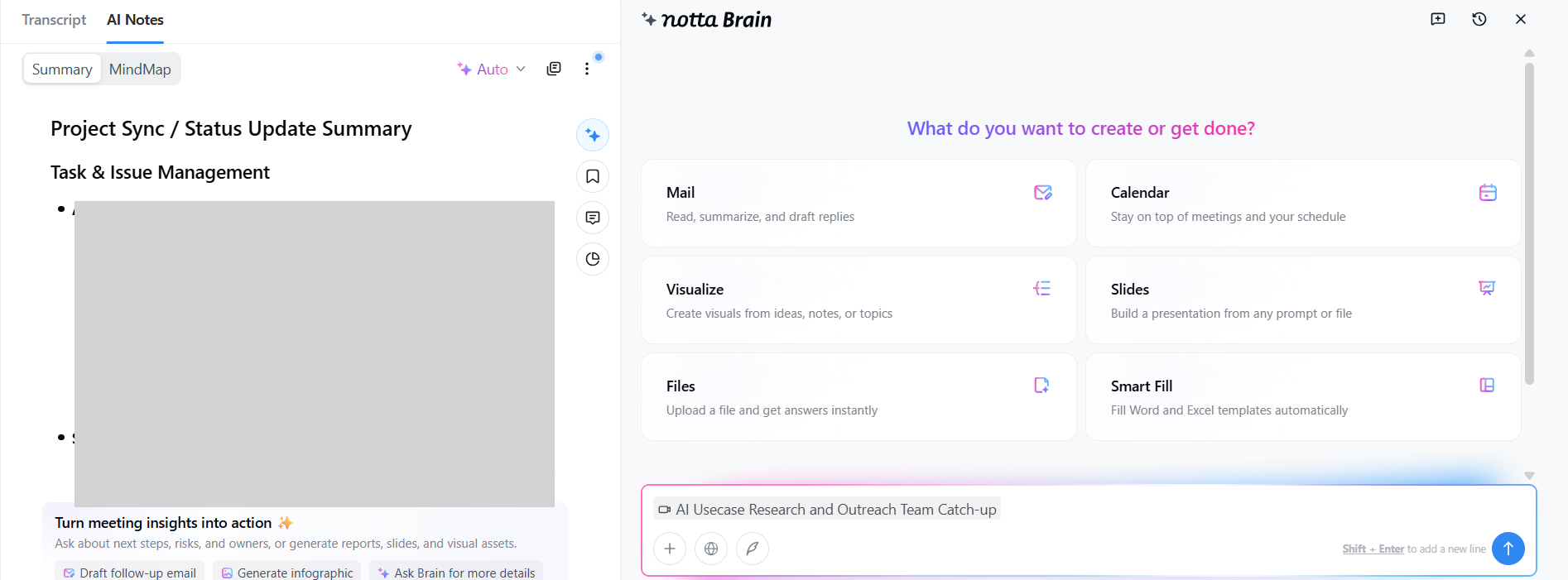
Expected behavior: Extracts follow-up actions and assigns owners from a meeting transcript. In the tested standup, the tool produced real commitments with correct owner assignment and named follow-ups.
Test case: Image → Image
Input type: Image
Input used: Input artifact (Image): Input — 31-july-meeting-screenshot.png
Observed output: Output artifact (Image): The extracted action-items view shows checkbox-style tasks pulled from the meeting notes. — notta-action-items-extracted-success.png
Input artifact: Input artifact (Image): Input — 31-july-meeting-screenshot.png
Output artifact: Output artifact (Image): The extracted action-items view shows checkbox-style tasks pulled from the meeting notes. — notta-action-items-extracted-success.png
What changed: Image transformed into Image
Why it matters / Conclusion: Reliable action items are one of Notta's clearest strengths in this test.
Extracts follow-up actions and assigns owners from a meeting transcript. In the tested standup, the tool produced real commitments with correct owner assignment and named follow-ups.
In-Place Editing of Generated NotesThe summary, transcript, and action items can be corrected in place before sharing.▾
Feature tested: In-Place Editing of Generated Notes
Result: Passed
Verdict: The summary, transcript, and action items can be corrected in place before sharing.
Expected behavior: Lets users edit generated transcript, summary, and action-item content directly inside the app before sharing. The tested UI showed inline edit controls for the summary and transcript, indicating the outputs are not fixed artifacts.
Test case: Video file → Image
Input type: Video file
Input used: Input artifact (Video file): Input — 31-july-meeting-artifact.mp4
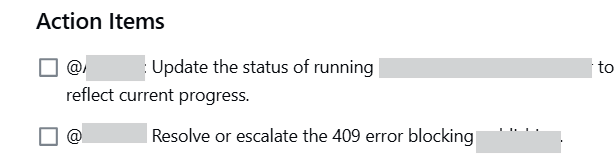
Observed output: Output artifact (Image): The summary text is visibly editable in place, and the report confirms transcript and action items are also editable before sharing. — notta-summary-editability-success.png
Input artifact: Input artifact (Video file): Input — 31-july-meeting-artifact.mp4
Output artifact: Output artifact (Image): The summary text is visibly editable in place, and the report confirms transcript and action items are also editable before sharing. — notta-summary-editability-success.png
What changed: Video file transformed into Image
Test case: Image → Image
Input type: Image
Input used: Input artifact (Image): Input — 31-july-meeting-screenshot.png
Observed output: Output artifact (Image): The transcript view includes the "Double-click the transcript to edit" cue, reinforcing that transcript edits are supported too. — notta-meeting-transcript-success.png
Input artifact: Input artifact (Image): Input — 31-july-meeting-screenshot.png
Output artifact: Output artifact (Image): The transcript view includes the "Double-click the transcript to edit" cue, reinforcing that transcript edits are supported too. — notta-meeting-transcript-success.png
What changed: Image transformed into Image
Why it matters / Conclusion: Editing is built into the workflow, so mistakes do not have to be exported to be fixed.
Lets users edit generated transcript, summary, and action-item content directly inside the app before sharing. The tested UI showed inline edit controls for the summary and transcript, indicating the outputs are not fixed artifacts.

Meeting Notes Search and Q&AAnswers questions well, but timestamp results are plain text rather than clickable jumps.▾
Feature tested: Meeting Notes Search and Q&A
Result: Partial
Verdict: Answers questions well, but timestamp results are plain text rather than clickable jumps.
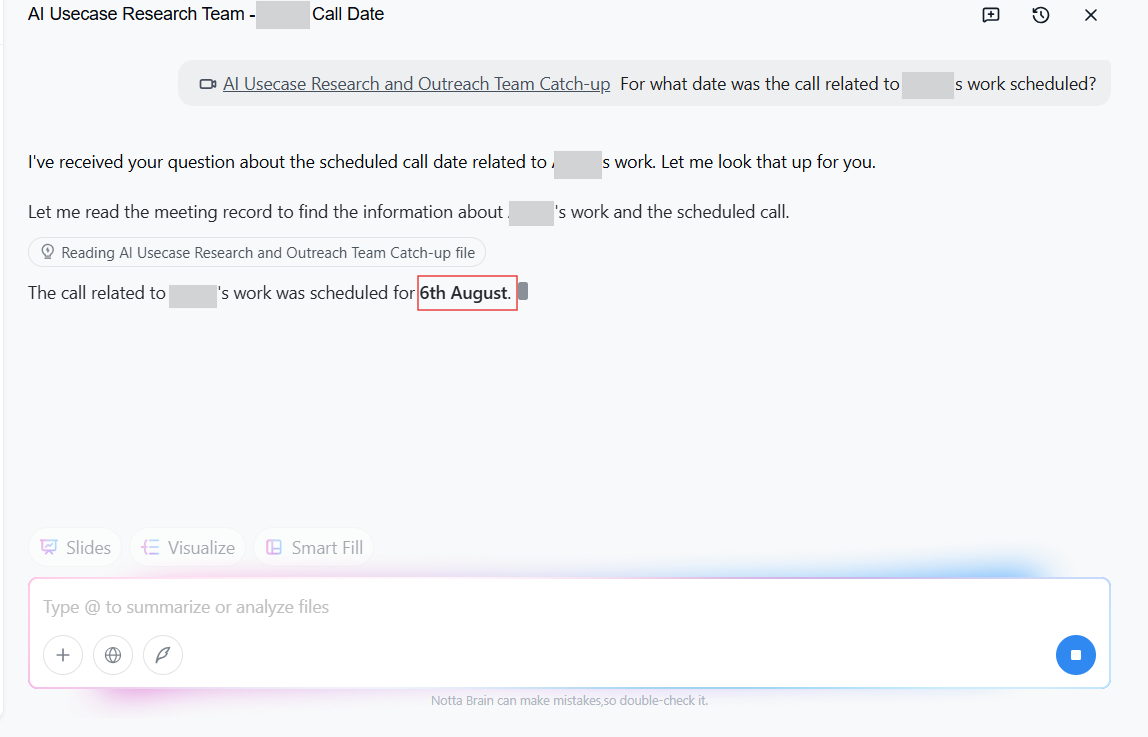
Expected behavior: Searches within meeting notes or transcripts and answers natural-language questions against the meeting record. In the tested record, Notta Brain returned grounded answers and timestamps based on the same meeting content.
Test case: Text prompt → Image
Input type: Text prompt
Input used: Input artifact (Text prompt): Input
Observed output: Output artifact (Image): The Q&A panel answers the question using the meeting record and returns the specific date asked about. — notta-ai-chat-qna-success.png
Input artifact: Input artifact (Text prompt): Input
Output artifact: Output artifact (Image): The Q&A panel answers the question using the meeting record and returns the specific date asked about. — notta-ai-chat-qna-success.png
What changed: Text prompt transformed into Image
Test case: Text prompt → Image
Input type: Text prompt
Input used: Input artifact (Text prompt): Input
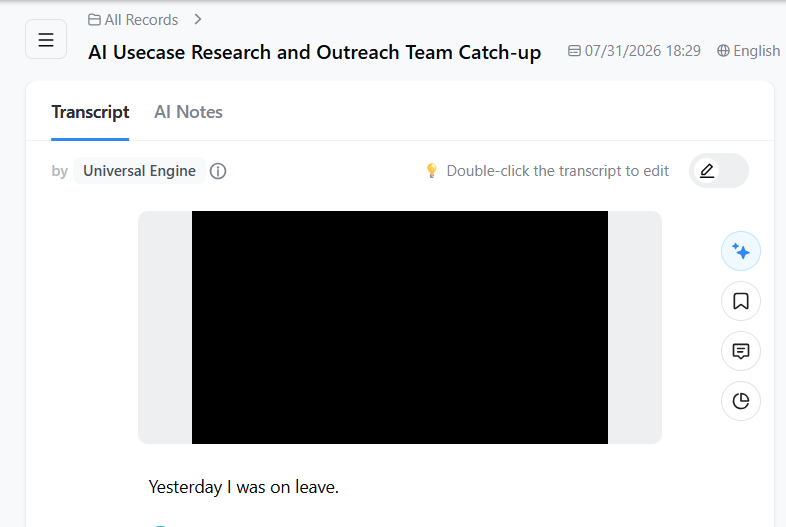
Observed output: Output artifact (Image): The transcript page does not show a visible search control, and the report notes that returned timestamps are plain text rather than clickable links. — notta-transcript-no-searchability-failure.png
Input artifact: Input artifact (Text prompt): Input
Output artifact: Output artifact (Image): The transcript page does not show a visible search control, and the report notes that returned timestamps are plain text rather than clickable links. — notta-transcript-no-searchability-failure.png
What changed: Text prompt transformed into Image
Why it matters / Conclusion: Helpful for finding answers, but the experience stops short of a true one-click jump-to-timestamp flow.
Searches within meeting notes or transcripts and answers natural-language questions against the meeting record. In the tested record, Notta Brain returned grounded answers and timestamps based on the same meeting content.
Public Sharing of Meeting ArtifactsShared notes can be opened by recipients without making them sign up.▾
Feature tested: Public Sharing of Meeting Artifacts
Result: Passed
Verdict: Shared notes can be opened by recipients without making them sign up.
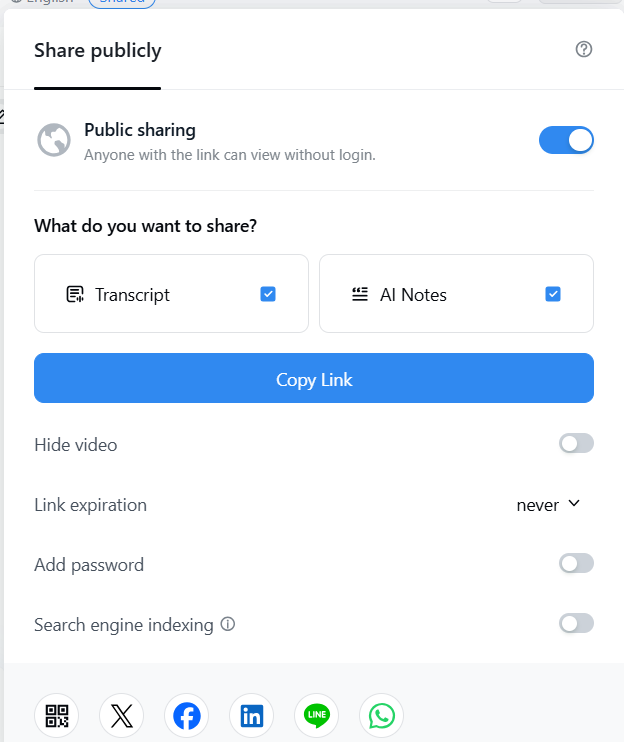
Expected behavior: Creates shareable public links for transcripts and AI Notes that recipients can open without signing up. The share panel also includes controls such as hiding video, expiration, password protection, and search indexing.
Test case: Text prompt → Image
Input type: Text prompt
Input used: Input artifact (Text prompt): Input
Observed output: Output artifact (Image): The share dialog shows "Public sharing" enabled and says anyone with the link can view without login. — notta-sharing-options.png
Input artifact: Input artifact (Text prompt): Input
Output artifact: Output artifact (Image): The share dialog shows "Public sharing" enabled and says anyone with the link can view without login. — notta-sharing-options.png
What changed: Text prompt transformed into Image
Why it matters / Conclusion: This is a genuine collaboration strength: notes are easy to hand off outside the team.
Creates shareable public links for transcripts and AI Notes that recipients can open without signing up. The share panel also includes controls such as hiding video, expiration, password protection, and search indexing.
Integrations and Automation AccessIntegrations are present, but API access is absent and MCP was only found as a manually installed package.▾
Feature tested: Integrations and Automation Access
Result: Failed
Verdict: Integrations are present, but API access is absent and MCP was only found as a manually installed package.
Expected behavior: Connects meeting content to external tools and exposes automation/programmatic access options such as integrations, API-like access, and MCP support. The cards describe broad connector coverage alongside the absence of a public self-serve API and varying MCP availability/setup friction.
Test case: Text prompt → Image
Input type: Text prompt
Input used: Input artifact (Text prompt): Input
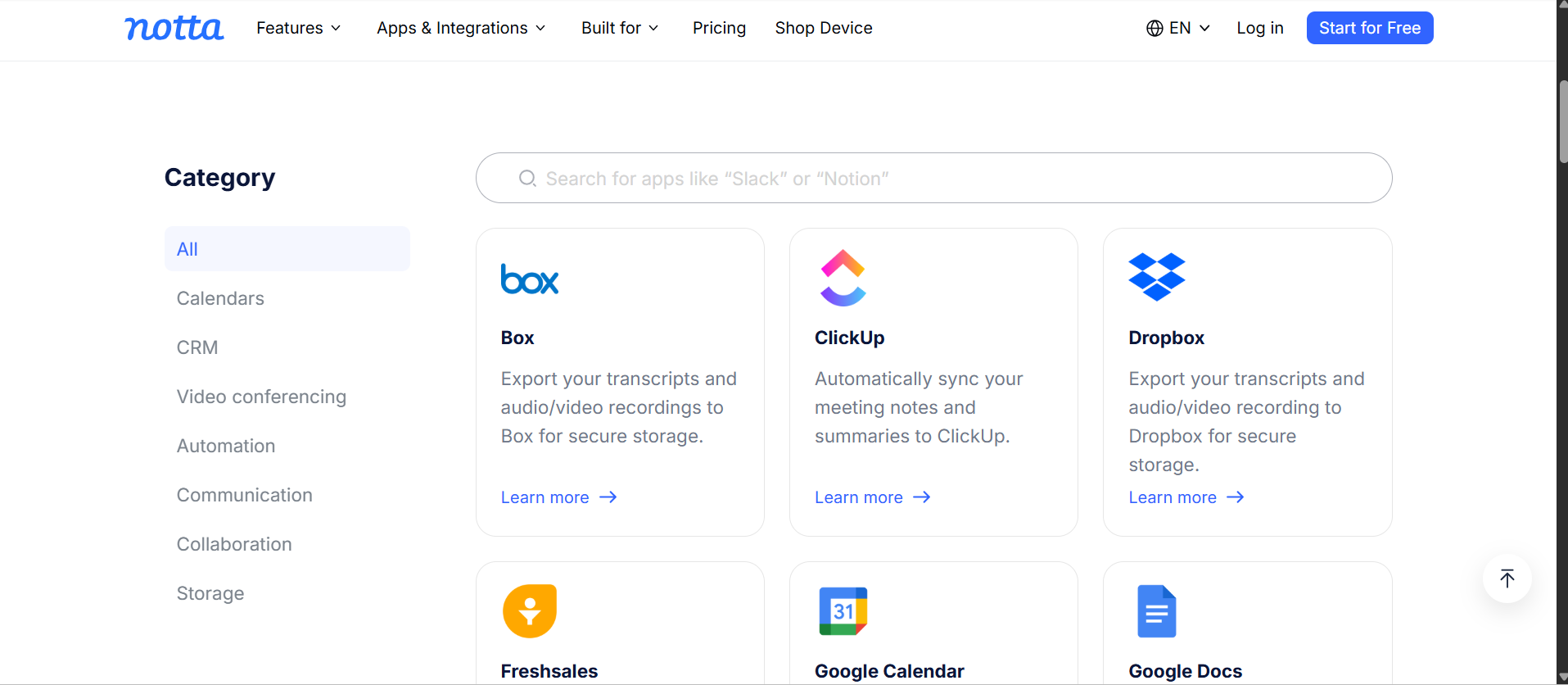
Observed output: Output artifact (Image): The Apps & Integrations page lists connectors such as Box, ClickUp, Dropbox, Google Calendar, and Google Docs, with a search bar for more apps. — notta-integrations.png
Input artifact: Input artifact (Text prompt): Input
Output artifact: Output artifact (Image): The Apps & Integrations page lists connectors such as Box, ClickUp, Dropbox, Google Calendar, and Google Docs, with a search bar for more apps. — notta-integrations.png
What changed: Text prompt transformed into Image
Test case: Text prompt → Image
Input type: Text prompt
Input used: Input artifact (Text prompt): Input
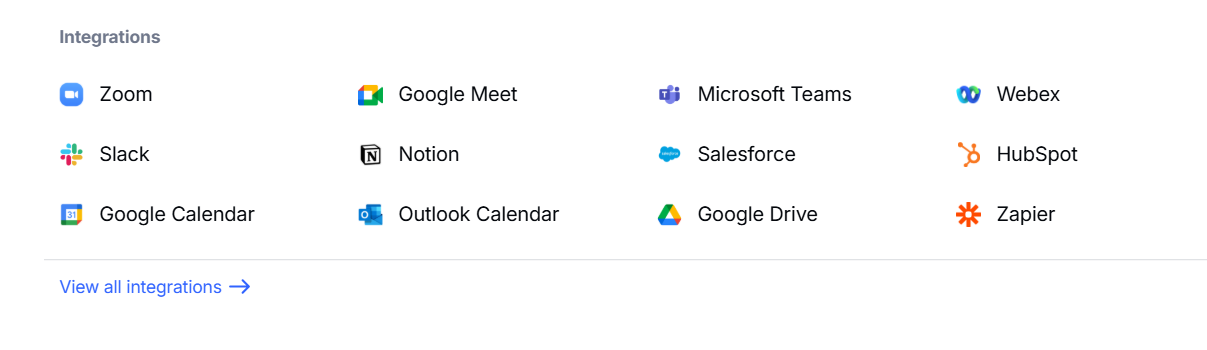
Observed output: Output artifact (Image): The integrations page is present, but the report found no public API surface in the product UI. — notta-integrations-no-api.png
Input artifact: Input artifact (Text prompt): Input
Output artifact: Output artifact (Image): The integrations page is present, but the report found no public API surface in the product UI. — notta-integrations-no-api.png
What changed: Text prompt transformed into Image
Test case: Text prompt → Image
Input type: Text prompt
Input used: Input artifact (Text prompt): Input
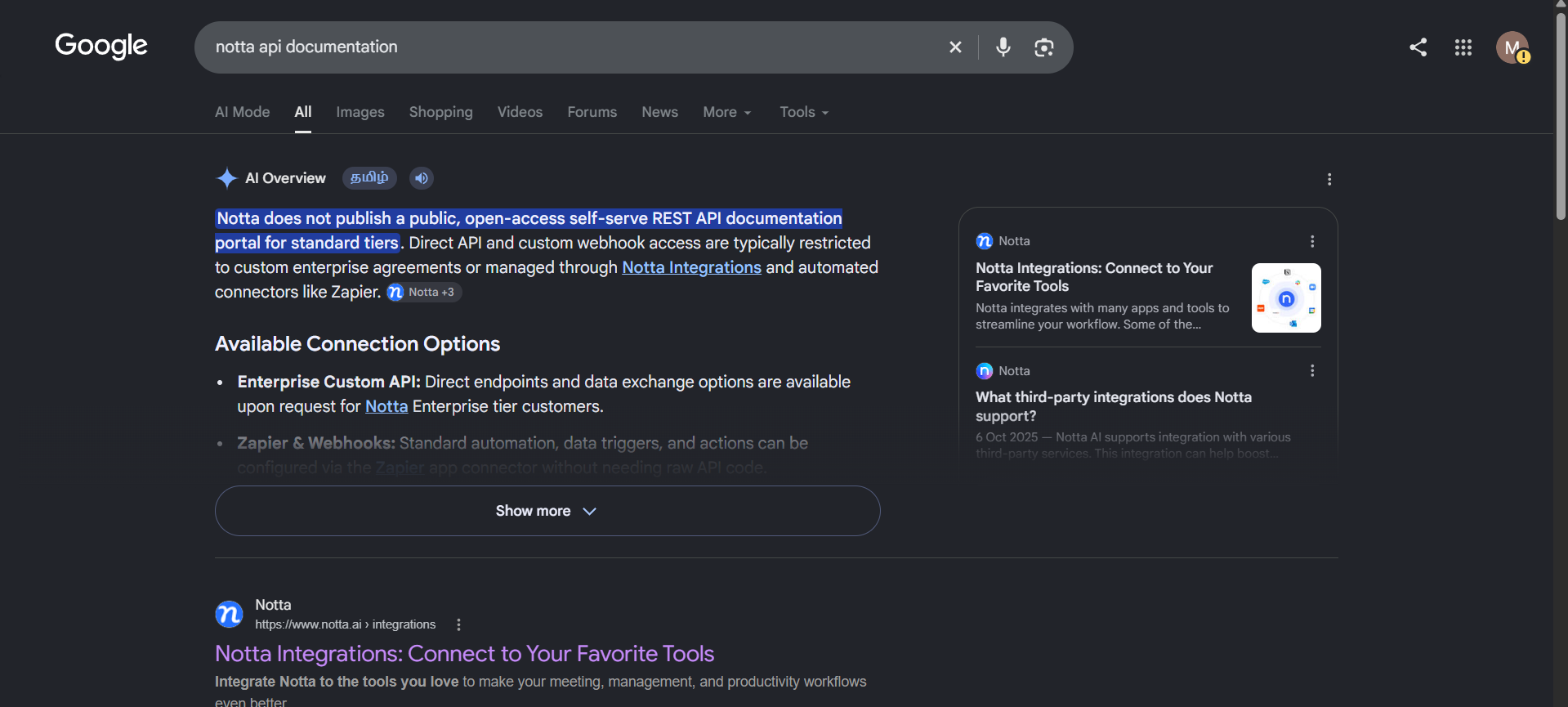
Observed output: Output artifact (Image): The research check indicates that Notta does not publish a public open-access self-serve API documentation portal for standard tiers. — notta-no-api-availabilty.png
Input artifact: Input artifact (Text prompt): Input
Output artifact: Output artifact (Image): The research check indicates that Notta does not publish a public open-access self-serve API documentation portal for standard tiers. — notta-no-api-availabilty.png
What changed: Text prompt transformed into Image
Test case: Text prompt → Image
Input type: Text prompt
Input used: Input artifact (Text prompt): Input
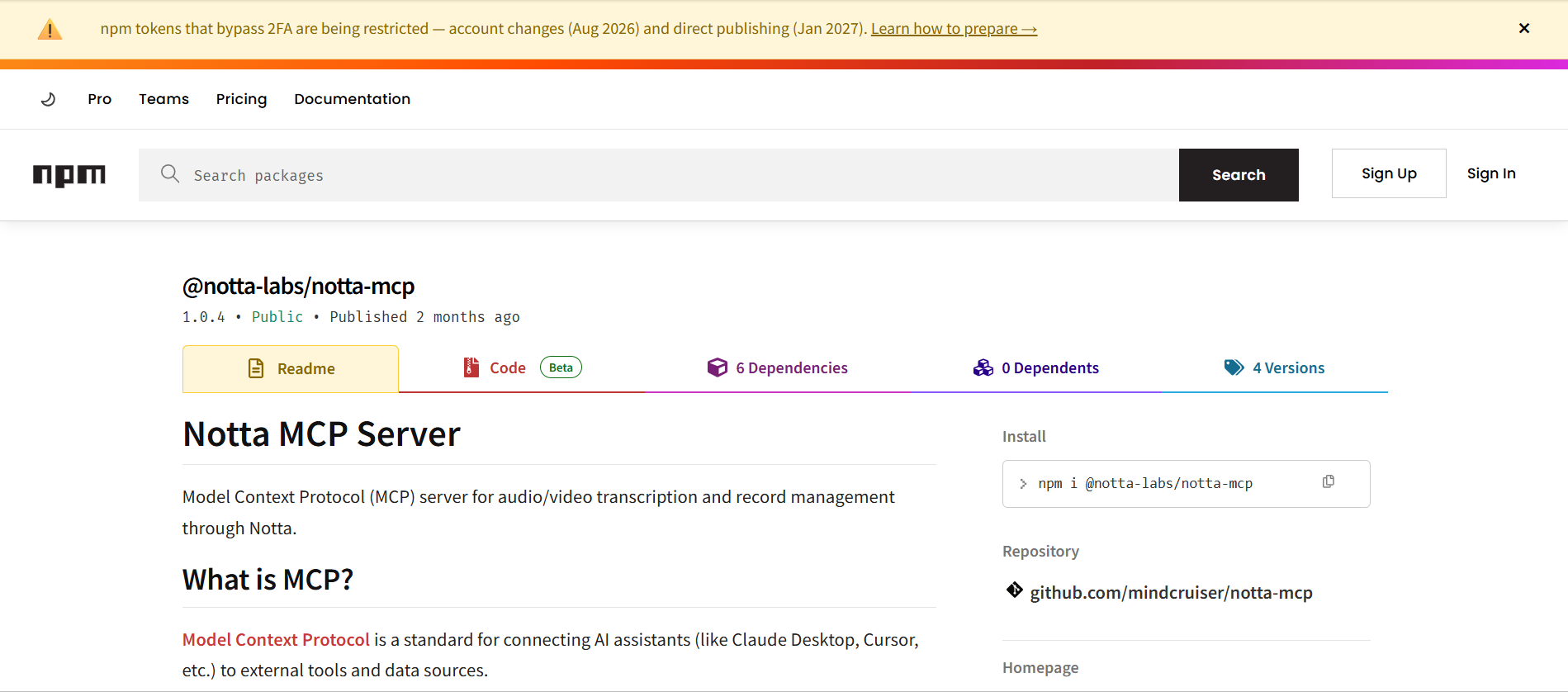
Observed output: Output artifact (Image): An npm package page shows a Notta MCP Server package, confirming that MCP support exists as a package-based route. — notta-mcp-npm-package.png
Input artifact: Input artifact (Text prompt): Input
Output artifact: Output artifact (Image): An npm package page shows a Notta MCP Server package, confirming that MCP support exists as a package-based route. — notta-mcp-npm-package.png
What changed: Text prompt transformed into Image
Why it matters / Conclusion: Good connector coverage, but the missing public API keeps automation and agent access constrained.
Connects meeting content to external tools and exposes automation/programmatic access options such as integrations, API-like access, and MCP support. The cards describe broad connector coverage alongside the absence of a public self-serve API and varying MCP availability/setup friction.
Pricing and plan limits observed on the pricing page
The free tier is too small for regular team standups; Business is the first plan that makes the product feel team-ready.
This pricing block follows the visible pricing-page screenshot values. The report text separately notes Business-gated integrations and cites different monthly-equivalent figures in its operational analysis.
Banner Preview
How the embed badge will look on your site

Embed HTML
Copy this code to your website source
Quick Integration Guide
- 1Copy the HTML code block above.
- 2Paste it into your site's HTML or CMS editor.
- 3Banner appears instantly on your page.
- 4Links back to your tool profile here.
Similar Tools
Discover more AI tools like Notta to enhance your workflow.
Comments (0)
Need a custom AI solution for this use case?
If you are looking to build a custom meeting transcription, meeting summarization, or action item extraction tool for your business or internal workflow, email us at contact@futuresmart.ai.
Found something inaccurate or missing? We try to keep our AI research accurate and useful. If you found outdated information, an issue, or have a suggestion, email us at collaborate@aidemos.com.