
HappyScribe
Strong live meeting capture, searchable notes, and API/MCP access, but attribution errors still need a human check.
Feature-rich meeting memory, with a few accuracy caveats
- You need a live meeting bot that can join Google Meet calls, capture transcripts, and keep the notes editable before sharing.
- You want open sharing plus API and MCP access for downstream workflows and agent retrieval.
- You care about multilingual coverage and a broad integration directory alongside meeting capture.
- You need flawless speaker attribution and owner assignment without a manual review pass.
Our take
HappyScribe handled the live standup well: it joined reliably, produced editable transcripts and summaries, answered direct questions from the meeting content, and exposed both API and MCP access. The main caution is attribution quality — a misheard name cascaded into a hallucinated summary mention and wrong action-item ownership — so teams that care about accountability should plan on a review pass.
In-Depth Review
Our detailed analysis of HappyScribe — features, performance, and real-world testing.
Feature-by-Feature Breakdown
Live Meeting Capture and Transcription▾
Feature tested: Live Meeting Capture and Transcription
Result: Passed
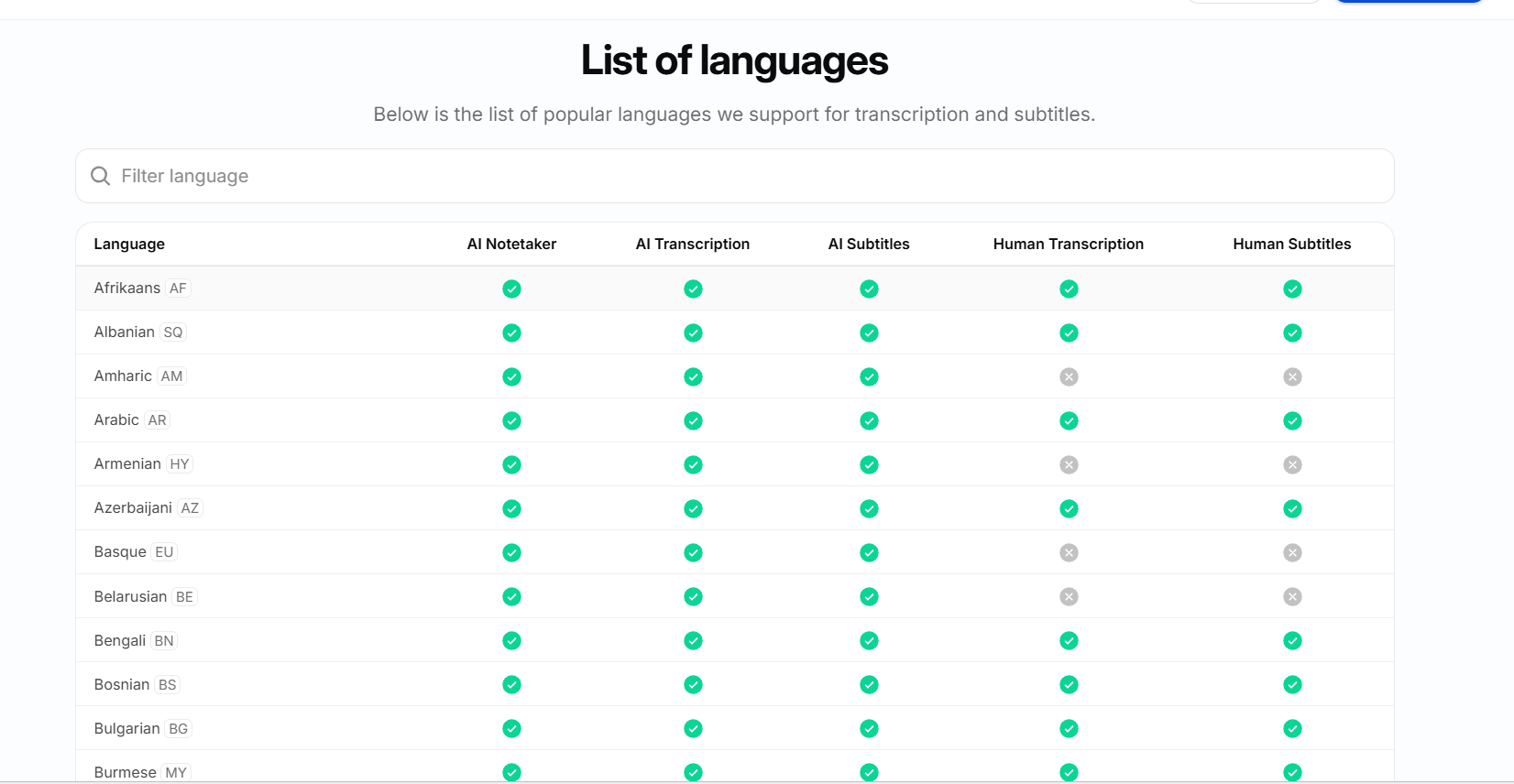
Expected behavior: Joins live meetings, stays connected through the call, and turns the discussion into transcript output with multilingual transcription/translation support. It was exercised on a Google Meet standup and on the product’s language matrix showing 150+ transcription languages and 65+ translation languages.
Test case: Video file → Image
Input type: Video file
Input used: Input artifact (Video file): Same real AI Demos daily standup on 31 Jul 2026 (~25 minutes, ~10 active speakers, normal audio), with 8 meeting notetakers added under identical conditions. — 31-july-meeting-artifact.mp4
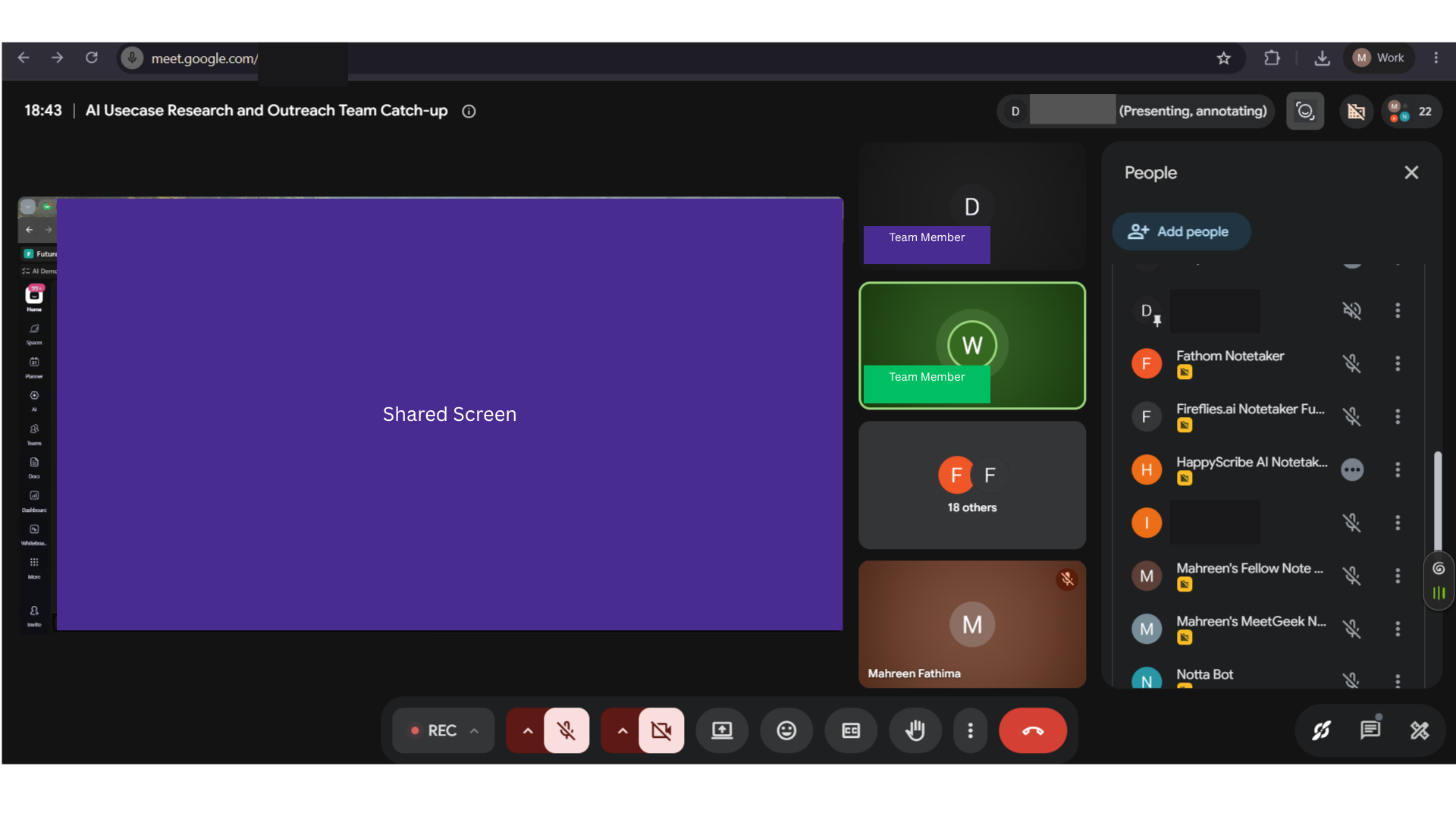
Observed output: Output artifact (Image): The HappyScribe AI Notetaker appears in the meeting header, confirming the bot successfully joined the call and remained active. — happyscribe-notetaker-bot-in-meeting-no-dropout-success.png
Input artifact: Input artifact (Video file): Same real AI Demos daily standup on 31 Jul 2026 (~25 minutes, ~10 active speakers, normal audio), with 8 meeting notetakers added under identical conditions. — 31-july-meeting-artifact.mp4
Output artifact: Output artifact (Image): The HappyScribe AI Notetaker appears in the meeting header, confirming the bot successfully joined the call and remained active. — happyscribe-notetaker-bot-in-meeting-no-dropout-success.png
What changed: Video file transformed into Image
Test case: Video file → Image
Input type: Video file
Input used: Input artifact (Video file): INPUT — 31-july-meeting-artifact.mp4
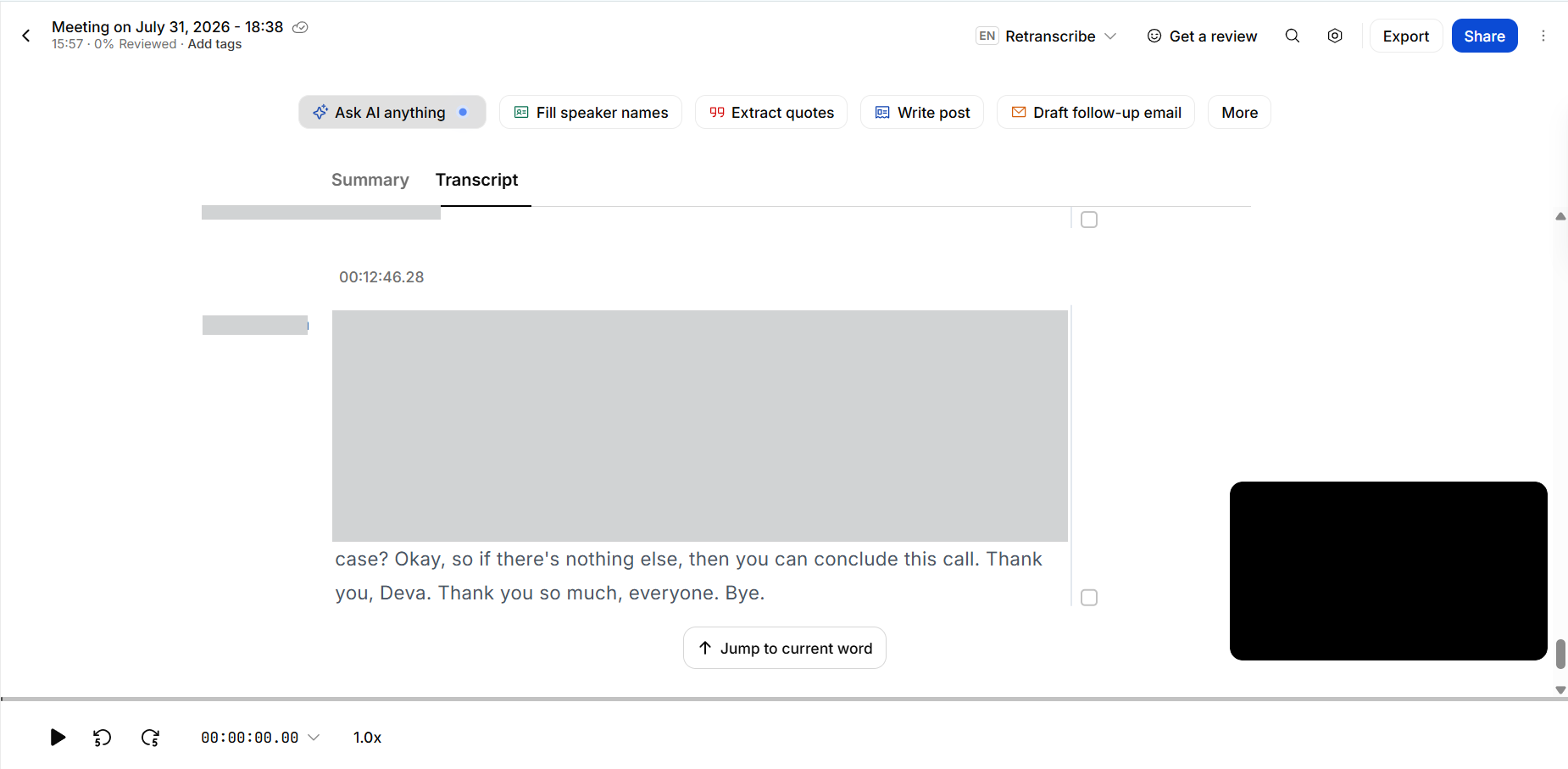
Observed output: Output artifact (Image): The transcript reaches the end of the meeting and the report confirms the full call was captured with no dropout or disconnection. — happyscribe-end-of-call-transcript-join-reliability-success.png
Input artifact: Input artifact (Video file): INPUT — 31-july-meeting-artifact.mp4
Output artifact: Output artifact (Image): The transcript reaches the end of the meeting and the report confirms the full call was captured with no dropout or disconnection. — happyscribe-end-of-call-transcript-join-reliability-success.png
What changed: Video file transformed into Image
Test case: Text prompt → Image
Input type: Text prompt
Input used: Input artifact (Text prompt): Languages check
Observed output: Output artifact (Image): The language matrix shows supported languages and capability columns for AI and human transcription/subtitling, confirming broad multilingual coverage. — happyscribe-languages.png
Input artifact: Input artifact (Text prompt): Languages check
Output artifact: Output artifact (Image): The language matrix shows supported languages and capability columns for AI and human transcription/subtitling, confirming broad multilingual coverage. — happyscribe-languages.png
What changed: Text prompt transformed into Image
Why it matters / Conclusion: Join reliability was excellent in this run: the bot stayed in the call and the meeting was captured end to end.
Joins live meetings, stays connected through the call, and turns the discussion into transcript output with multilingual transcription/translation support. It was exercised on a Google Meet standup and on the product’s language matrix showing 150+ transcription languages and 65+ translation languages.

Speaker Diarization▾
Feature tested: Speaker Diarization
Result: Passed
Expected behavior: Assigns transcript lines to named speakers in a multi-speaker meeting. On the tested standup, most speakers were identified, though several transitions were attributed to the wrong person.
Test case: Image → Image
Input type: Image
Input used: Input artifact (Image): Same multi-speaker 31 Jul 2026 standup with frequent speaker changes and overlapping ownership updates. — 31-july-meeting-screenshot.png
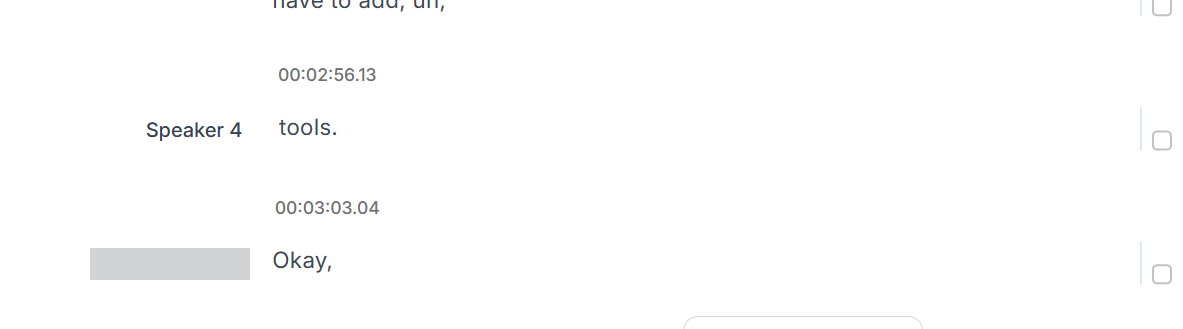
Observed output: Output artifact (Image): This screenshot shows a HappyScribe transcript excerpt where speaker turns are labeled generically ("Speaker 4") rather than with real names, and one entry has its speaker label blanked out entirely — showing the tool falling back to placeholder identifiers instead of resolving actual participant names. — happyscribe-generic-speaker.png
Input artifact: Input artifact (Image): Same multi-speaker 31 Jul 2026 standup with frequent speaker changes and overlapping ownership updates. — 31-july-meeting-screenshot.png
Output artifact: Output artifact (Image): This screenshot shows a HappyScribe transcript excerpt where speaker turns are labeled generically ("Speaker 4") rather than with real names, and one entry has its speaker label blanked out entirely — showing the tool falling back to placeholder identifiers instead of resolving actual participant names. — happyscribe-generic-speaker.png
What changed: Image transformed into Image
Why it matters / Conclusion: Speaker labeling is mostly there, but the misattributions are significant enough that users should verify who said what.
Assigns transcript lines to named speakers in a multi-speaker meeting. On the tested standup, most speakers were identified, though several transitions were attributed to the wrong person.
Meeting Summary Generation▾
Feature tested: Meeting Summary Generation
Result: Partial
Expected behavior: Turns a meeting transcript into organized summary notes with topic sections and bullet-style structure. It was exercised on the standup and on multi-topic outputs that were split into clear sections.
Test case: Video file → Image
Input type: Video file
Input used: Input artifact (Video file): INPUT — 31-july-meeting-artifact.mp4
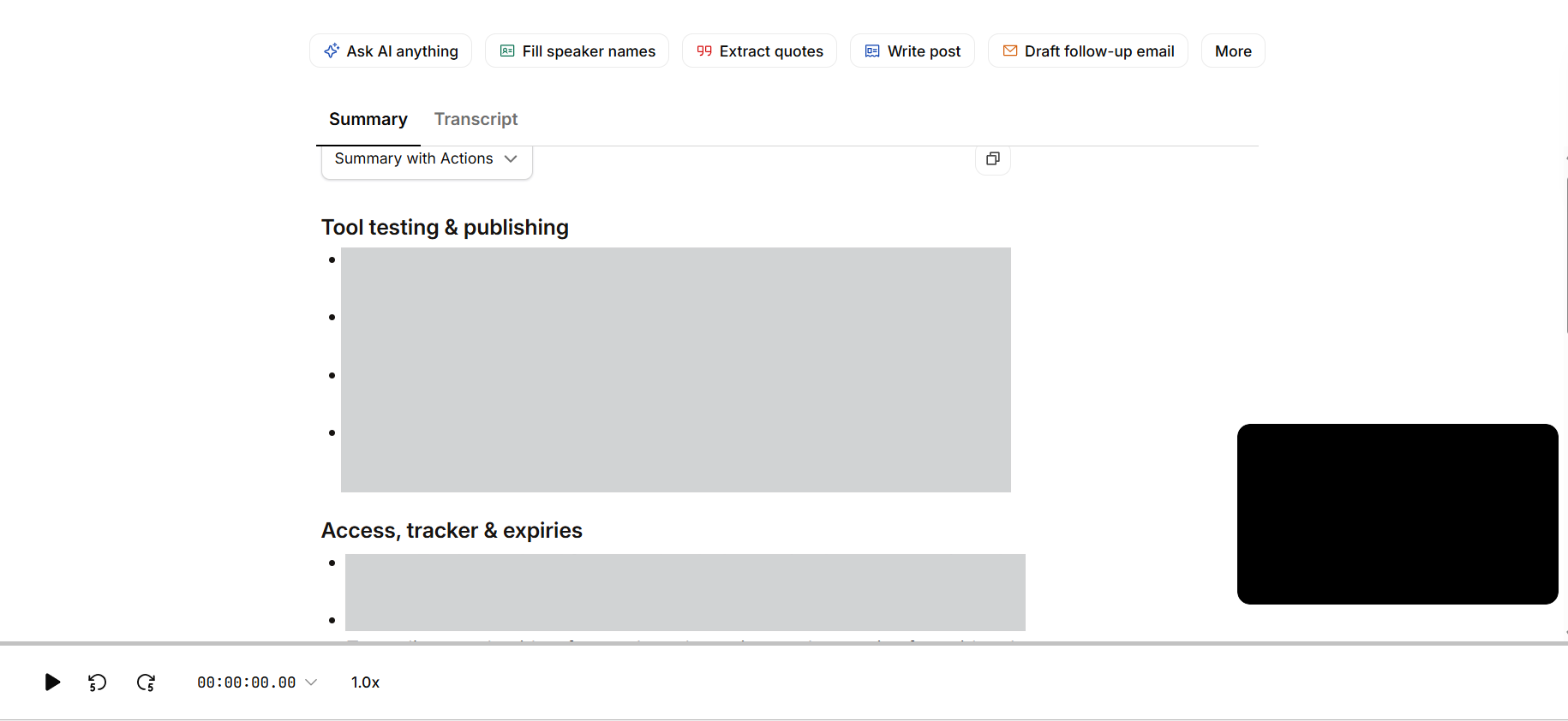
Observed output: Output artifact (Image): The summary is organized into topic sections such as 'Tool testing & publishing' and 'Access, tracker & expiries,' showing clear structure and skimmability. — happyscribe-meeting-summary-success.png
Input artifact: Input artifact (Video file): INPUT — 31-july-meeting-artifact.mp4
Output artifact: Output artifact (Image): The summary is organized into topic sections such as 'Tool testing & publishing' and 'Access, tracker & expiries,' showing clear structure and skimmability. — happyscribe-meeting-summary-success.png
What changed: Video file transformed into Image
Why it matters / Conclusion: The summary structure is good, but the misread name means it still needs a human check before sharing.
Turns a meeting transcript into organized summary notes with topic sections and bullet-style structure. It was exercised on the standup and on multi-topic outputs that were split into clear sections.
Action-Item Extraction▾
Feature tested: Action-Item Extraction
Result: Passed
Expected behavior: Extracts commitments and tasks from meeting notes. In the tested standup, the action items themselves were correct, but owner names were wrong when a speaker name was misheard.
Test case: Image → Image
Input type: Image
Input used: Input artifact (Image): Same 31 Jul 2026 standup, reviewed for action items and ownership after the call. — 31-july-meeting-screenshot.png
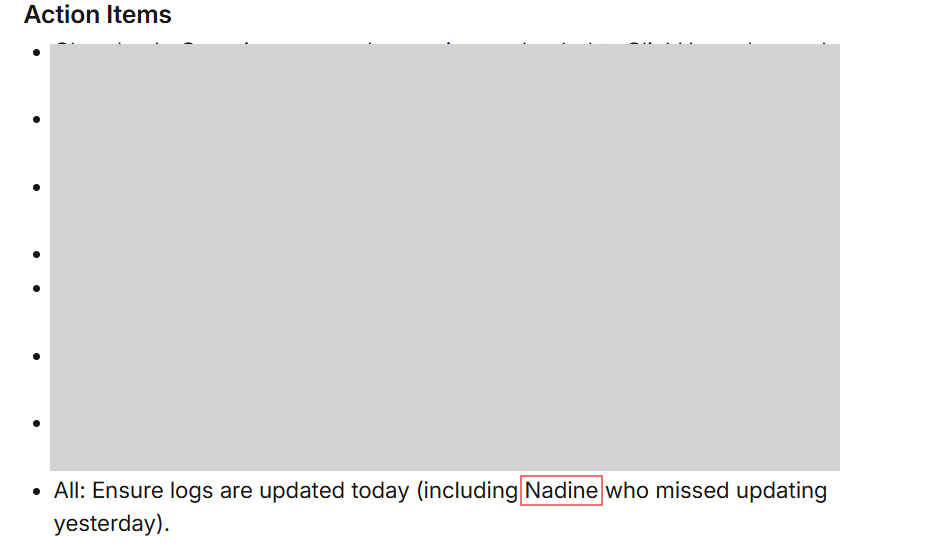
Observed output: Output artifact (Image): The Action Items page lists a clear bullet item, showing that HappyScribe can extract action items from the meeting transcript. — happyscribe-action-items-success.png
Input artifact: Input artifact (Image): Same 31 Jul 2026 standup, reviewed for action items and ownership after the call. — 31-july-meeting-screenshot.png
Output artifact: Output artifact (Image): The Action Items page lists a clear bullet item, showing that HappyScribe can extract action items from the meeting transcript. — happyscribe-action-items-success.png
What changed: Image transformed into Image
Why it matters / Conclusion: The action items were real and usable, but ownership was not fully reliable without cleanup.
Extracts commitments and tasks from meeting notes. In the tested standup, the action items themselves were correct, but owner names were wrong when a speaker name was misheard.
Inline Editing▾
Feature tested: Inline Editing
Result: Passed
Expected behavior: Lets users edit transcript text, summary bullets, and action items directly in the interface before sharing or reusing them. It was exercised on cleanup of misheard names and incorrect owner attributions.
Test case: Image → Image
Input type: Image
Input used: Input artifact (Image): Reviewed the generated meeting notes and transcript for direct inline correction before sharing. — 31-july-meeting-screenshot.png
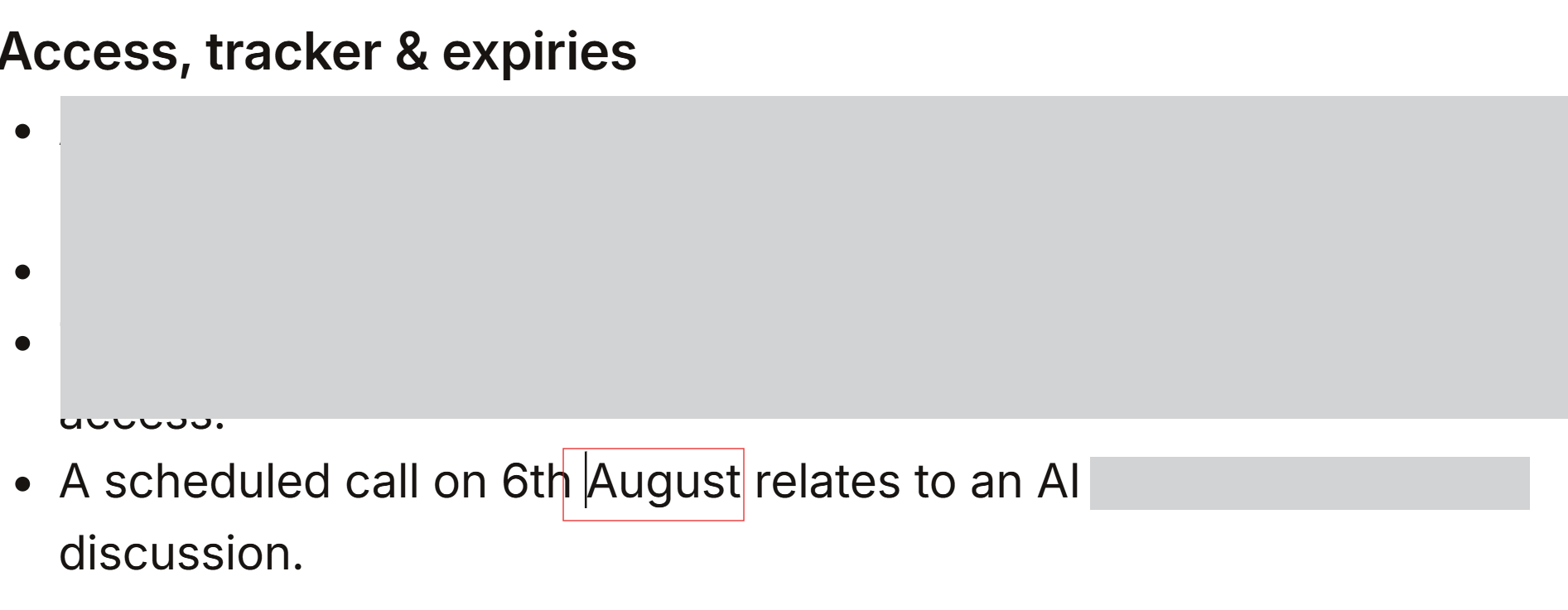
Observed output: Output artifact (Image): The excerpt shows editable text in the notes/transcript area, indicating the content can be corrected directly in the UI. — happy-scribe-editability-success.png
Input artifact: Input artifact (Image): Reviewed the generated meeting notes and transcript for direct inline correction before sharing. — 31-july-meeting-screenshot.png
Output artifact: Output artifact (Image): The excerpt shows editable text in the notes/transcript area, indicating the content can be corrected directly in the UI. — happy-scribe-editability-success.png
What changed: Image transformed into Image
Why it matters / Conclusion: Fully editable outputs make it practical to clean up misheard names and owner attributions.
Lets users edit transcript text, summary bullets, and action items directly in the interface before sharing or reusing them. It was exercised on cleanup of misheard names and incorrect owner attributions.
Chat with Meeting Notes▾
Feature tested: Chat with Meeting Notes
Result: Passed
Expected behavior: Answers natural-language questions from the transcript or meeting notes and returns grounded responses such as dates and timestamps. It was exercised on direct transcript-based questions in the report.
Test case: Text prompt → Image
Input type: Text prompt
Input used: Input artifact (Text prompt): Question
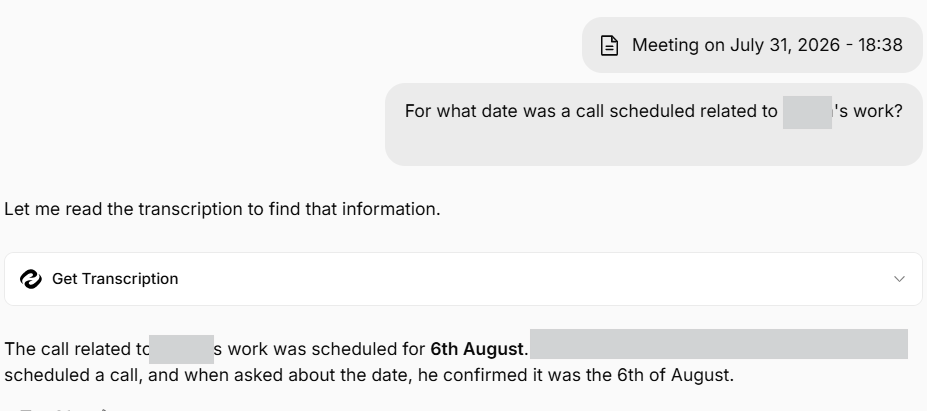
Observed output: Output artifact (Image): HappyScribe reads the transcription and returns a direct grounded answer stating that the call was scheduled for 6th August. — happyscribe-ai-chat-qna-success.png
Input artifact: Input artifact (Text prompt): Question
Output artifact: Output artifact (Image): HappyScribe reads the transcription and returns a direct grounded answer stating that the call was scheduled for 6th August. — happyscribe-ai-chat-qna-success.png
What changed: Text prompt transformed into Image
Test case: Text prompt → Image
Input type: Text prompt
Input used: Input artifact (Text prompt): Question
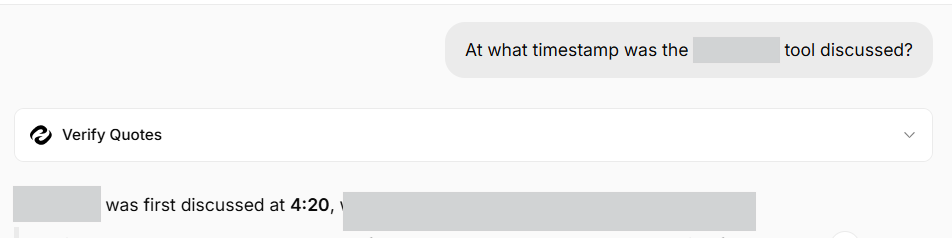
Observed output: Output artifact (Image): The chat-style prompt returns a timestamped answer, showing that HappyScribe can retrieve the moment a topic was first discussed from the transcript. — happyscribe-transcript-timestamp-in-chat-evidence.png
Input artifact: Input artifact (Text prompt): Question
Output artifact: Output artifact (Image): The chat-style prompt returns a timestamped answer, showing that HappyScribe can retrieve the moment a topic was first discussed from the transcript. — happyscribe-transcript-timestamp-in-chat-evidence.png
What changed: Text prompt transformed into Image
Why it matters / Conclusion: Strong on direct question answering, with transcript-grounded responses that were correct in the tested case.
Answers natural-language questions from the transcript or meeting notes and returns grounded responses such as dates and timestamps. It was exercised on direct transcript-based questions in the report.
Public Link Sharing▾
Feature tested: Public Link Sharing
Result: Passed
Expected behavior: Creates shareable links for meeting notes or recordings that external viewers can open without creating an account, with permissions that can allow editing. The tested sharing flow confirmed open access for recipients.
Test case: Text prompt → Image
Input type: Text prompt
Input used: Input artifact (Text prompt): Sharing check
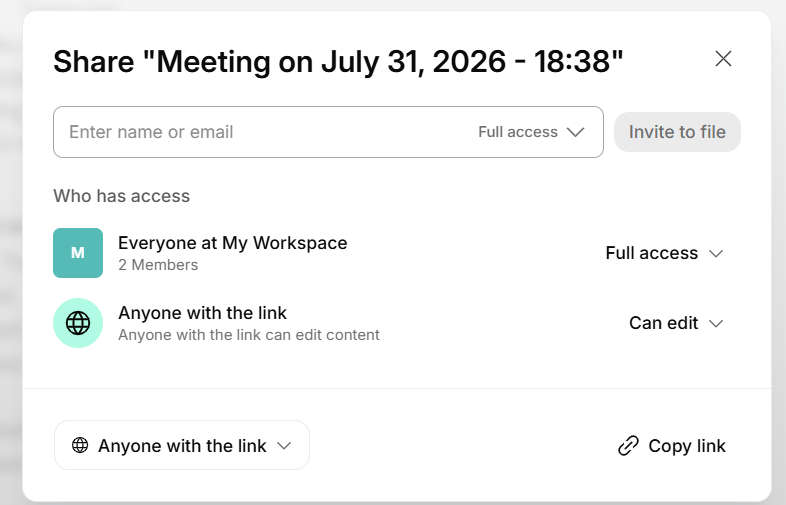
Observed output: Output artifact (Image): The share dialog shows link access and edit permissions, confirming that shared links can be opened without a login wall. — happyscribe-sharing-options.png
Input artifact: Input artifact (Text prompt): Sharing check
Output artifact: Output artifact (Image): The share dialog shows link access and edit permissions, confirming that shared links can be opened without a login wall. — happyscribe-sharing-options.png
What changed: Text prompt transformed into Image
Why it matters / Conclusion: Excellent for external sharing because recipients can open the notes without registering.
Creates shareable links for meeting notes or recordings that external viewers can open without creating an account, with permissions that can allow editing. The tested sharing flow confirmed open access for recipients.
External Integrations and Programmatic Access▾
Feature tested: External Integrations and Programmatic Access
Result: Passed
Expected behavior: Connects meeting content to other systems through a REST API, an MCP connector for Claude, and an integrations directory listing tools such as Google Meet, Zoom, Microsoft Teams, Claude, ChatGPT, and cloud storage. It was exercised through a successful transcript-list API request and MCP access in Claude.
Test case: Text prompt → Image
Input type: Text prompt
Input used: Input artifact (Text prompt): API check
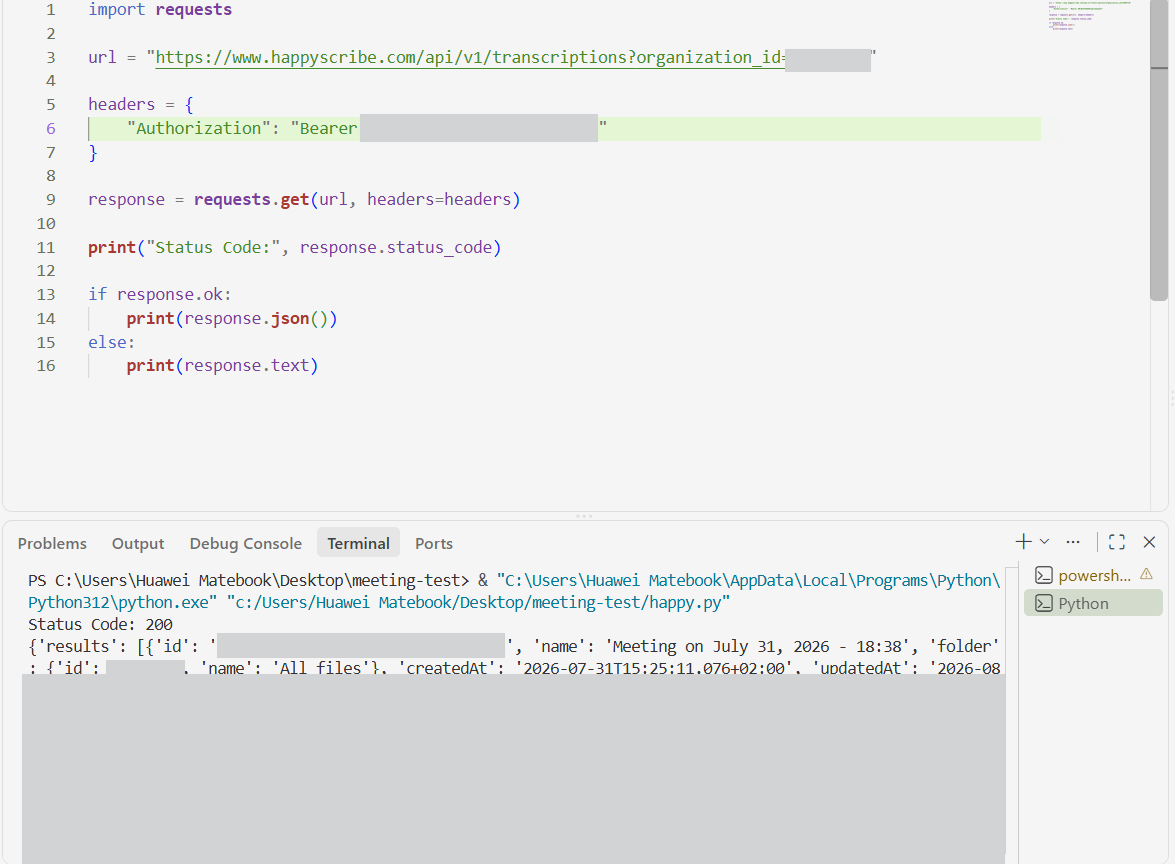
Observed output: Output artifact (Image): The terminal shows a successful HTTP 200 response and a returned transcript list, confirming that the API works. — happyscribe-api-tested-success.png
Input artifact: Input artifact (Text prompt): API check
Output artifact: Output artifact (Image): The terminal shows a successful HTTP 200 response and a returned transcript list, confirming that the API works. — happyscribe-api-tested-success.png
What changed: Text prompt transformed into Image
Test case: Text prompt → Image
Input type: Text prompt
Input used: Input artifact (Text prompt): MCP check
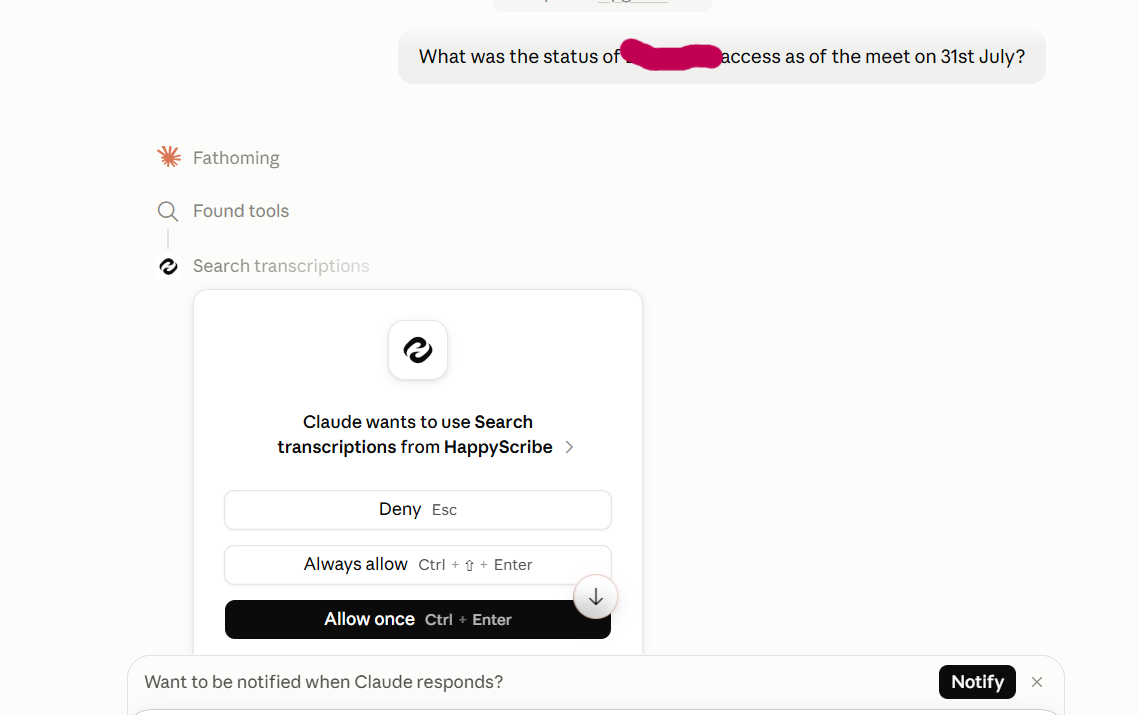
Observed output: Output artifact (Image): Claude requests permission to use HappyScribe's Search transcriptions tool, showing that MCP access is available and integrated. — happyscribe-mcp-claude-query.png
Input artifact: Input artifact (Text prompt): MCP check
Output artifact: Output artifact (Image): Claude requests permission to use HappyScribe's Search transcriptions tool, showing that MCP access is available and integrated. — happyscribe-mcp-claude-query.png
What changed: Text prompt transformed into Image
Test case: Text prompt → Image
Input type: Text prompt
Input used: Input artifact (Text prompt): Integrations check
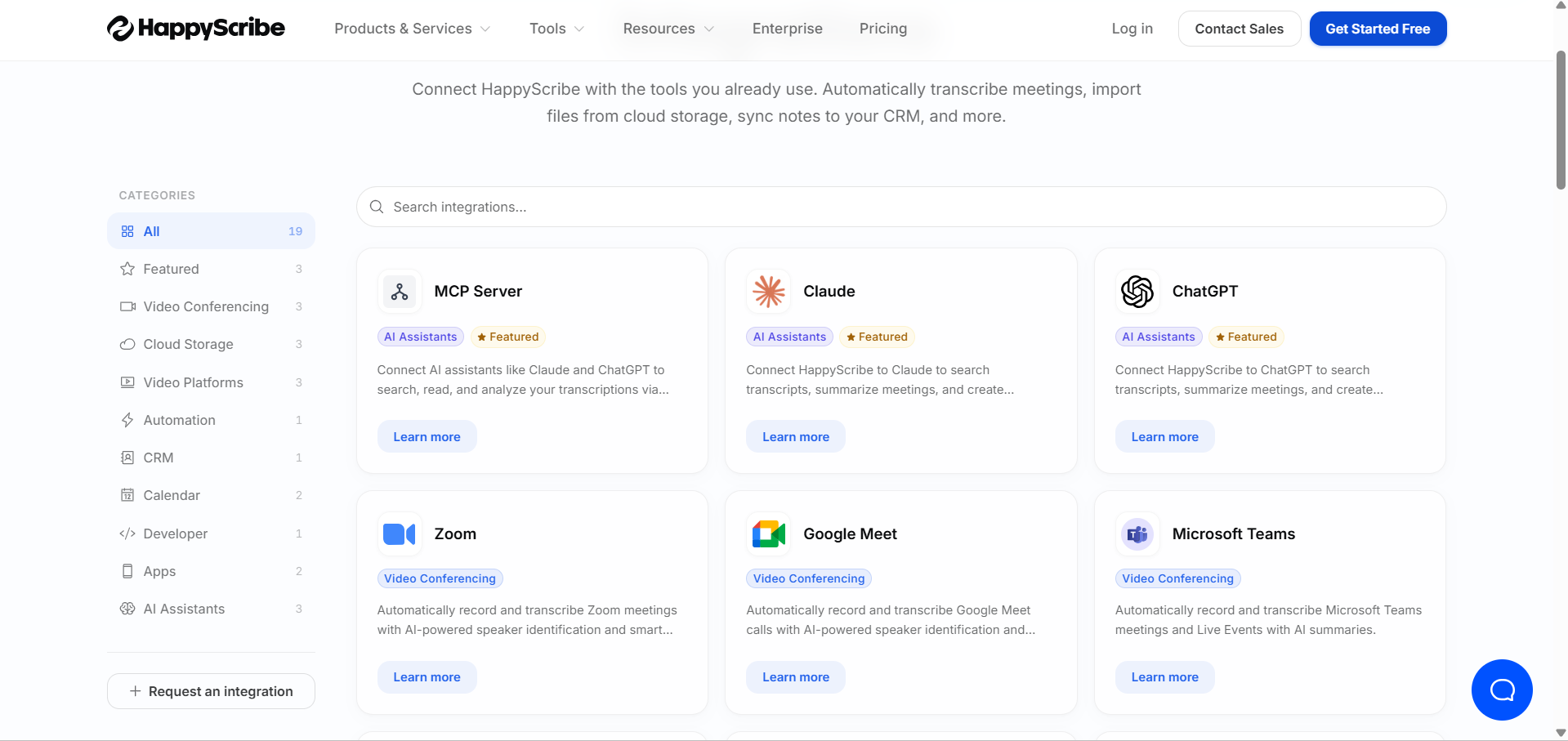
Observed output: Output artifact (Image): The integrations page shows multiple categories and cards for tools like MCP Server, Claude, ChatGPT, Zoom, Google Meet, and Microsoft Teams. — happyscribe-integrations.png
Input artifact: Input artifact (Text prompt): Integrations check
Output artifact: Output artifact (Image): The integrations page shows multiple categories and cards for tools like MCP Server, Claude, ChatGPT, Zoom, Google Meet, and Microsoft Teams. — happyscribe-integrations.png
What changed: Text prompt transformed into Image
Why it matters / Conclusion: The integration set is broad enough for common meeting and workflow stacks.
Connects meeting content to other systems through a REST API, an MCP connector for Claude, and an integrations directory listing tools such as Google Meet, Zoom, Microsoft Teams, Claude, ChatGPT, and cloud storage. It was exercised through a successful transcript-list API request and MCP access in Claude.
Plans visible on the pricing page
Monthly billing view; the annual toggle is also shown on the page.
The free tier is restrictive for daily standups because of the per-recording cap and limited AI Chat usage.
Banner Preview
How the embed badge will look on your site

Embed HTML
Copy this code to your website source
Quick Integration Guide
- 1Copy the HTML code block above.
- 2Paste it into your site's HTML or CMS editor.
- 3Banner appears instantly on your page.
- 4Links back to your tool profile here.
Similar Tools
Discover more AI tools like HappyScribe to enhance your workflow.
Comments (0)
Need a custom AI solution for this use case?
If you are looking to build a custom meeting transcription, searchable notes, or meeting capture workflow for your business or internal workflow, email us at contact@futuresmart.ai.
Found something inaccurate or missing? We try to keep our AI research accurate and useful. If you found outdated information, an issue, or have a suggestion, email us at collaborate@aidemos.com.