
Fellow
Accurate, searchable meeting notes from live calls — but the useful plans are paid.
Strong capture and search, but only the paid plans are meaningfully usable.
- you need a highly accurate transcript with reliable speaker attribution from a live multi-speaker meeting
- you want searchable notes plus Ask Fellow chat for finding moments after the call
- you are comfortable using a paid plan if you need ongoing team usage or programmatic access
- you need a genuinely useful free tier for recurring team meetings
Our take
Fellow performed very well on the core meeting-notetaker job in this standup: the transcript was accurate, speaker attribution was clean, the summary was structured, and search/chat worked as expected. The practical downside is that the free tier is effectively a trial, and API/MCP access also sit behind paid plans, so Fellow makes the most sense for teams ready to pay for Business or above.
In-Depth Review
Our detailed analysis of Fellow — features, performance, and real-world testing.
Feature-by-Feature Breakdown
Live Meeting Capture & Auto-JoinReliable auto-join and full-session capture▾
Feature tested: Live Meeting Capture & Auto-Join
Result: Passed
Verdict: Reliable auto-join and full-session capture
Expected behavior: Fellow joined the real 31 Jul 2026 Google Meet standup and stayed connected for the full session, capturing the meeting from start to finish without drops.
Test case: Image → Image
Input type: Image
Input used: Input artifact (Image): [INPUT] Real 31 Jul 2026 Google Meet daily standup, ~25 minutes, 14 attendees, ~10 active speakers, normal audio; Fellow was auto-added alongside other notetakers. — 31-july-meeting-screenshot.png
Observed output: Output artifact (Image): The notetaker appears in the meeting, showing that Fellow successfully joined the live call; the review also found it remained connected through the end of the meeting without dropout. — fellow-notetaker-in-meet.png
Input artifact: Input artifact (Image): [INPUT] Real 31 Jul 2026 Google Meet daily standup, ~25 minutes, 14 attendees, ~10 active speakers, normal audio; Fellow was auto-added alongside other notetakers. — 31-july-meeting-screenshot.png
Output artifact: Output artifact (Image): The notetaker appears in the meeting, showing that Fellow successfully joined the live call; the review also found it remained connected through the end of the meeting without dropout. — fellow-notetaker-in-meet.png
What changed: Image transformed into Image
Why it matters / Conclusion: It joined cleanly and stayed in the meeting for the full capture window.
Fellow joined the real 31 Jul 2026 Google Meet standup and stayed connected for the full session, capturing the meeting from start to finish without drops.
![Input artifact for "Live Meeting Capture & Auto-Join" test: [INPUT] Real 31 Jul 2026 Google Meet daily standup, ~25 minutes, 14 attendees, ~10 active speakers, normal audio; Fellow was auto-added alongside other notetakers., 31-july-meeting-screenshot.png](https://cdn.futuresmart.ai/public/aidemos/b9f02b0aca97405393cbb1968544c2f4.png?v=1)

Meeting Transcription100-language support▾
Feature tested: Meeting Transcription
Result: Passed
Verdict: 100-language support
Expected behavior: Fellow produced a transcript for the standup that preserved names, tool terms, numbers, and ordinary engineering jargon, with docs describing automatic language detection and transcription for 100 languages.
Test case: Image → Image
Input type: Image
Input used: Input artifact (Image): INPUT — 31-july-meeting-screenshot.png
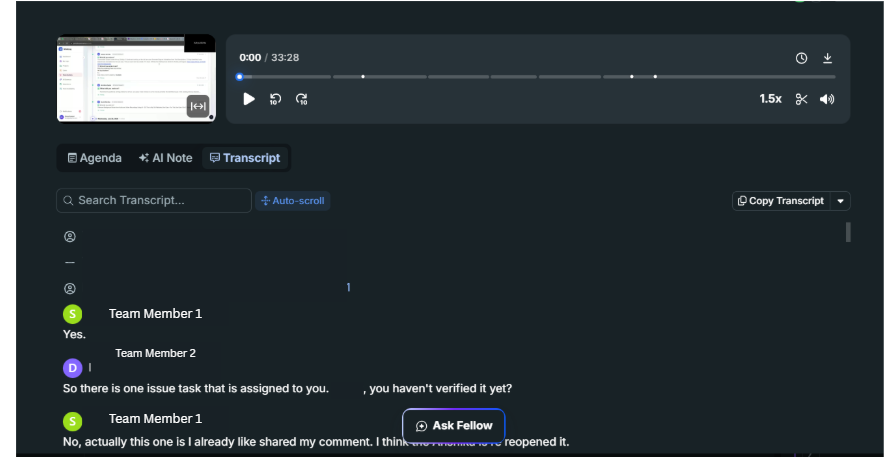
Observed output: Output artifact (Image): The transcript shows separate speaker lines attributed to different team members, matching the review's finding that diarization worked cleanly in the tested standup. — fellow-meeting-speaker-diarization-success.png
Input artifact: Input artifact (Image): INPUT — 31-july-meeting-screenshot.png
Output artifact: Output artifact (Image): The transcript shows separate speaker lines attributed to different team members, matching the review's finding that diarization worked cleanly in the tested standup. — fellow-meeting-speaker-diarization-success.png
What changed: Image transformed into Image
Test case: Text prompt → Image
Input type: Text prompt
Input used: Input artifact (Text prompt): INPUT
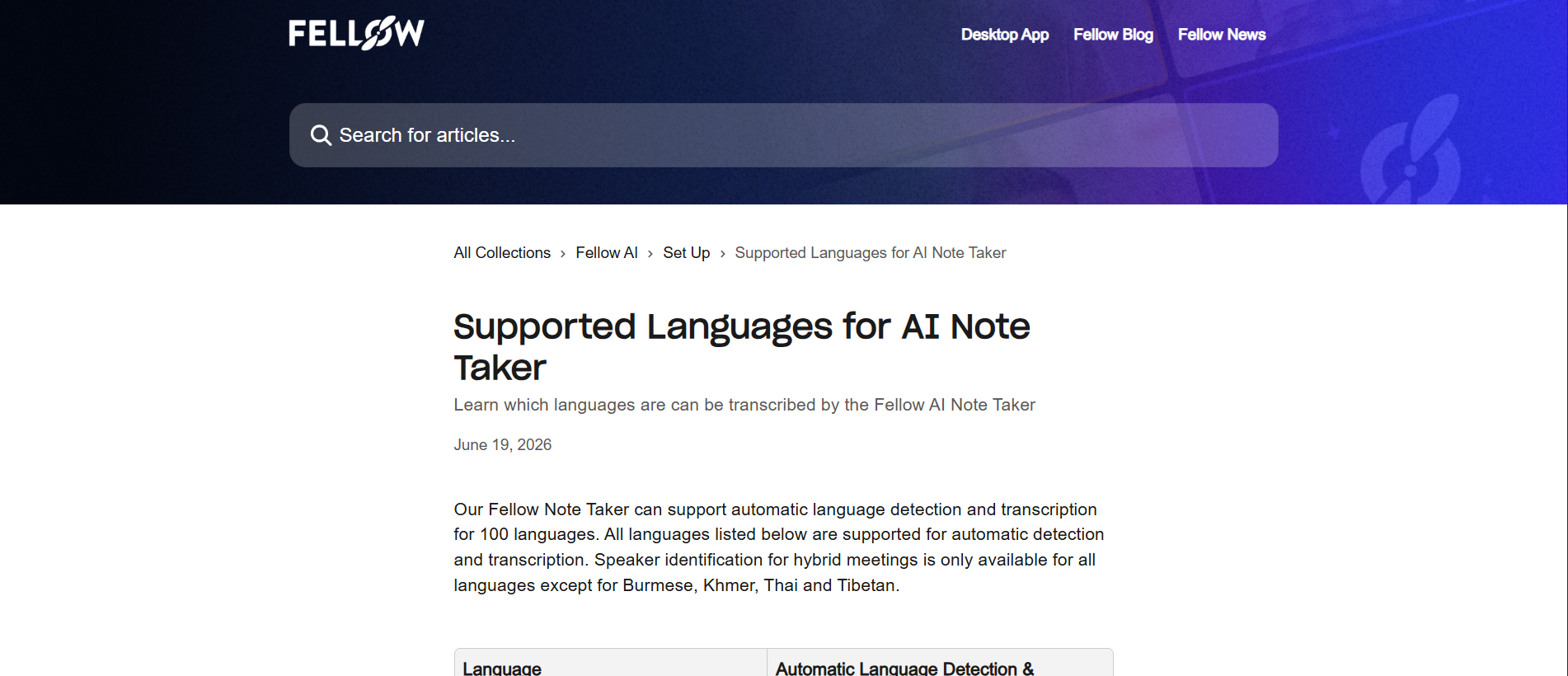
Observed output: Output artifact (Image): The help article states that Fellow Note Taker supports automatic language detection and transcription for 100 languages, with speaker identification unavailable only for Burmese, Khmer, Thai, and Tibetan. — fellow-languages-support.png
Input artifact: Input artifact (Text prompt): INPUT
Output artifact: Output artifact (Image): The help article states that Fellow Note Taker supports automatic language detection and transcription for 100 languages, with speaker identification unavailable only for Burmese, Khmer, Thai, and Tibetan. — fellow-languages-support.png
What changed: Text prompt transformed into Image
Why it matters / Conclusion: Broad language coverage, with a few named speaker-ID exceptions.
Fellow produced a transcript for the standup that preserved names, tool terms, numbers, and ordinary engineering jargon, with docs describing automatic language detection and transcription for 100 languages.
Structured Meeting Notes GenerationStrong notes structure, but one real action item was assigned to the wrong owner.▾
Feature tested: Structured Meeting Notes Generation
Result: Partial
Verdict: Strong notes structure, but one real action item was assigned to the wrong owner.
Expected behavior: Fellow turns a meeting into structured notes with a summary, topical sections, decisions, and action items; the standup recap evidence showed those pieces extracted into a readable note.
Test case: Image → Image
Input type: Image
Input used: Input artifact (Image): [INPUT] The same 31 Jul 2026 standup with multiple status updates, ownership calls, and topic shifts. — 31-july-meeting-screenshot.png
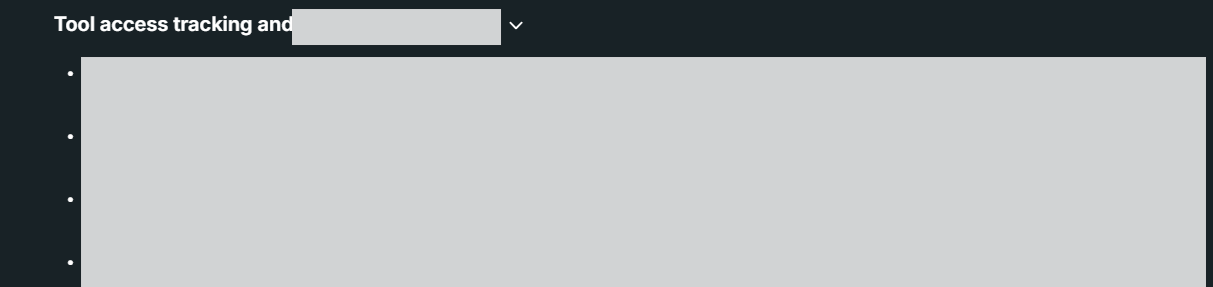
Observed output: Output artifact (Image): The topic view shows a segmented section rather than a single uninterrupted note, confirming that Fellow grouped the standup into readable sections. — fellow-topic-segmentation-success.png
Input artifact: Input artifact (Image): [INPUT] The same 31 Jul 2026 standup with multiple status updates, ownership calls, and topic shifts. — 31-july-meeting-screenshot.png
Output artifact: Output artifact (Image): The topic view shows a segmented section rather than a single uninterrupted note, confirming that Fellow grouped the standup into readable sections. — fellow-topic-segmentation-success.png
What changed: Image transformed into Image
Why it matters / Conclusion: Notes quality was strong, but the extracted action items need a quick verification pass.
Fellow turns a meeting into structured notes with a summary, topical sections, decisions, and action items; the standup recap evidence showed those pieces extracted into a readable note.
Editable NotesEditable before sharing▾
Feature tested: Editable Notes
Result: Partial
Verdict: Editable before sharing
Expected behavior: Fellow lets users edit generated summaries and action items before sharing while leaving the transcript read-only; the generated recap can be corrected before distribution.
Test case: Text prompt → Image
Input type: Text prompt
Input used: Input artifact (Text prompt): INPUT
Observed output: Output artifact (Image): The Topics view shows an Edit control, indicating that the generated summary or topic note can be corrected before sharing, while the transcript stays locked. — fellow-summary-editability.png
Input artifact: Input artifact (Text prompt): INPUT
Output artifact: Output artifact (Image): The Topics view shows an Edit control, indicating that the generated summary or topic note can be corrected before sharing, while the transcript stays locked. — fellow-summary-editability.png
What changed: Text prompt transformed into Image
Why it matters / Conclusion: You can fix note content before sharing, but not rewrite the transcript.
Fellow lets users edit generated summaries and action items before sharing while leaving the transcript read-only; the generated recap can be corrected before distribution.

Transcript SearchExact within-meeting search▾
Feature tested: Transcript Search
Result: Passed
Verdict: Exact within-meeting search
Expected behavior: Fellow lets you search within a meeting transcript and jump to the matching moment; the review verified it with a keyword query against the standup record.
Test case: Text prompt → Image
Input type: Text prompt
Input used: Input artifact (Text prompt): INPUT
Observed output: Output artifact (Image): The transcript tab shows a dedicated search field, auto-scroll control, and copy actions for finding moments in the meeting. — fellow-transcript-searchability.png
Input artifact: Input artifact (Text prompt): INPUT
Output artifact: Output artifact (Image): The transcript tab shows a dedicated search field, auto-scroll control, and copy actions for finding moments in the meeting. — fellow-transcript-searchability.png
What changed: Text prompt transformed into Image
Why it matters / Conclusion: Fast and precise for finding moments inside a meeting.
Fellow lets you search within a meeting transcript and jump to the matching moment; the review verified it with a keyword query against the standup record.

Meeting Q&AGrounded meeting Q&A▾
Feature tested: Meeting Q&A
Result: Passed
Verdict: Grounded meeting Q&A
Expected behavior: Fellow answers natural-language questions using the meeting record or memory layer and returns grounded responses; the tested Ask Fellow query did so without obvious hallucination.
Test case: Text prompt → Image
Input type: Text prompt
Input used: Input artifact (Text prompt): INPUT
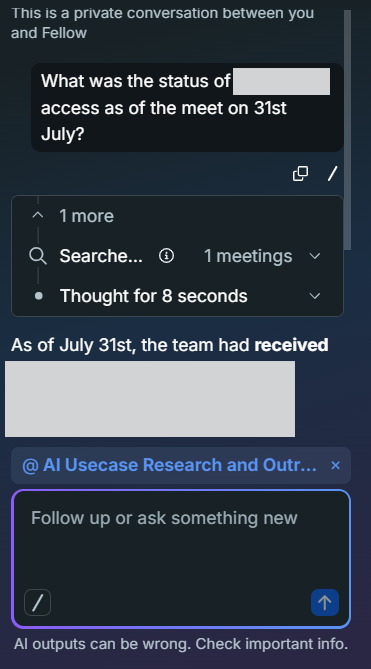
Observed output: Output artifact (Image): Ask Fellow found one meeting, thought for a few seconds, and returned a grounded response from the July 31 meeting. — fellow-meeting-chat-success.png
Input artifact: Input artifact (Text prompt): INPUT
Output artifact: Output artifact (Image): Ask Fellow found one meeting, thought for a few seconds, and returned a grounded response from the July 31 meeting. — fellow-meeting-chat-success.png
What changed: Text prompt transformed into Image
Why it matters / Conclusion: The chat assistant worked on the tested question without obvious hallucination.
Fellow answers natural-language questions using the meeting record or memory layer and returns grounded responses; the tested Ask Fellow query did so without obvious hallucination.
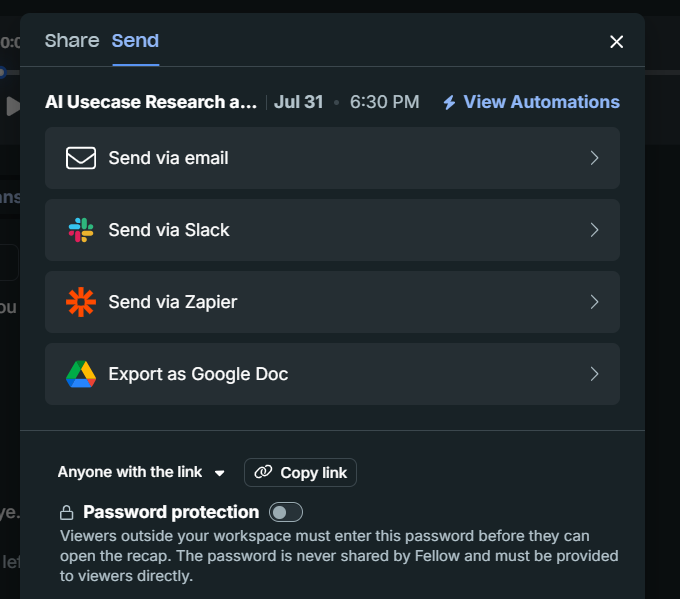
Recap Sharing and DistributionOpen sharing flow▾
Feature tested: Recap Sharing and Distribution
Result: Passed
Verdict: Open sharing flow
Expected behavior: Fellow can share recaps through link-based distribution and delivery channels such as email, Slack, Zapier, and Google Doc export, with no-account viewing and password protection for recipients.
Test case: Text prompt → Image
Input type: Text prompt
Input used: Input artifact (Text prompt): INPUT
Observed output: Output artifact (Image): The share/send modal offers Anyone with the link, email, Slack, Zapier, and Google Doc export, matching the review's conclusion that external recipients were not forced to sign up. — fellow-meeting-sharing-options-2.png
Input artifact: Input artifact (Text prompt): INPUT
Output artifact: Output artifact (Image): The share/send modal offers Anyone with the link, email, Slack, Zapier, and Google Doc export, matching the review's conclusion that external recipients were not forced to sign up. — fellow-meeting-sharing-options-2.png
What changed: Text prompt transformed into Image
Why it matters / Conclusion: Low-friction sharing worked in the tested setup.
Fellow can share recaps through link-based distribution and delivery channels such as email, Slack, Zapier, and Google Doc export, with no-account viewing and password protection for recipients.
Developer API AccessREST API exists, but paid-only▾
Feature tested: Developer API Access
Result: Partial
Verdict: REST API exists, but paid-only
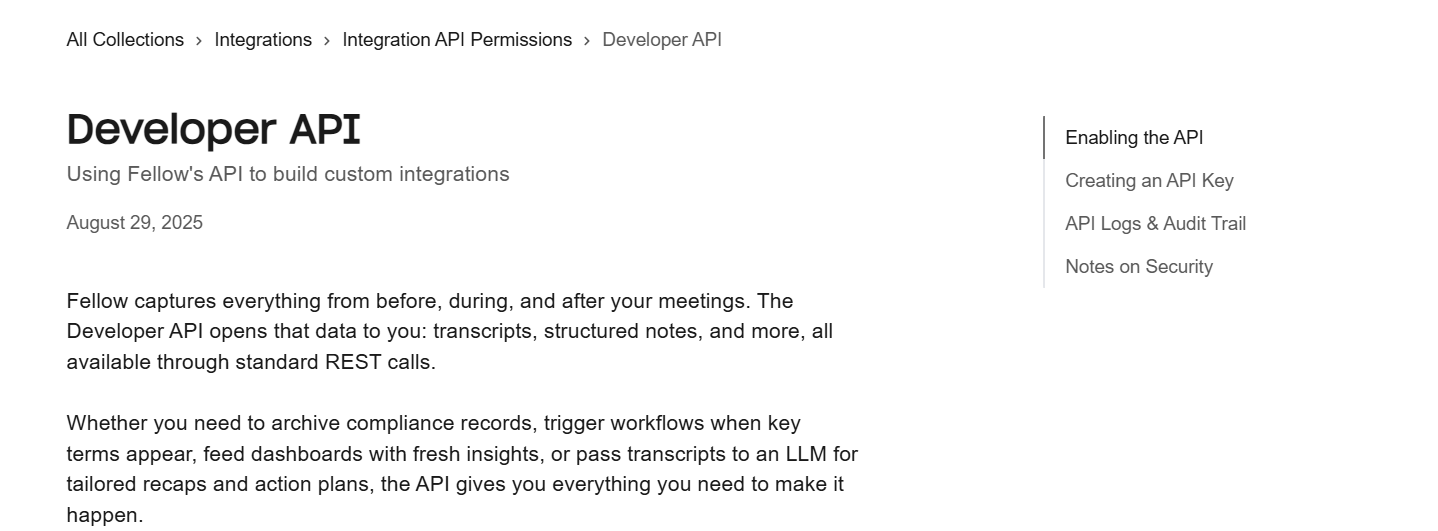
Expected behavior: Fellow documents a developer API for programmatic access to meeting data, transcripts, structured notes, and related controls, though access is gated behind a paid plan.
Test case: Text prompt → Image
Input type: Text prompt
Input used: Input artifact (Text prompt): INPUT
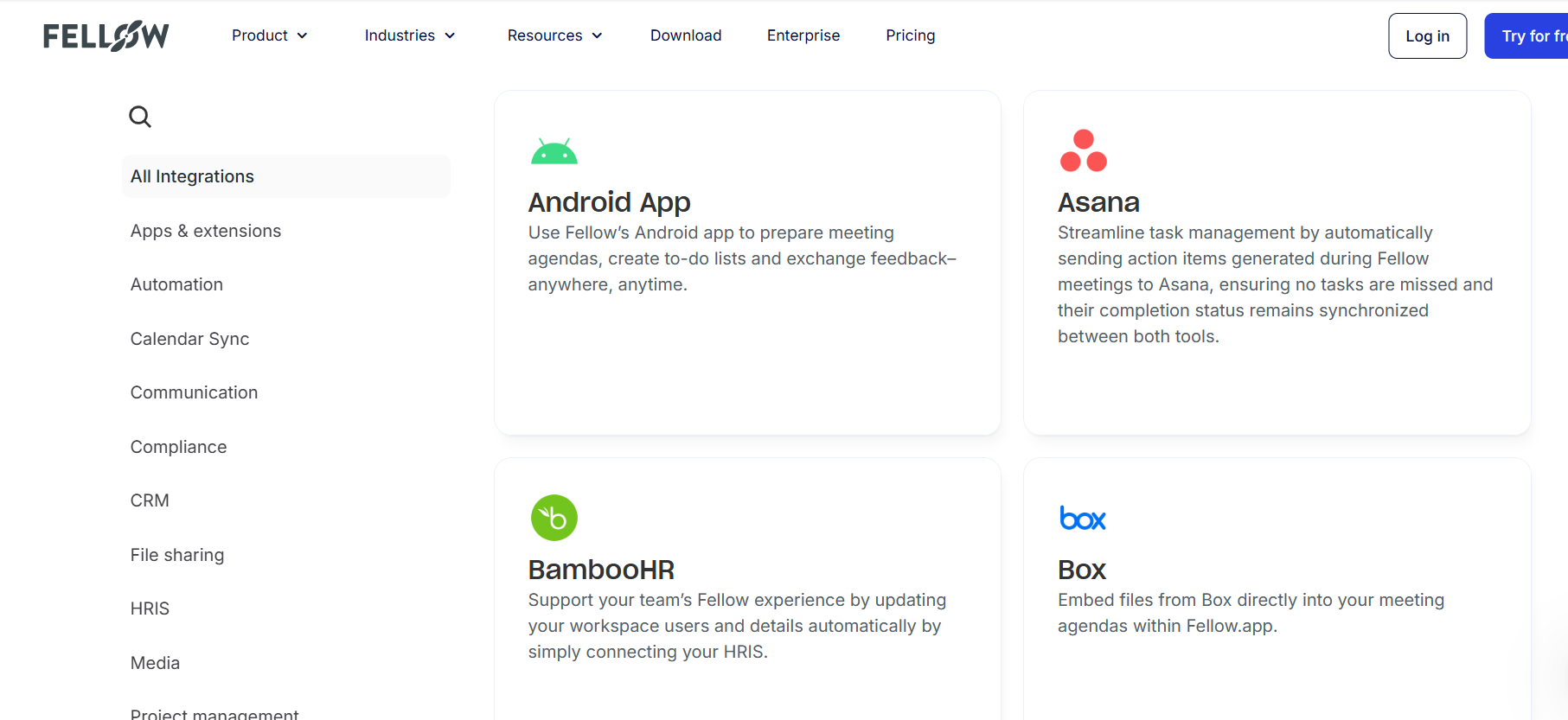
Observed output: Output artifact (Image): The integrations directory shows a broad set of app connections, including calendar, communication, CRM, HR, and file-sharing tools. — fellow-integrations.png
Input artifact: Input artifact (Text prompt): INPUT
Output artifact: Output artifact (Image): The integrations directory shows a broad set of app connections, including calendar, communication, CRM, HR, and file-sharing tools. — fellow-integrations.png
What changed: Text prompt transformed into Image
Test case: Text prompt → Image
Input type: Text prompt
Input used: Input artifact (Text prompt): INPUT
Observed output: Output artifact (Image): The Developer API docs show Fellow's API for meeting data, transcripts, structured notes, logs, and security details, while the review marked access as paid-only. — fellow-developer-api.png
Input artifact: Input artifact (Text prompt): INPUT
Output artifact: Output artifact (Image): The Developer API docs show Fellow's API for meeting data, transcripts, structured notes, logs, and security details, while the review marked access as paid-only. — fellow-developer-api.png
What changed: Text prompt transformed into Image
Why it matters / Conclusion: Useful if you pay; not available on the free tier.
Fellow documents a developer API for programmatic access to meeting data, transcripts, structured notes, and related controls, though access is gated behind a paid plan.
MCP Server AccessMCP server exists, but paid-only▾
Feature tested: MCP Server Access
Result: Partial
Verdict: MCP server exists, but paid-only
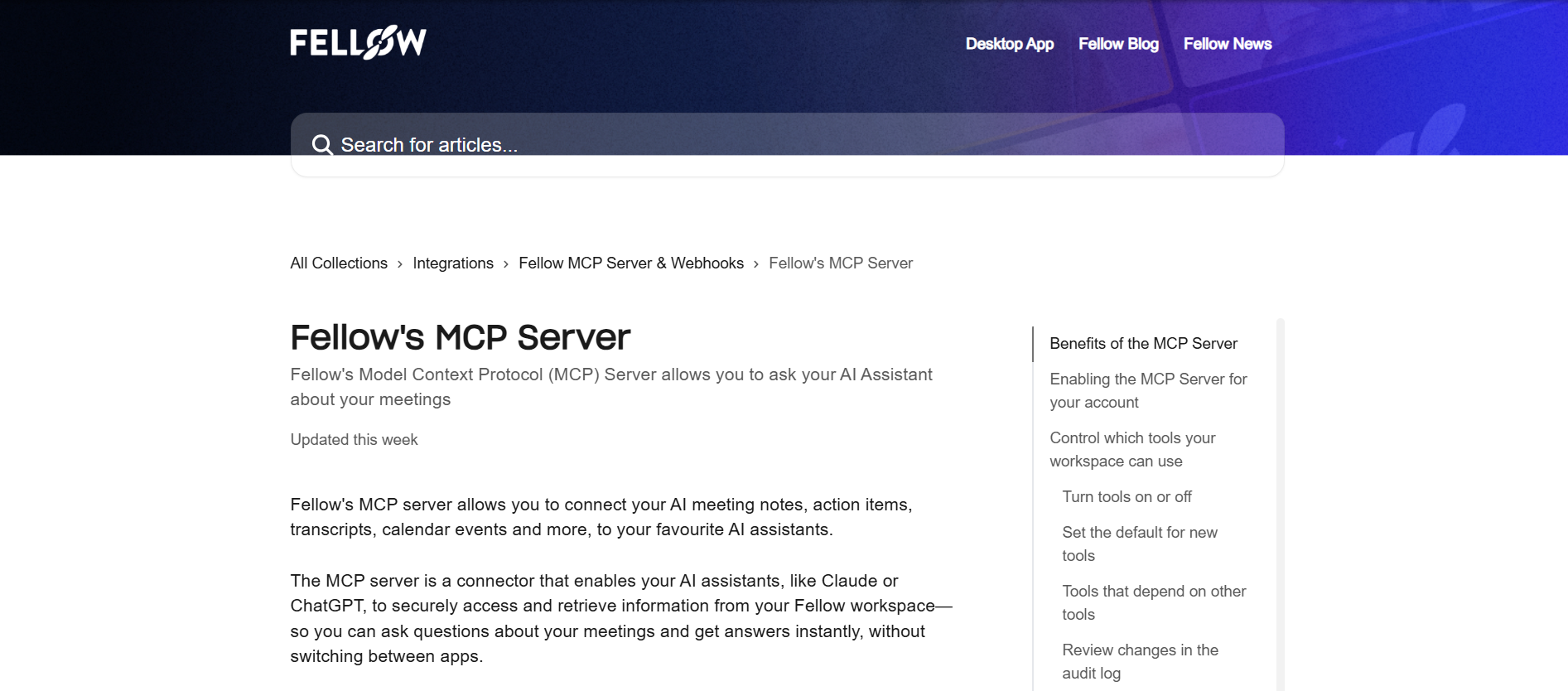
Expected behavior: Fellow documents an MCP server for connecting AI assistants to meeting notes, action items, transcripts, and calendar events, with workspace controls and audit logging.
Test case: Text prompt → Image
Input type: Text prompt
Input used: Input artifact (Text prompt): INPUT
Observed output: Output artifact (Image): The MCP Server docs describe connecting AI assistants to notes, action items, transcripts, and calendar events, while the review states that MCP access is paid-only. — fellow-mcp-docs.png
Input artifact: Input artifact (Text prompt): INPUT
Output artifact: Output artifact (Image): The MCP Server docs describe connecting AI assistants to notes, action items, transcripts, and calendar events, while the review states that MCP access is paid-only. — fellow-mcp-docs.png
What changed: Text prompt transformed into Image
Why it matters / Conclusion: The capability is there, but only on a paid plan.
Fellow documents an MCP server for connecting AI assistants to meeting notes, action items, transcripts, and calendar events, with workspace controls and audit logging.
Integrations DirectoryExtensive▾
Feature tested: Integrations Directory
Result: Passed
Verdict: Extensive
Expected behavior: Fellow provides a broad integrations directory across workplace tools, with examples such as Asana, BambooHR, Box, and Android app support.
Test case: Text prompt → Image
Input type: Text prompt
Input used: Input artifact (Text prompt): INPUT
Observed output: Output artifact (Image): The integrations directory shows categorized integrations and example cards such as Asana, BambooHR, Box, and Android App. — fellow-integrations.png
Input artifact: Input artifact (Text prompt): INPUT
Output artifact: Output artifact (Image): The integrations directory shows categorized integrations and example cards such as Asana, BambooHR, Box, and Android App. — fellow-integrations.png
What changed: Text prompt transformed into Image
Why it matters / Conclusion: Broad integration coverage across common workplace tools.
Fellow provides a broad integrations directory across workplace tools, with examples such as Asana, BambooHR, Box, and Android app support.
Privacy and Consent ControlsStrong▾
Feature tested: Privacy and Consent Controls
Result: Passed
Verdict: Strong
Expected behavior: Fellow includes privacy, consent, deletion, and data-rights controls, including GDPR/UK GDPR/FADP coverage and opt-in AI services.
Test case: Text prompt → Image
Input type: Text prompt
Input used: Input artifact (Text prompt): INPUT
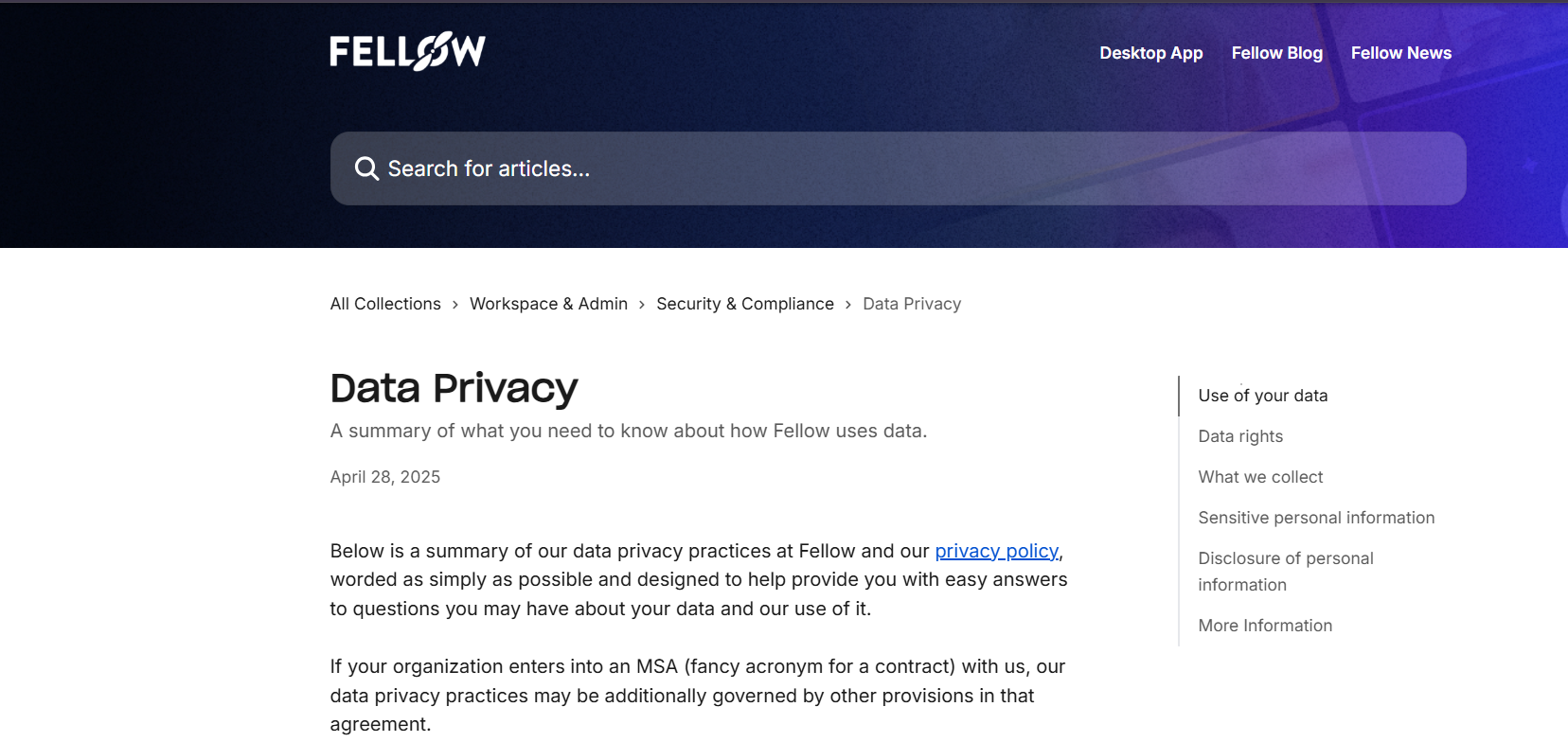
Observed output: Output artifact (Image): The data-privacy article summarizes Fellow’s privacy practices, data rights, and information handling policies. — fellow-privacy-policy.png
Input artifact: Input artifact (Text prompt): INPUT
Output artifact: Output artifact (Image): The data-privacy article summarizes Fellow’s privacy practices, data rights, and information handling policies. — fellow-privacy-policy.png
What changed: Text prompt transformed into Image
Why it matters / Conclusion: Strong compliance and consent posture for meeting data.
Fellow includes privacy, consent, deletion, and data-rights controls, including GDPR/UK GDPR/FADP coverage and opt-in AI services.
Pricing
Free is effectively a trial; Business is the minimum viable tier for ongoing team use.
The review found the free tier non-viable for regular team use, while API and MCP access are available only on paid plans.
Banner Preview
How the embed badge will look on your site

Embed HTML
Copy this code to your website source
Quick Integration Guide
- 1Copy the HTML code block above.
- 2Paste it into your site's HTML or CMS editor.
- 3Banner appears instantly on your page.
- 4Links back to your tool profile here.
Similar Tools
Discover more AI tools like Fellow to enhance your workflow.
Comments (0)
Need a custom AI solution for this use case?
If you are looking to build a custom meeting transcription, note summarization, or action item extraction assistant for your business or internal workflow, email us at contact@futuresmart.ai.
Found something inaccurate or missing? We try to keep our AI research accurate and useful. If you found outdated information, an issue, or have a suggestion, email us at collaborate@aidemos.com.