Quiz Generation
Version 1No published result

Flexible quiz builder for PDFs and notes with deep settings, but exports lack answer keys and YouTube intake failed.
Strong document quiz builder, but not yet a full study loop
DoctoQuiz handles PDFs and handwritten notes well, generating clean 20-question quizzes and offering unusually deep pre-generation controls. But the exported quiz has no answer key or explanations, Hard mode still reads as mostly recall-level, and the YouTube path failed in this run.
Explore DoctoQuiz in our public benchmarks.
No published result
Our detailed analysis of DoctoQuiz — features, performance, and real-world testing.
Feature tested: Study Material Ingestion
Result: Partial
Verdict: Mixed
Expected behavior: DoctoQuiz accepts study materials as inputs for quiz creation, and in these runs PDFs and handwritten-notes PDFs were readable while a YouTube URL failed because no extractable content was found.
Test case: PDF document → Image
Input type: PDF document
Input used: Input artifact (PDF document): Documents tab with a PDF already selected (typed PDF study material). — input1_primary.pdf
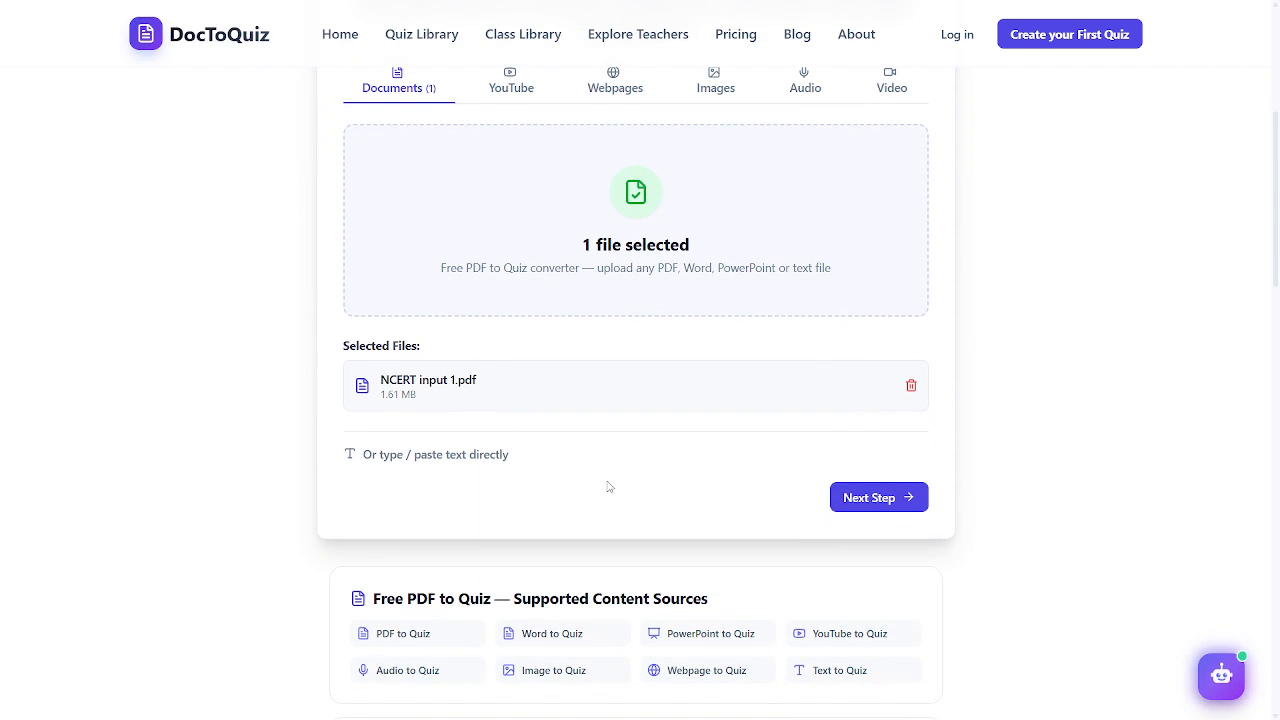
Observed output: Output artifact (Image): The Documents tab shows one selected file and the supported source list, confirming document intake. — c1a_supportedsources_36.png
Input artifact: Input artifact (PDF document): Documents tab with a PDF already selected (typed PDF study material). — input1_primary.pdf
Output artifact: Output artifact (Image): The Documents tab shows one selected file and the supported source list, confirming document intake. — c1a_supportedsources_36.png
What changed: PDF document transformed into Image
Test case: YouTube video → Image
Input type: YouTube video
Input used: Input artifact (YouTube video): INPUT
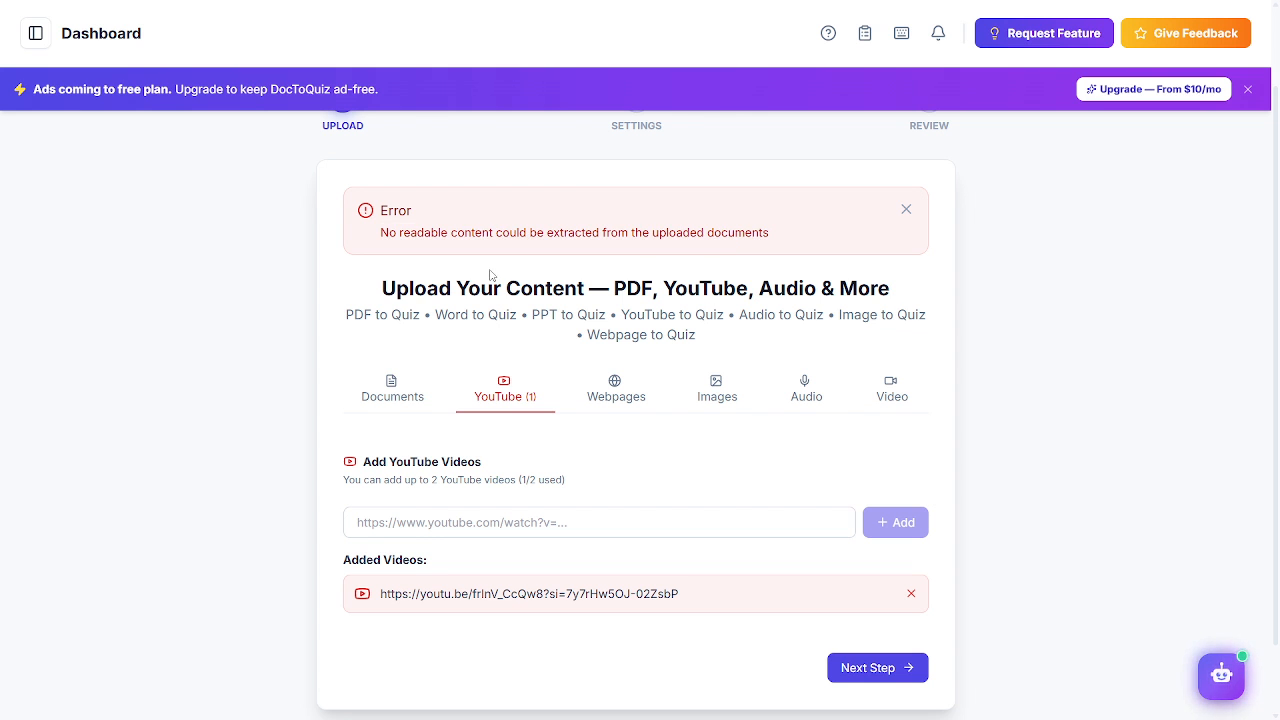
Observed output: Output artifact (Image): The YouTube path failed with a no-readable-content extraction error even though YouTube is listed as a supported source. — c1b_error_495.png
Input artifact: Input artifact (YouTube video): INPUT
Output artifact: Output artifact (Image): The YouTube path failed with a no-readable-content extraction error even though YouTube is listed as a supported source. — c1b_error_495.png
What changed: YouTube video transformed into Image
Test case: PDF document → Image
Input type: PDF document
Input used: Input artifact (PDF document): Documents tab showing NCERT input 1.pdf selected under Documents. — input1_primary.pdf
Observed output: Output artifact (Image): Generated biology quiz page 1 with clear four-option MCQs and highlighted answers. — c2a_positives_216.png
Input artifact: Input artifact (PDF document): Documents tab showing NCERT input 1.pdf selected under Documents. — input1_primary.pdf
Output artifact: Output artifact (Image): Generated biology quiz page 1 with clear four-option MCQs and highlighted answers. — c2a_positives_216.png
What changed: PDF document transformed into Image
Test case: PDF document → Image
Input type: PDF document
Input used: Input artifact (PDF document): Handwritten-notes PDF from the same chapter, generated with the same Hard/20-question configuration. — input2_secondary.pdf
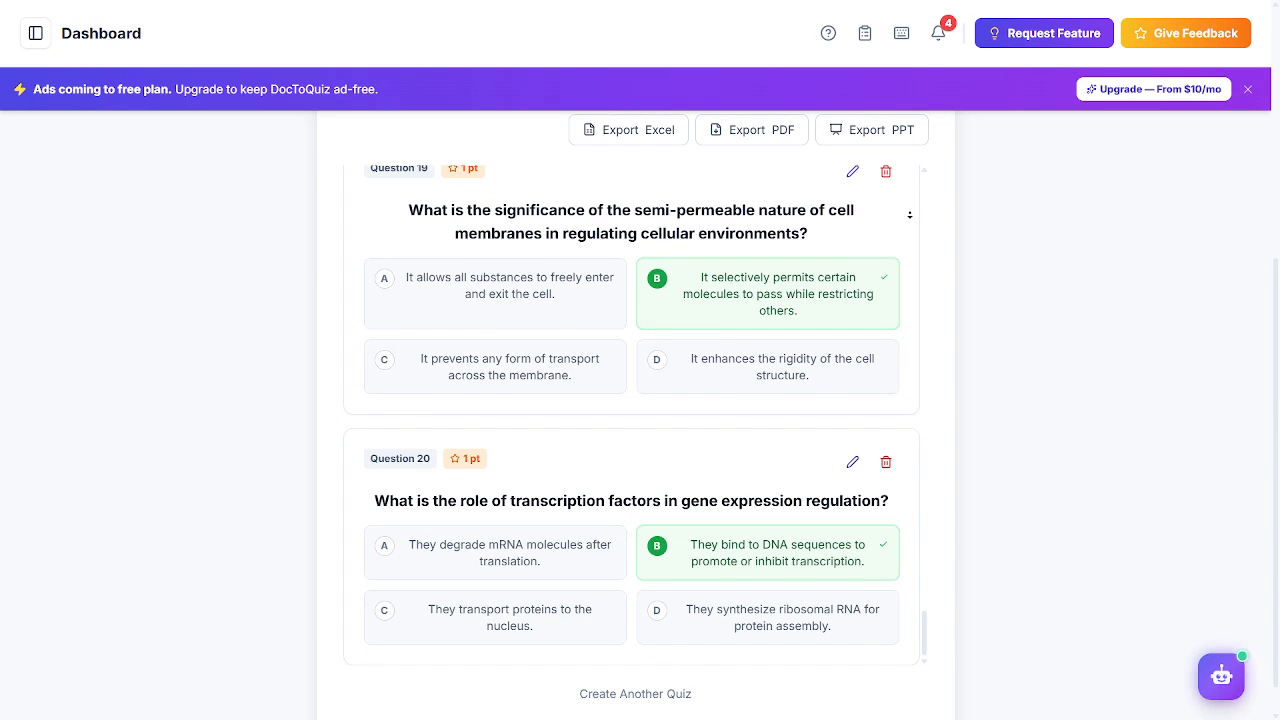
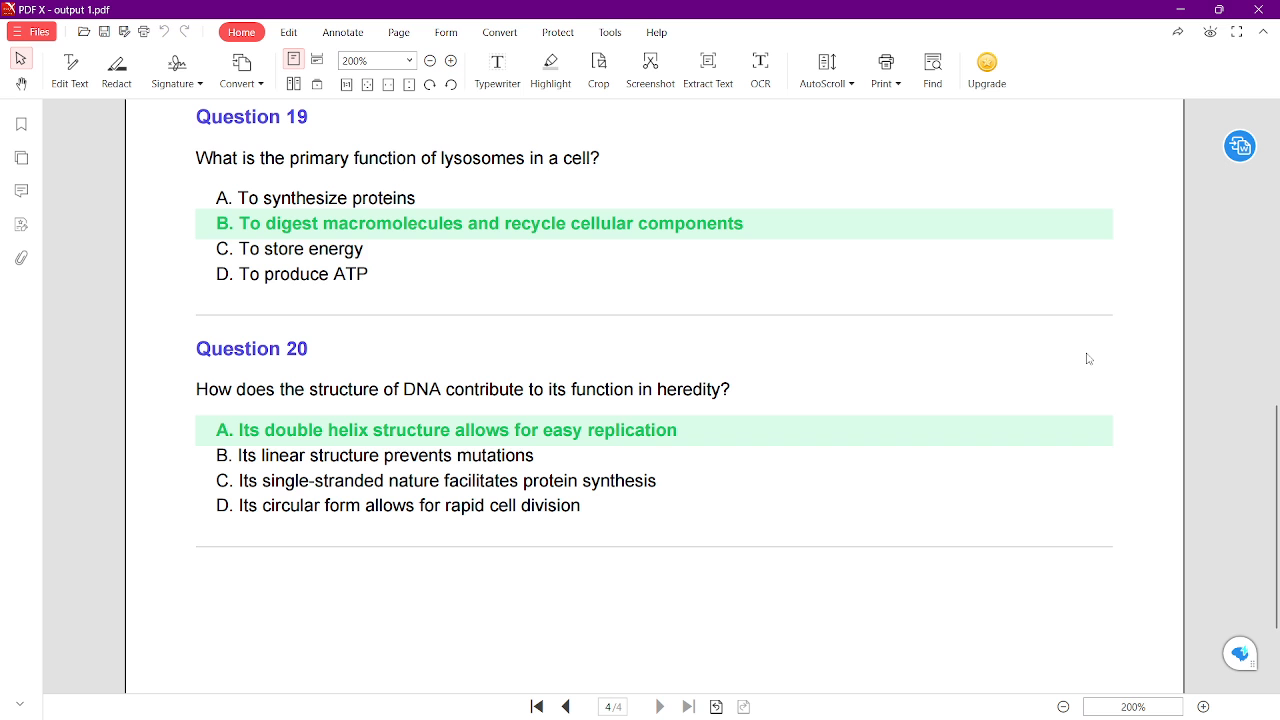
Observed output: Output artifact (Image): Generated review/results screen showing Questions 19-20 with highlighted correct answers. — c2c_output2_440.png
Input artifact: Input artifact (PDF document): Handwritten-notes PDF from the same chapter, generated with the same Hard/20-question configuration. — input2_secondary.pdf
Output artifact: Output artifact (Image): Generated review/results screen showing Questions 19-20 with highlighted correct answers. — c2c_output2_440.png
What changed: PDF document transformed into Image
Why it matters / Conclusion: Documents worked in this run, but the YouTube path did not.
DoctoQuiz accepts study materials as inputs for quiz creation, and in these runs PDFs and handwritten-notes PDFs were readable while a YouTube URL failed because no extractable content was found.
Feature tested: Quiz Configuration
Result: Passed
Verdict: Strong
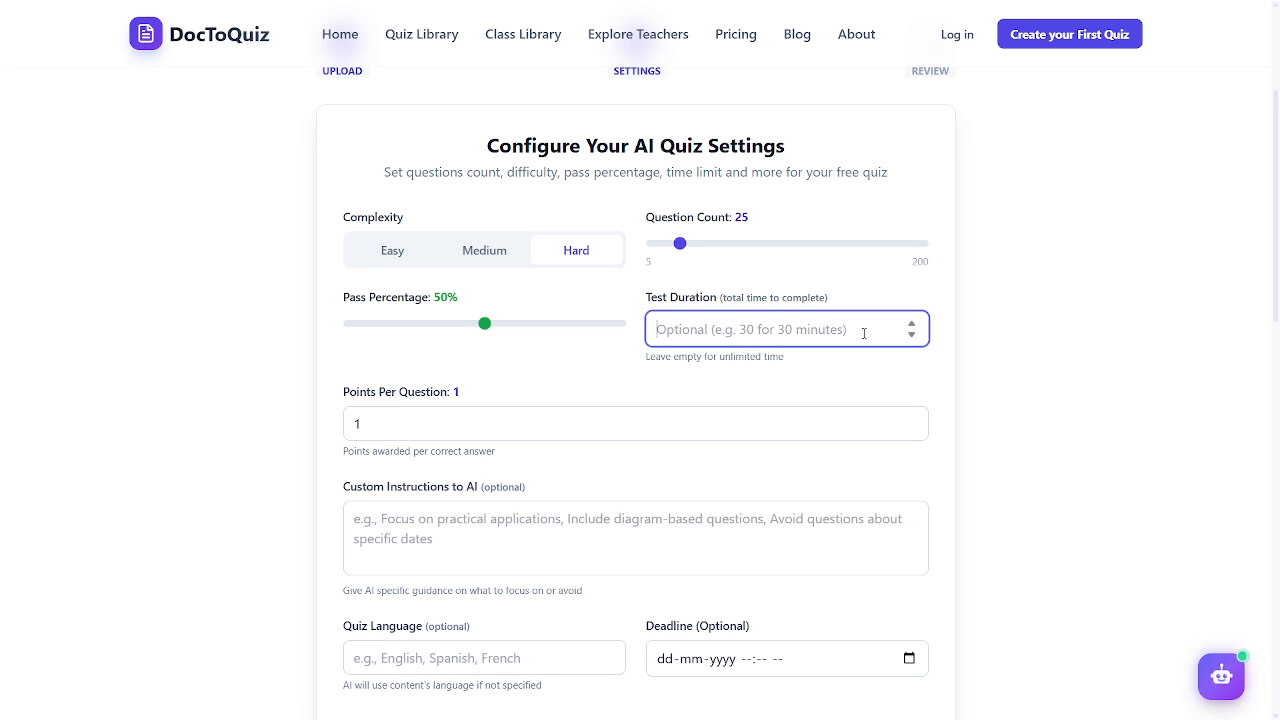
Expected behavior: Before generating a quiz, DoctoQuiz exposes settings for difficulty, question count, time limit, points per question, custom AI instructions, language, deadline, randomized order, pass percentage, and answer reveal.
Test case: Text prompt → Image
Input type: Text prompt
Input used: Input artifact (Text prompt): INPUT
Observed output: Output artifact (Image): The settings page exposes the full quiz configuration surface in one place. — c3a_settings_70.png
Input artifact: Input artifact (Text prompt): INPUT
Output artifact: Output artifact (Image): The settings page exposes the full quiz configuration surface in one place. — c3a_settings_70.png
What changed: Text prompt transformed into Image
Test case: Text prompt → Image
Input type: Text prompt
Input used: Input artifact (Text prompt): Quiz settings
Observed output: Output artifact (Image): Settings page for configuring an AI quiz, showing complexity, question count, pass percentage, test duration, points per question, custom AI instructions, quiz language, and optional deadline fields. — c3a_settings_70.png
Input artifact: Input artifact (Text prompt): Quiz settings
Output artifact: Output artifact (Image): Settings page for configuring an AI quiz, showing complexity, question count, pass percentage, test duration, points per question, custom AI instructions, quiz language, and optional deadline fields. — c3a_settings_70.png
What changed: Text prompt transformed into Image
Why it matters / Conclusion: This is one of the richest quiz setup panels in the research set.
Before generating a quiz, DoctoQuiz exposes settings for difficulty, question count, time limit, points per question, custom AI instructions, language, deadline, randomized order, pass percentage, and answer reveal.
Feature tested: Quiz Generation
Result: Partial
Verdict: Mixed
Expected behavior: From working study materials, DoctoQuiz generates formatted multiple-choice quizzes with clear numbering, answer choices, highlighted correct answers, and the requested question count; the hard setting still skewed toward recall in these runs.
Test case: PDF document → Image
Input type: PDF document
Input used: Input artifact (PDF document): Generate a 20-question Hard biology quiz from the uploaded PDF study material. — input1_primary.pdf
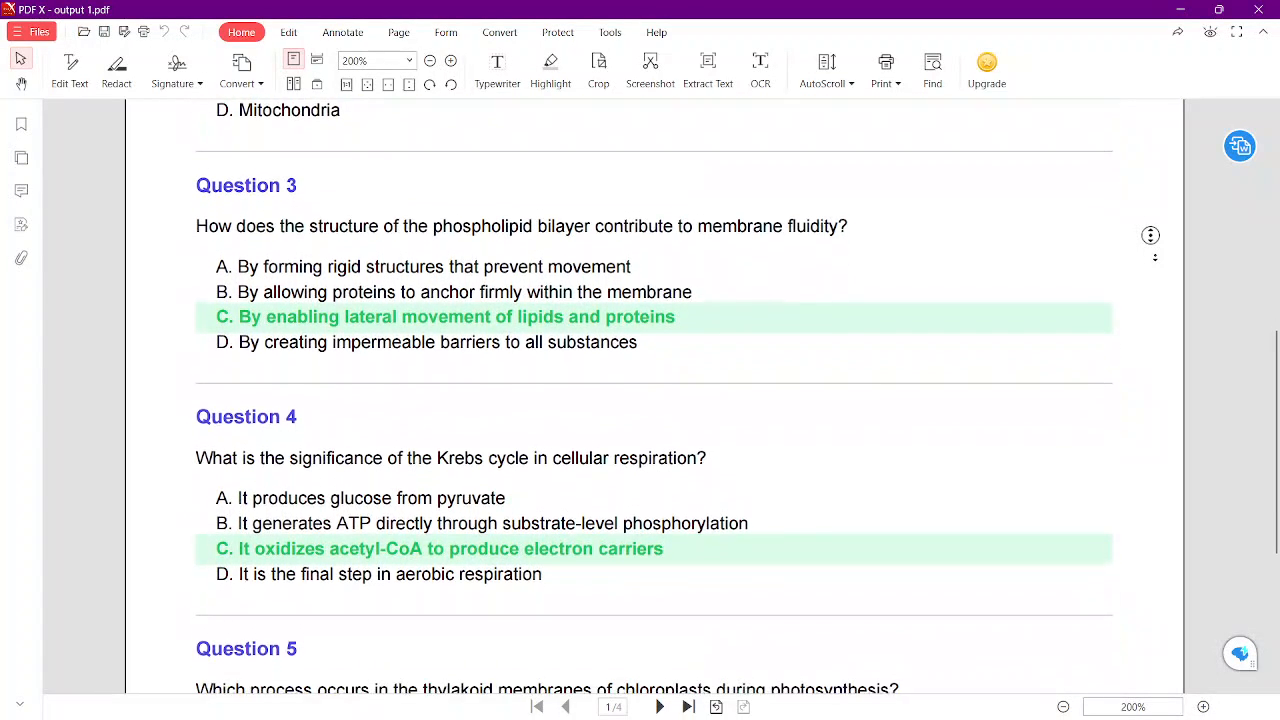
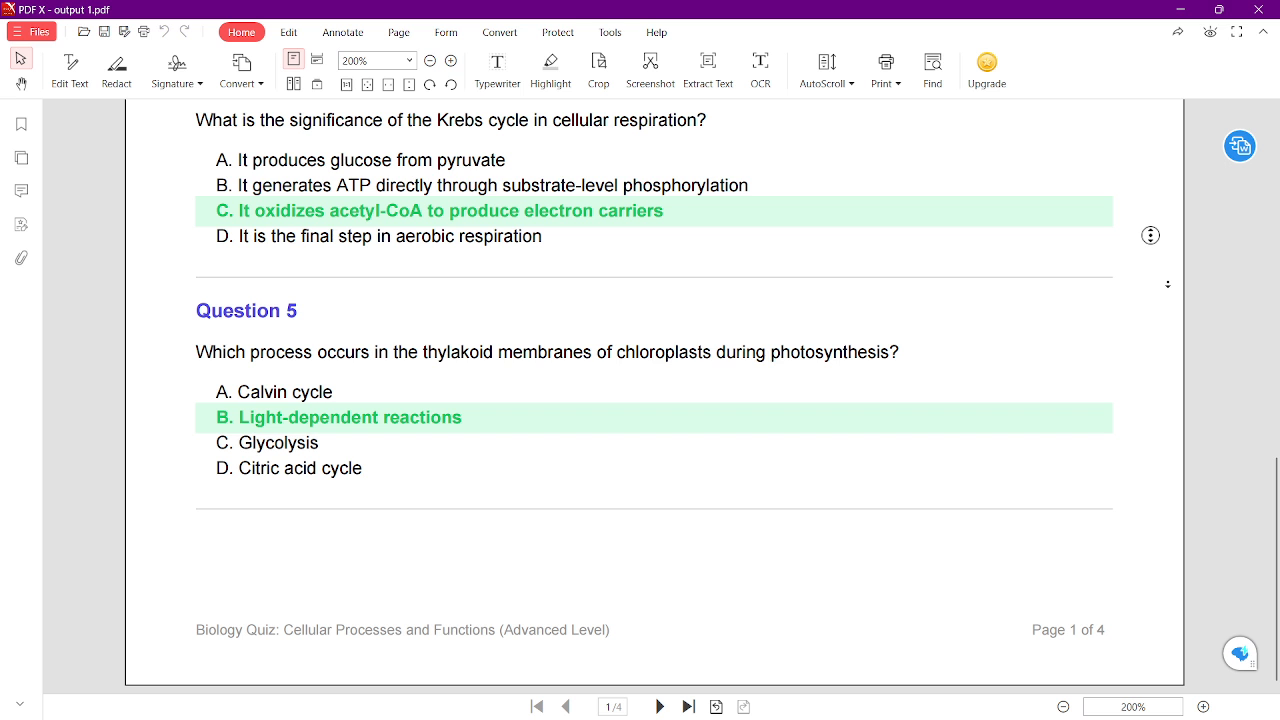
Observed output: Output artifact (Image): Quiz page 1 shows Questions 3-5 in a clean four-option MCQ format with green-highlighted answers and clear page breaks. — c2a_positives_216.png
Input artifact: Input artifact (PDF document): Generate a 20-question Hard biology quiz from the uploaded PDF study material. — input1_primary.pdf
Output artifact: Output artifact (Image): Quiz page 1 shows Questions 3-5 in a clean four-option MCQ format with green-highlighted answers and clear page breaks. — c2a_positives_216.png
What changed: PDF document transformed into Image
Test case: PDF document → Image
Input type: PDF document
Input used: Input artifact (PDF document): Open the next section of the same generated quiz and inspect the question layout and answer treatment. — input1_primary.pdf
Observed output: Output artifact (Image): The zoomed continuation shows Question 4 and Question 5 with the same green-highlighted answer styling and consistent quiz formatting. — c2b_262.png
Input artifact: Input artifact (PDF document): Open the next section of the same generated quiz and inspect the question layout and answer treatment. — input1_primary.pdf
Output artifact: Output artifact (Image): The zoomed continuation shows Question 4 and Question 5 with the same green-highlighted answer styling and consistent quiz formatting. — c2b_262.png
What changed: PDF document transformed into Image
Test case: PDF document → Image
Input type: PDF document
Input used: Input artifact (PDF document): Generate a second quiz from handwritten notes with the same Hard settings and review the resulting quiz pages. — input2_secondary.pdf
Observed output: Output artifact (Image): The review/results area shows Questions 19-20 with green-highlighted correct answers and export buttons for Excel, PDF, and PPT. — c2c_output2_440.png
Input artifact: Input artifact (PDF document): Generate a second quiz from handwritten notes with the same Hard settings and review the resulting quiz pages. — input2_secondary.pdf
Output artifact: Output artifact (Image): The review/results area shows Questions 19-20 with green-highlighted correct answers and export buttons for Excel, PDF, and PPT. — c2c_output2_440.png
What changed: PDF document transformed into Image
Why it matters / Conclusion: The quizzes are clean and on-count, but the Hard label does not translate into much deeper reasoning.
From working study materials, DoctoQuiz generates formatted multiple-choice quizzes with clear numbering, answer choices, highlighted correct answers, and the requested question count; the hard setting still skewed toward recall in these runs.
Feature tested: Printable PDF Export
Result: Failed
Verdict: Mixed
Expected behavior: DoctoQuiz can export the generated quiz as a printable PDF with page formatting and question numbering, but the export here did not include an answer key or explanation section.
Test case: Text prompt → Image
Input type: Text prompt
Input used: Input artifact (Text prompt): INPUT
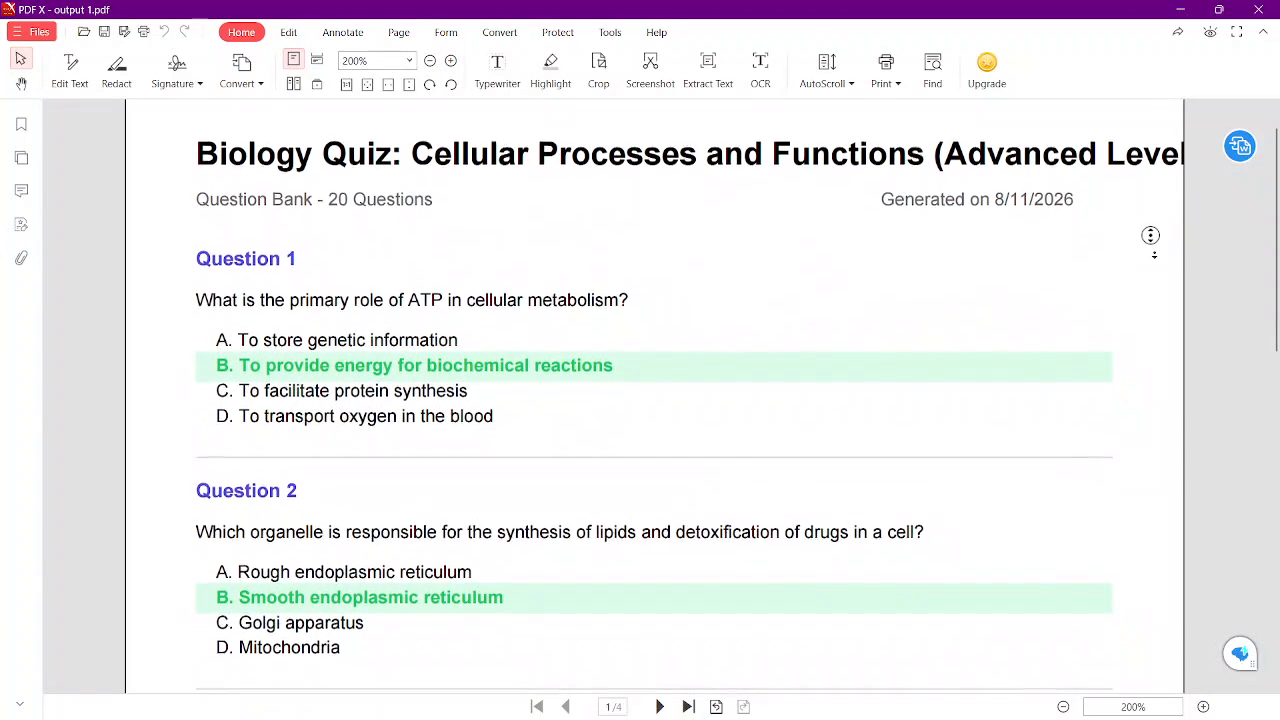
Observed output: Output artifact (Image): The generated quiz is exported as a clean printable PDF with a title page and numbered questions. — c3b_export_205.png
Input artifact: Input artifact (Text prompt): INPUT
Output artifact: Output artifact (Image): The generated quiz is exported as a clean printable PDF with a title page and numbered questions. — c3b_export_205.png
What changed: Text prompt transformed into Image
Test case: Text prompt → Image
Input type: Text prompt
Input used: Input artifact (Text prompt): INPUT
Observed output: Output artifact (Image): The export ends after the questions; there is no separate answer key or explanation section. — c5b_noanswerkey_344.png
Input artifact: Input artifact (Text prompt): INPUT
Output artifact: Output artifact (Image): The export ends after the questions; there is no separate answer key or explanation section. — c5b_noanswerkey_344.png
What changed: Text prompt transformed into Image
Why it matters / Conclusion: Export works, but the downloaded document is not enough for independent self-checking.
DoctoQuiz can export the generated quiz as a printable PDF with page formatting and question numbering, but the export here did not include an answer key or explanation section.
Independent rankings where DoctoQuiz was tested and rated.
How the embed badge will look on your site

Copy this code to your website source
Discover more AI tools like DoctoQuiz to enhance your workflow.
If you are looking to build a custom quiz generation, study guide creation, or assessment tool for your business or internal workflow, email us at contact@futuresmart.ai.
Found something inaccurate or missing? We try to keep our AI research accurate and useful. If you found outdated information, an issue, or have a suggestion, email us at collaborate@aidemos.com.