Quiz Generation
Version 1No published result

Turns study materials into exportable quizzes, but it doesn't demonstrate a real study loop.
Good at intake and export, not yet a complete study loop
QuizRise reliably turned a typed PDF, handwritten notes, and a public YouTube URL into quizzes, and its export menu is one of the broadest in the set. But the session never showed a real student-facing quiz, Hard difficulty under-delivered across runs, and flashcards/summaries stayed unverified, so it reads as a strong question-bank generator rather than a full study system. The matched ChatGPT baseline also produced stronger difficulty and explanations on the same inputs.
Explore QuizRise in our public benchmarks.
No published result
Our detailed analysis of QuizRise — features, performance, and real-world testing.
Feature tested: Study Material Import
Result: Passed
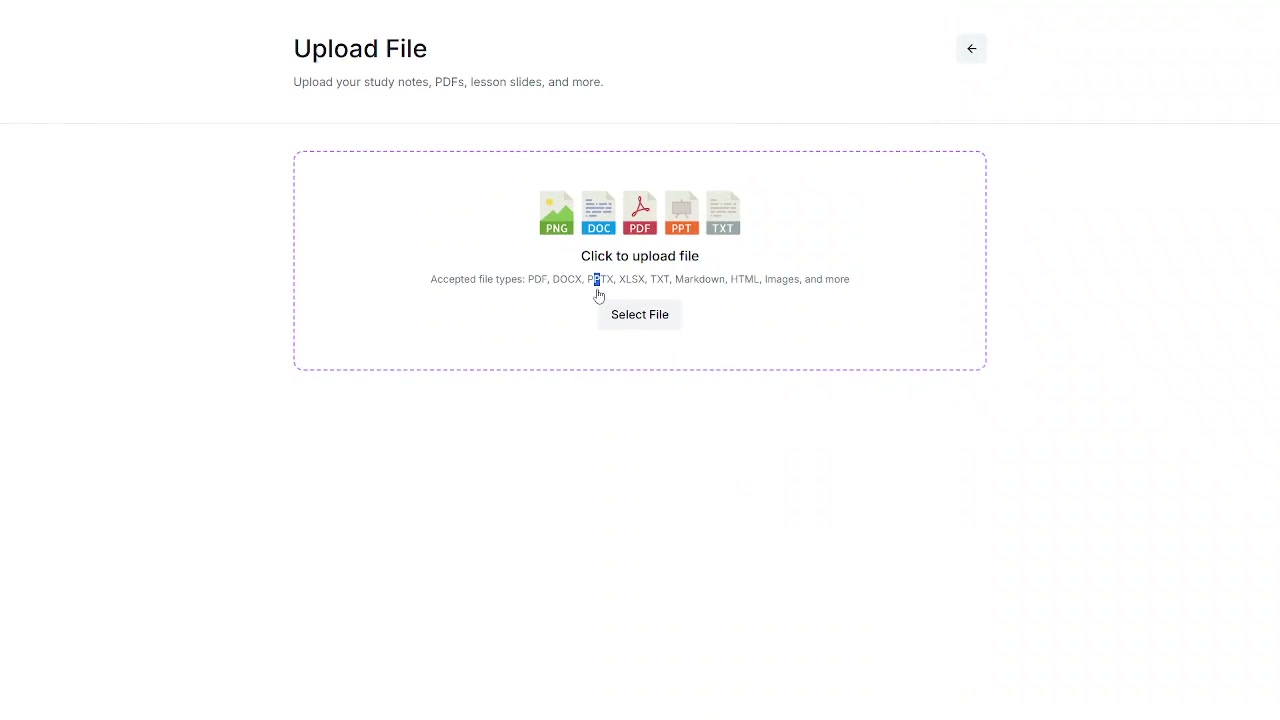
Expected behavior: QuizRise can ingest study sources from uploaded files and public URLs. It was exercised on a typed NCERT PDF, a scanned handwritten PDF, and a YouTube lecture URL, with the upload screen also advertising support for common document, text, markdown, HTML, spreadsheet, and image files.
Test case: PDF document → PDF document
Input type: PDF document
Input used: Input artifact (PDF document): Typed PDF: NCERT Class 12 Biology chapter on Sexual Reproduction in Flowering Plants. — input1_primary.pdf
Observed output: Output artifact (PDF document): QuizRise generated a quiz from the typed PDF and preserved it as a downloadable PDF question set. — output_1_pdf_questions_truefalse.pdf
Input artifact: Input artifact (PDF document): Typed PDF: NCERT Class 12 Biology chapter on Sexual Reproduction in Flowering Plants. — input1_primary.pdf
Output artifact: Output artifact (PDF document): QuizRise generated a quiz from the typed PDF and preserved it as a downloadable PDF question set. — output_1_pdf_questions_truefalse.pdf
What changed: PDF document transformed into PDF document
Test case: PDF document → PDF document
Input type: PDF document
Input used: Input artifact (PDF document): Scanned handwritten notes PDF from the same biology chapter. — input2_secondary.pdf
Observed output: Output artifact (PDF document): QuizRise generated a quiz from the handwritten notes PDF and preserved it as a downloadable PDF question set. — output_2_pdf_questions_mcq.pdf
Input artifact: Input artifact (PDF document): Scanned handwritten notes PDF from the same biology chapter. — input2_secondary.pdf
Output artifact: Output artifact (PDF document): QuizRise generated a quiz from the handwritten notes PDF and preserved it as a downloadable PDF question set. — output_2_pdf_questions_mcq.pdf
What changed: PDF document transformed into PDF document
Test case: Text prompt → Image
Input type: Text prompt
Input used: Input artifact (Text prompt): Input
Observed output: Output artifact (Image): QuizRise's upload screen lists supported study-material types, including PDF, DOCX, PPTX, XLSX, TXT, Markdown, HTML, images, and more. — Generate-Quizzes-and-Practice-Tests-from-Study-Material-Using-AI__Quizrise__08__upload-file-accepted-formats.png
Input artifact: Input artifact (Text prompt): Input
Output artifact: Output artifact (Image): QuizRise's upload screen lists supported study-material types, including PDF, DOCX, PPTX, XLSX, TXT, Markdown, HTML, images, and more. — Generate-Quizzes-and-Practice-Tests-from-Study-Material-Using-AI__Quizrise__08__upload-file-accepted-formats.png
What changed: Text prompt transformed into Image
Test case: YouTube video → PDF document
Input type: YouTube video
Input used: Input artifact (YouTube video): Input
Observed output: Output artifact (PDF document): QuizRise generated a quiz from the YouTube source and preserved it as a downloadable PDF question set. — output_3_pdf_questions_fillblank.pdf
Input artifact: Input artifact (YouTube video): Input
Output artifact: Output artifact (PDF document): QuizRise generated a quiz from the YouTube source and preserved it as a downloadable PDF question set. — output_3_pdf_questions_fillblank.pdf
What changed: YouTube video transformed into PDF document
Test case: YouTube video → Image
Input type: YouTube video
Input used: Input artifact (YouTube video): Input
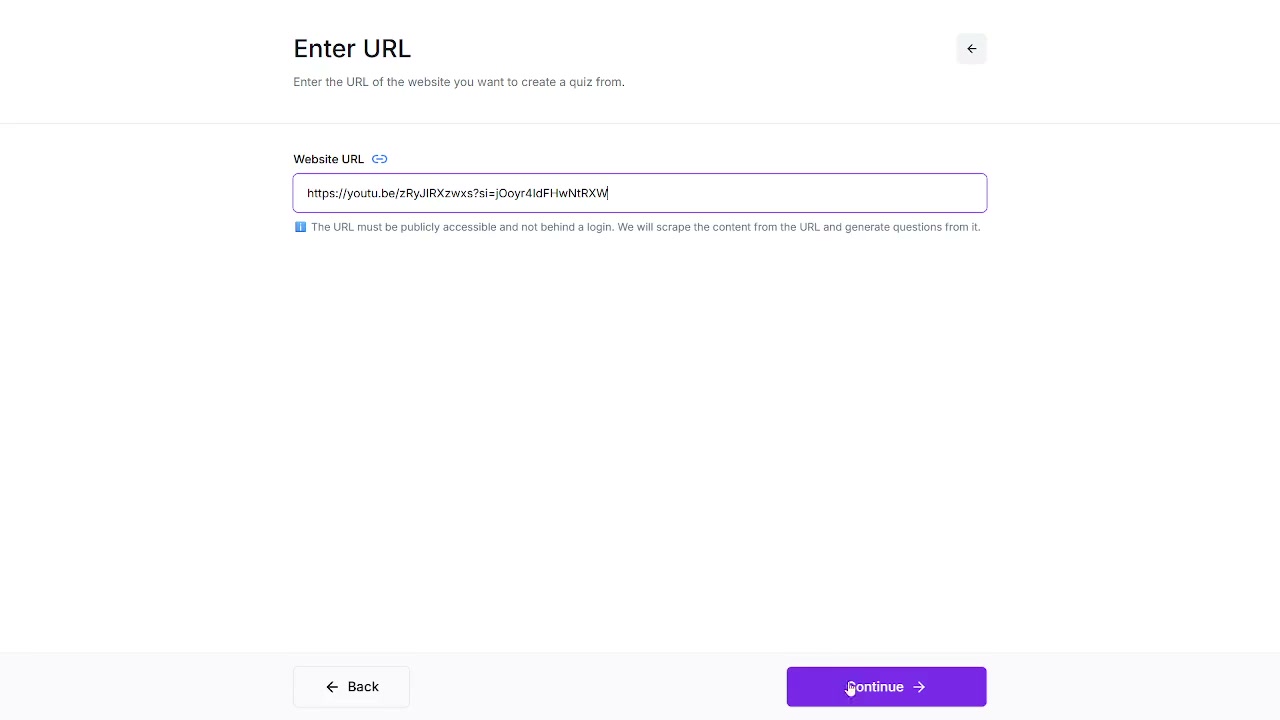
Observed output: Output artifact (Image): The URL step accepts a pasted link and states that QuizRise will scrape the content from it. — quizrise_out14.png
Input artifact: Input artifact (YouTube video): Input
Output artifact: Output artifact (Image): The URL step accepts a pasted link and states that QuizRise will scrape the content from it. — quizrise_out14.png
What changed: YouTube video transformed into Image
Why it matters / Conclusion: Strong intake coverage for PDFs, handwritten scans, and public URLs; the URL flow depends on scraping a public link, and no direct audio/video file upload was shown.
QuizRise can ingest study sources from uploaded files and public URLs. It was exercised on a typed NCERT PDF, a scanned handwritten PDF, and a YouTube lecture URL, with the upload screen also advertising support for common document, text, markdown, HTML, spreadsheet, and image files.
Feature tested: Quiz Configuration
Result: Partial
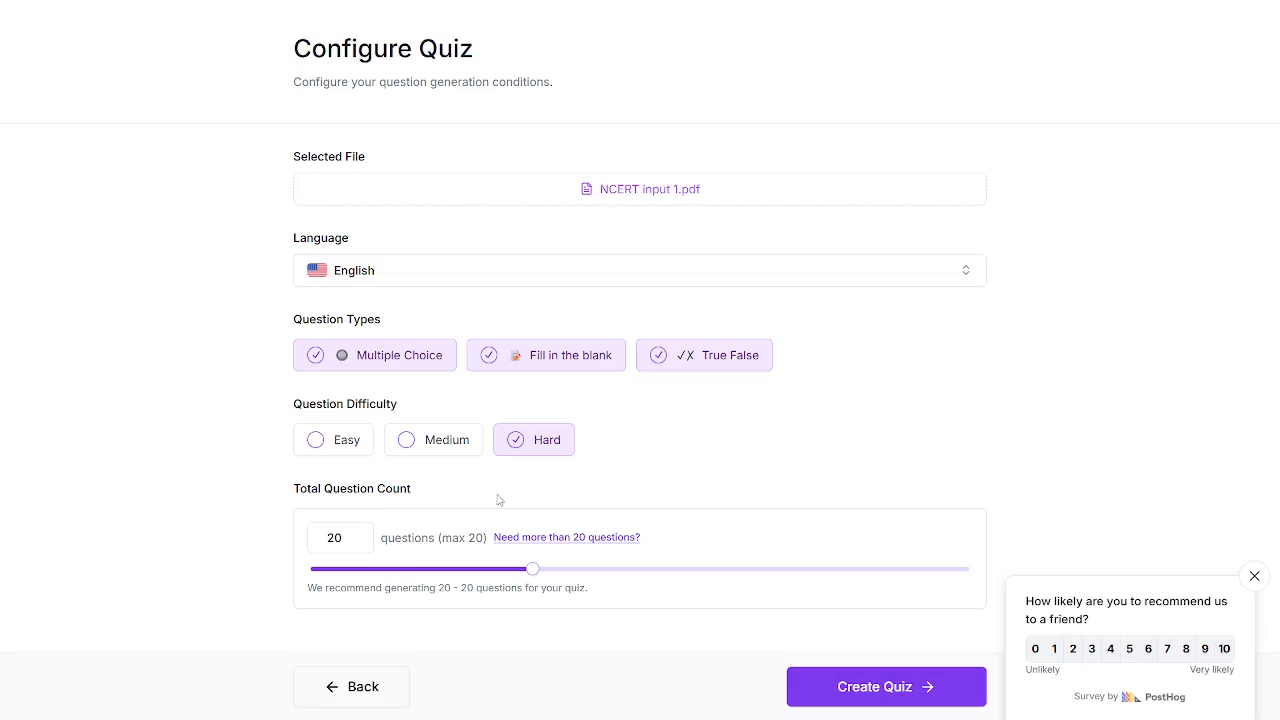
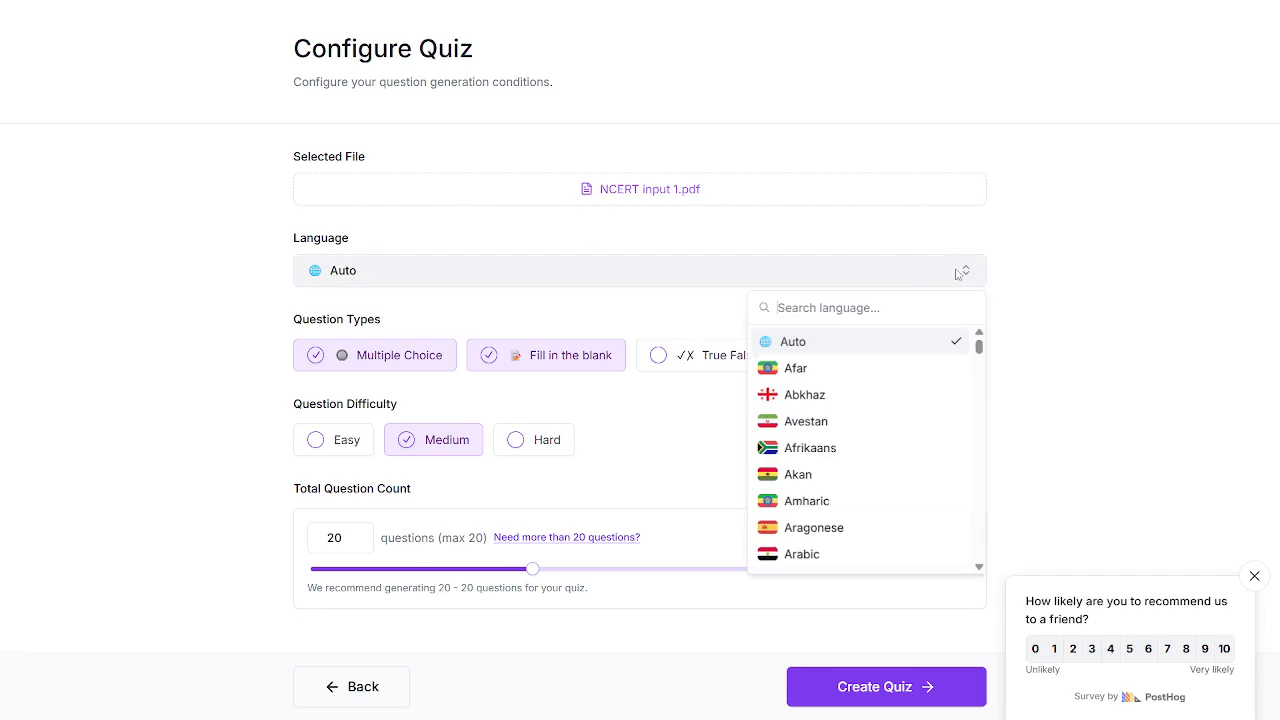
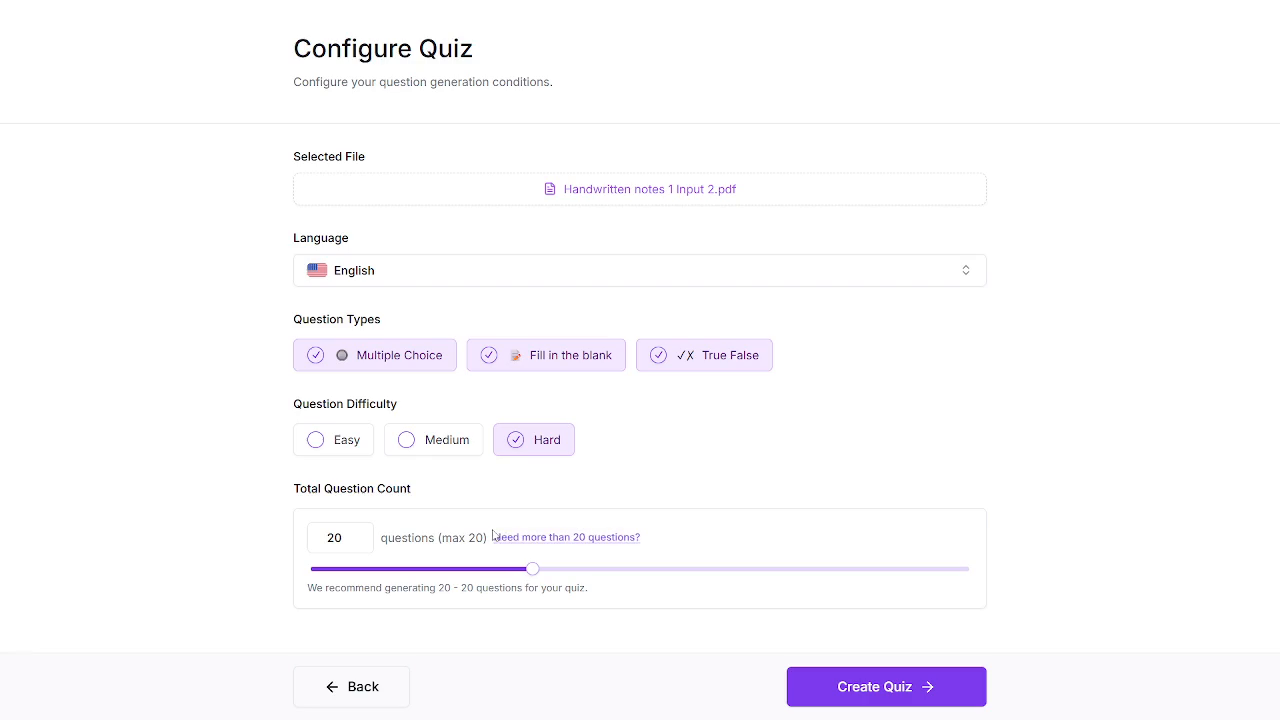
Expected behavior: QuizRise lets the user configure generation settings before creating a quiz, including language, question types, difficulty, and total question count. The tested runs showed those controls in use, including the free-tier 20-question cap and the Hard setting.
Test case: Text prompt → Image
Input type: Text prompt
Input used: Input artifact (Text prompt): Input
Observed output: Output artifact (Image): The configuration screen shows the selected file, question types, Hard difficulty, and the 20-question free-plan cap. — Generate-Quizzes-and-Practice-Tests-from-Study-Material-Using-AI__Quizrise__03__configure-quiz-hard-20cap.png
Input artifact: Input artifact (Text prompt): Input
Output artifact: Output artifact (Image): The configuration screen shows the selected file, question types, Hard difficulty, and the 20-question free-plan cap. — Generate-Quizzes-and-Practice-Tests-from-Study-Material-Using-AI__Quizrise__03__configure-quiz-hard-20cap.png
What changed: Text prompt transformed into Image
Test case: Text prompt → Image
Input type: Text prompt
Input used: Input artifact (Text prompt): Input
Observed output: Output artifact (Image): The language picker supports Auto and a long searchable list of languages. — Generate-Quizzes-and-Practice-Tests-from-Study-Material-Using-AI__Quizrise__02__language-list-nps-popup.png
Input artifact: Input artifact (Text prompt): Input
Output artifact: Output artifact (Image): The language picker supports Auto and a long searchable list of languages. — Generate-Quizzes-and-Practice-Tests-from-Study-Material-Using-AI__Quizrise__02__language-list-nps-popup.png
What changed: Text prompt transformed into Image
Test case: Text prompt → Image
Input type: Text prompt
Input used: Input artifact (Text prompt): Input
Observed output: Output artifact (Image): The helper copy shows the cap bug: 'We recommend generating 20 - 20 questions for your quiz.' — Generate-Quizzes-and-Practice-Tests-from-Study-Material-Using-AI__Quizrise__09__handwritten-input-cap-bug.png
Input artifact: Input artifact (Text prompt): Input
Output artifact: Output artifact (Image): The helper copy shows the cap bug: 'We recommend generating 20 - 20 questions for your quiz.' — Generate-Quizzes-and-Practice-Tests-from-Study-Material-Using-AI__Quizrise__09__handwritten-input-cap-bug.png
What changed: Text prompt transformed into Image
Why it matters / Conclusion: The controls are real and fairly granular, but the free plan caps output at 20 questions and the Hard setting under-delivered across the three runs.
QuizRise lets the user configure generation settings before creating a quiz, including language, question types, difficulty, and total question count. The tested runs showed those controls in use, including the free-tier 20-question cap and the Hard setting.
Feature tested: Question Review and Manual Editing
Result: Partial
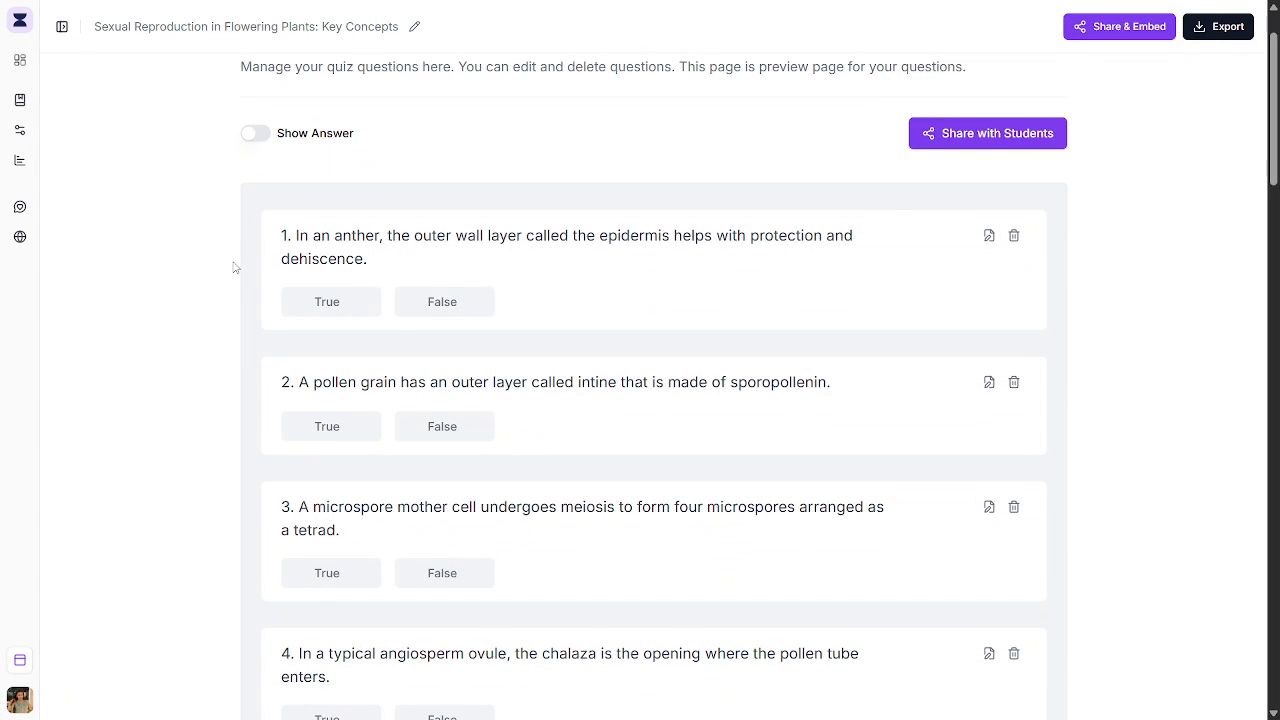
Expected behavior: QuizRise provides an editor for reviewing generated questions, revealing answers, viewing explanations, and manually editing, deleting, or adding questions. The exercised output also showed explanations inline without source citations.
Test case: Text prompt → Image
Input type: Text prompt
Input used: Input artifact (Text prompt): INPUT
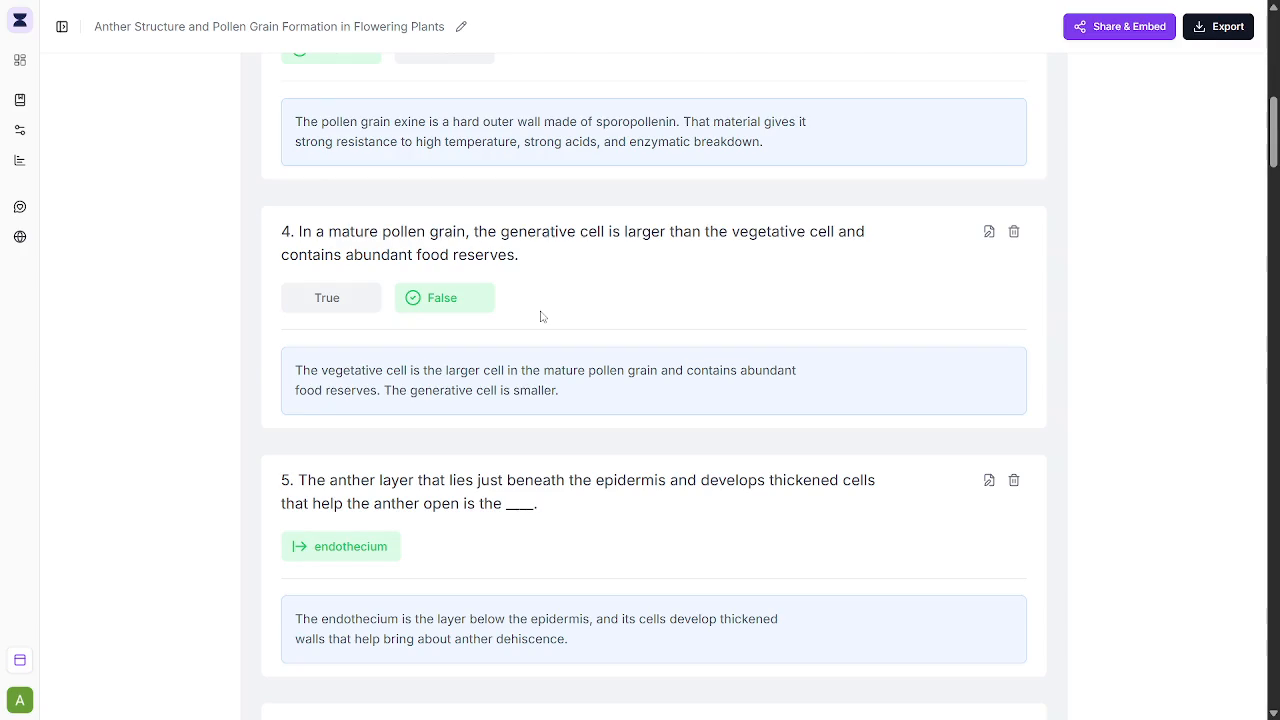
Observed output: Output artifact (Image): Explanation boxes are shown under answered questions. — Generate-Quizzes-and-Practice-Tests-from-Study-Material-Using-AI__Quizrise__11__handwritten-run-output-explanation.png
Input artifact: Input artifact (Text prompt): INPUT
Output artifact: Output artifact (Image): Explanation boxes are shown under answered questions. — Generate-Quizzes-and-Practice-Tests-from-Study-Material-Using-AI__Quizrise__11__handwritten-run-output-explanation.png
What changed: Text prompt transformed into Image
Test case: Text prompt → Image
Input type: Text prompt
Input used: Input artifact (Text prompt): Input
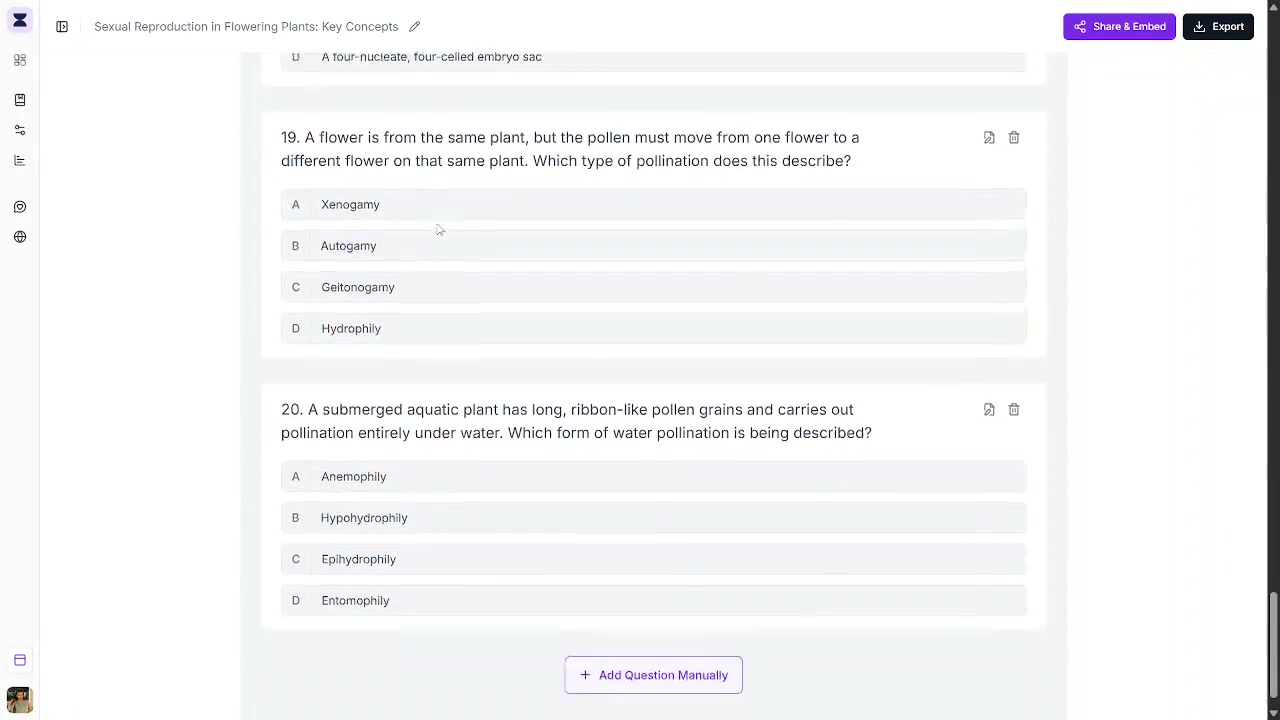
Observed output: Output artifact (Image): The quiz preview page shows a question list with a Show Answer toggle and editing-oriented controls rather than a timed student attempt. — frame_B_questions_editor.png
Input artifact: Input artifact (Text prompt): Input
Output artifact: Output artifact (Image): The quiz preview page shows a question list with a Show Answer toggle and editing-oriented controls rather than a timed student attempt. — frame_B_questions_editor.png
What changed: Text prompt transformed into Image
Test case: Text prompt → Image
Input type: Text prompt
Input used: Input artifact (Text prompt): Input
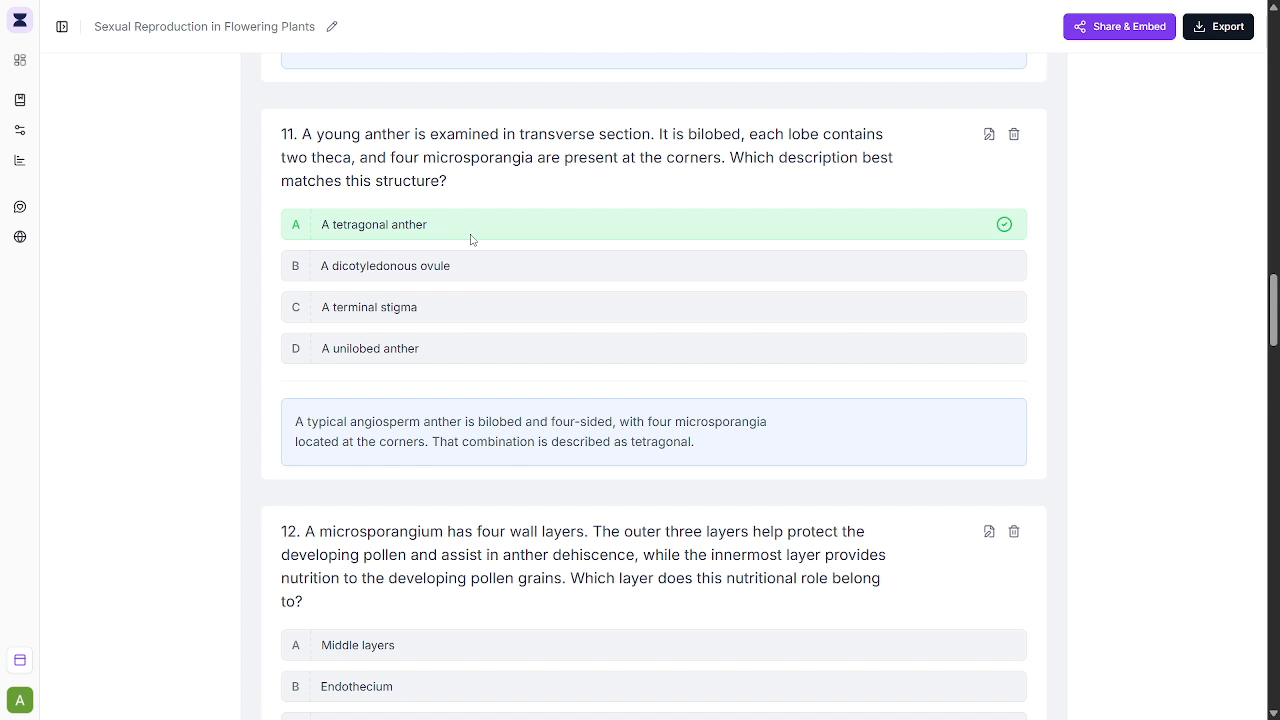
Observed output: Output artifact (Image): The explanation is shown directly under the answer, but the screen does not cite the source passage. — frame_A_mcq_explanation_no_citation.png
Input artifact: Input artifact (Text prompt): Input
Output artifact: Output artifact (Image): The explanation is shown directly under the answer, but the screen does not cite the source passage. — frame_A_mcq_explanation_no_citation.png
What changed: Text prompt transformed into Image
Test case: Text prompt → Image
Input type: Text prompt
Input used: Input artifact (Text prompt): Input
Observed output: Output artifact (Image): QuizRise exposes a + Add Question Manually button inside the question list. — Generate-Quizzes-and-Practice-Tests-from-Study-Material-Using-AI__Quizrise__16__add-question-manually-button.png
Input artifact: Input artifact (Text prompt): Input
Output artifact: Output artifact (Image): QuizRise exposes a + Add Question Manually button inside the question list. — Generate-Quizzes-and-Practice-Tests-from-Study-Material-Using-AI__Quizrise__16__add-question-manually-button.png
What changed: Text prompt transformed into Image
Why it matters / Conclusion: Useful for teacher-side cleanup, but it is an editor rather than the live student quiz experience this use case needs.
QuizRise provides an editor for reviewing generated questions, revealing answers, viewing explanations, and manually editing, deleting, or adding questions. The exercised output also showed explanations inline without source citations.
Feature tested: Quiz Export and Packaging
Result: Passed
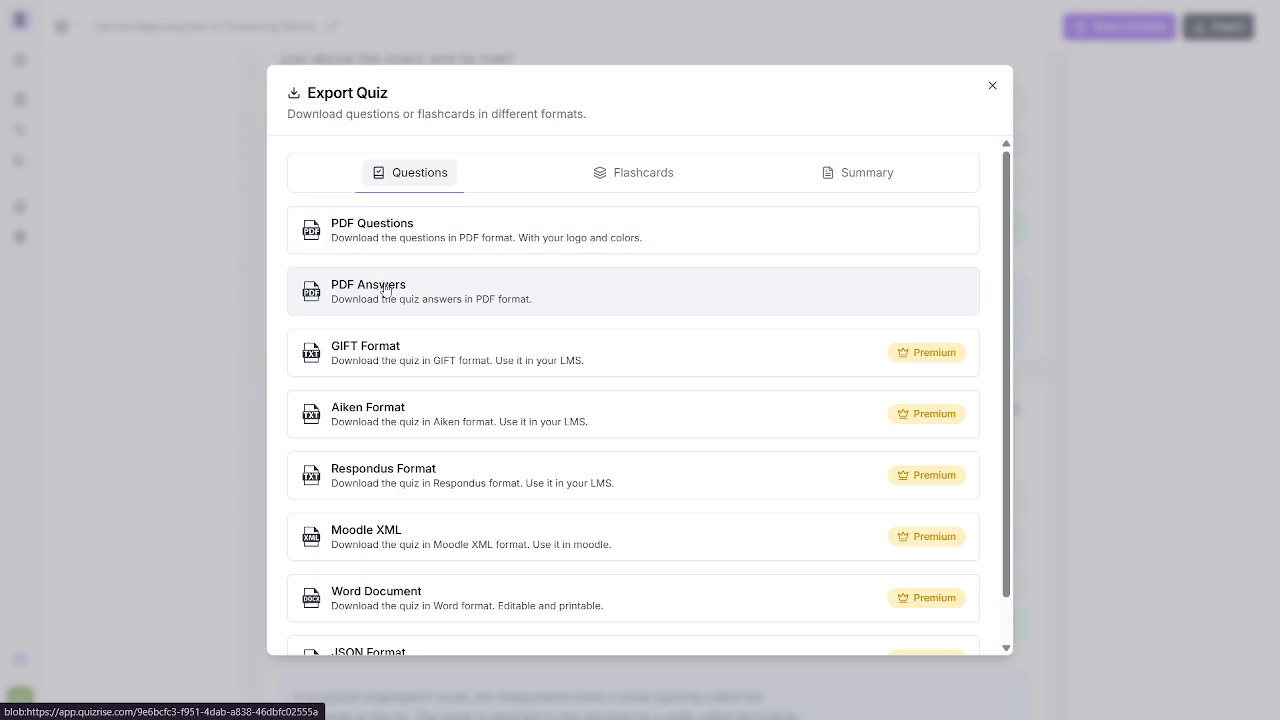
Expected behavior: QuizRise can export quiz content as downloadable PDF Questions and PDF Answers, and it advertises additional package formats such as GIFT, Aiken, Respondus, Moodle XML, and Word. The export area also shows Flashcards and Summary tabs, indicating broader packaging output beyond a plain quiz export.
Test case: Text prompt → Image
Input type: Text prompt
Input used: Input artifact (Text prompt): Input
Observed output: Output artifact (Image): The export modal shows Questions, Flashcards, and Summary tabs, plus PDF Questions, PDF Answers, and Premium LMS/document formats. — Generate-Quizzes-and-Practice-Tests-from-Study-Material-Using-AI__Quizrise__07__export-modal-premium-formats.png
Input artifact: Input artifact (Text prompt): Input
Output artifact: Output artifact (Image): The export modal shows Questions, Flashcards, and Summary tabs, plus PDF Questions, PDF Answers, and Premium LMS/document formats. — Generate-Quizzes-and-Practice-Tests-from-Study-Material-Using-AI__Quizrise__07__export-modal-premium-formats.png
What changed: Text prompt transformed into Image
Test case: Text prompt → Image
Input type: Text prompt
Input used: Input artifact (Text prompt): Input
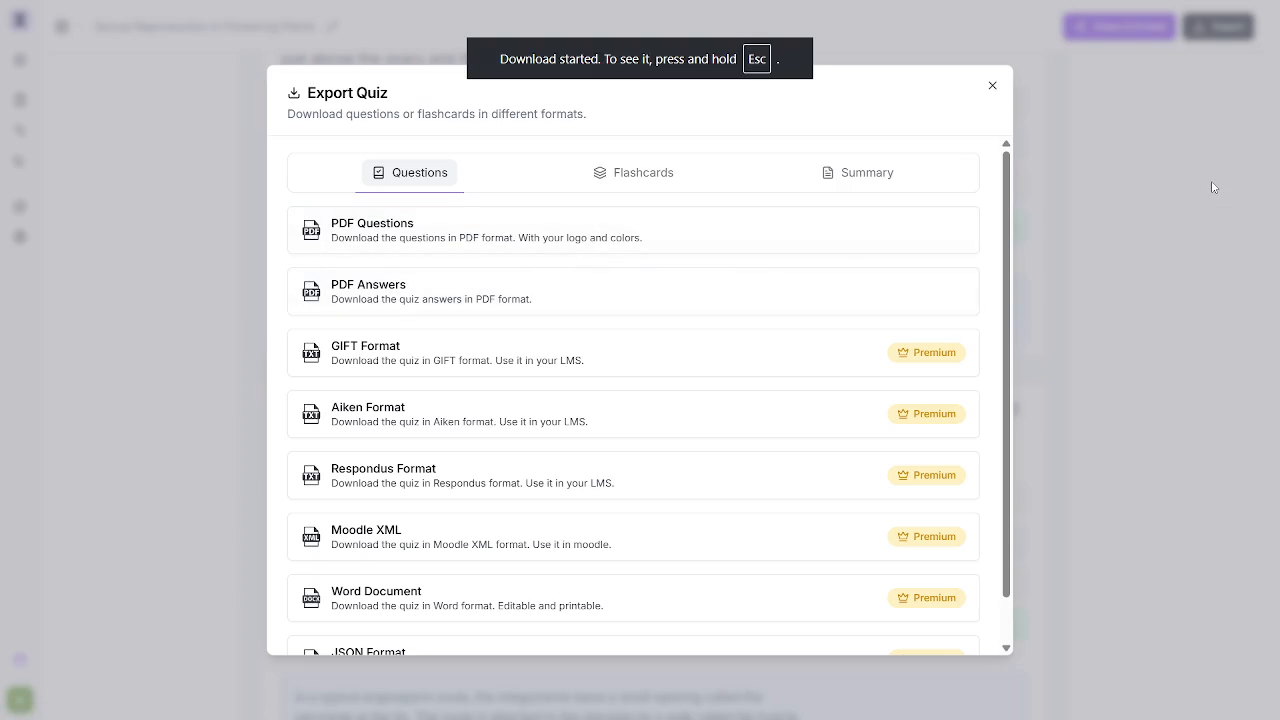
Observed output: Output artifact (Image): A toast confirms that the download started. — Generate-Quizzes-and-Practice-Tests-from-Study-Material-Using-AI__Quizrise__18__export-download-started-toast.png
Input artifact: Input artifact (Text prompt): Input
Output artifact: Output artifact (Image): A toast confirms that the download started. — Generate-Quizzes-and-Practice-Tests-from-Study-Material-Using-AI__Quizrise__18__export-download-started-toast.png
What changed: Text prompt transformed into Image
Test case: PDF document → PDF document
Input type: PDF document
Input used: Input artifact (PDF document): Export the typed-PDF run as a PDF question set. — input1_primary.pdf
Observed output: Output artifact (PDF document): A preserved exported PDF question file from the typed-PDF run. — output_1_pdf_questions_truefalse.pdf
Input artifact: Input artifact (PDF document): Export the typed-PDF run as a PDF question set. — input1_primary.pdf
Output artifact: Output artifact (PDF document): A preserved exported PDF question file from the typed-PDF run. — output_1_pdf_questions_truefalse.pdf
What changed: PDF document transformed into PDF document
Test case: PDF document → PDF document
Input type: PDF document
Input used: Input artifact (PDF document): Export the handwritten-notes run as a PDF question set. — input2_secondary.pdf
Observed output: Output artifact (PDF document): A preserved exported PDF question file from the handwritten-notes run. — output_2_pdf_questions_mcq.pdf
Input artifact: Input artifact (PDF document): Export the handwritten-notes run as a PDF question set. — input2_secondary.pdf
Output artifact: Output artifact (PDF document): A preserved exported PDF question file from the handwritten-notes run. — output_2_pdf_questions_mcq.pdf
What changed: PDF document transformed into PDF document
Test case: YouTube video → PDF document
Input type: YouTube video
Input used: Input artifact (YouTube video): Input
Observed output: Output artifact (PDF document): A preserved exported PDF question file from the YouTube run. — output_3_pdf_questions_fillblank.pdf
Input artifact: Input artifact (YouTube video): Input
Output artifact: Output artifact (PDF document): A preserved exported PDF question file from the YouTube run. — output_3_pdf_questions_fillblank.pdf
What changed: YouTube video transformed into PDF document
Why it matters / Conclusion: This is QuizRise's clearest strength: real downloads work, free PDF options exist, and the LMS-format menu is much broader than a chat tool.
QuizRise can export quiz content as downloadable PDF Questions and PDF Answers, and it advertises additional package formats such as GIFT, Aiken, Respondus, Moodle XML, and Word. The export area also shows Flashcards and Summary tabs, indicating broader packaging output beyond a plain quiz export.
Independent rankings where QuizRise was tested and rated.
How the embed badge will look on your site

Copy this code to your website source
Discover more AI tools like QuizRise to enhance your workflow.
If you are looking to build a custom quiz generation, study material conversion, or assessment creation system for your business or internal workflow, email us at contact@futuresmart.ai.
Found something inaccurate or missing? We try to keep our AI research accurate and useful. If you found outdated information, an issue, or have a suggestion, email us at collaborate@aidemos.com.